September 15, 2024
Question

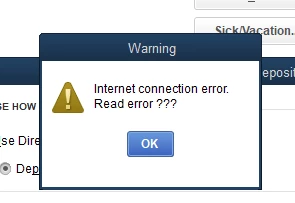
Internet connection error Read error
  • September 15, 2024
  • 2 replies
  • 0 views

Attempting to add employee direct deposit information and get this error.

2 replies

September 16, 2024

To get past the error message you encountered @HOULDENwe can perform some troubleshooting steps so you can add your direct deposit information for your employee.


We can update your payroll in QuickBooks Desktop to include current rates and calculations for federal and supported state taxes, payroll tax forms, and e-file and e-pay options. Let me show you how:


  1. Go to Employees, then select Get Payroll Updates.
  • To know your tax table version:
    1. Check the number next to You are using tax table version:.
    2. To identify if it’s the correct version, see the latest payroll news and updates.
    3. To find more details on your tax table version, select Payroll Update Info.
  • To get the latest tax table:
    1. Select Download Entire Update.
    2. Select Update. An informational window appears when the download is complete.


For future reference, you can check this material for outlined steps to personalize reports according to your needs: Customize payroll and employee reports.


Don't hesitate to revisit the Community if you have additional questions or concerns about your payroll in QBDT. We'll get back to you and provide the help you need.

October 30, 2024

First time encountering this issue. It was quickly resolved with the above information. Thank you!

October 30, 2024

You're always welcome, tonyaa.


I'm glad the steps above were able to help you out today. If there's anything else you need or if you have any other questions, feel free to post here anytime.


Additionally, would you like to create a summary report to view your employees' totals and other payroll-related data? To guide you through the process, check out this article: Create a payroll summary report in QuickBooks.


Thanks for being the best part of QuickBooks, and have a lovely day!

November 1, 2024

Your suggestion of getting payroll updates fixed my issue.  Quickbooks chat support had me update my version (which I should have done anyway).  Then I tried a few other things, such as restarting my router, and rebooting my computer several times.   I still got the error message.  Then I simply did payroll updates and it fixed it!  Glad I can come here for troubleshooting!  

November 1, 2024

Hello Mary165,


Thank you for chiming in and sharing this! I am so happy you got through. If you any other question, don't hesitate to connect with us.
