Question
Intuit Online Payroll to Quickbooks Payroll Core
I'm having issues with this supposedly automatic transition that will only take 2 minutes. So far it has taken 3 hours!
I'm following these instructions: https://quickbooks.intuit.com/learn-support/en-us/import-or-export-data-files/setup-export-of-iop-data-to-quickbooks-online-qbo/00/370600
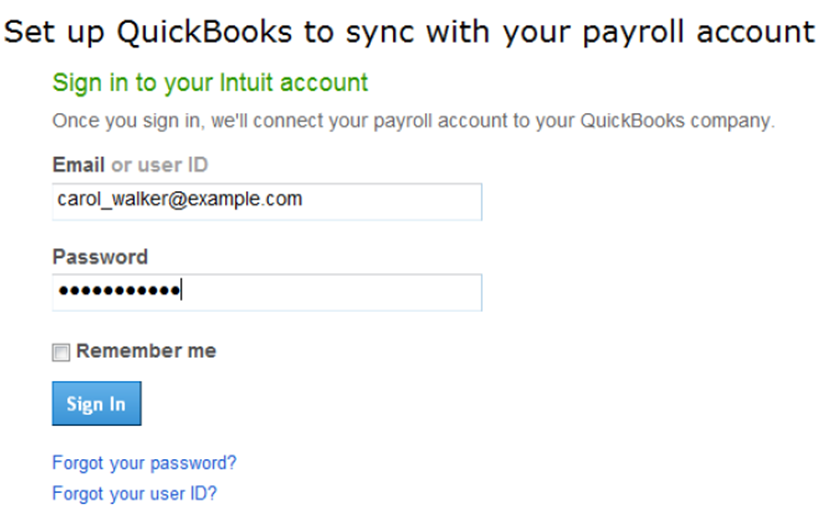
On step 3F, Intuit Online Payroll is stuck in a continuous loop. I enter my QuickBooks Payroll Core login, which is the same as Online Payroll, and it never connects. It just asks me to login again, and again.
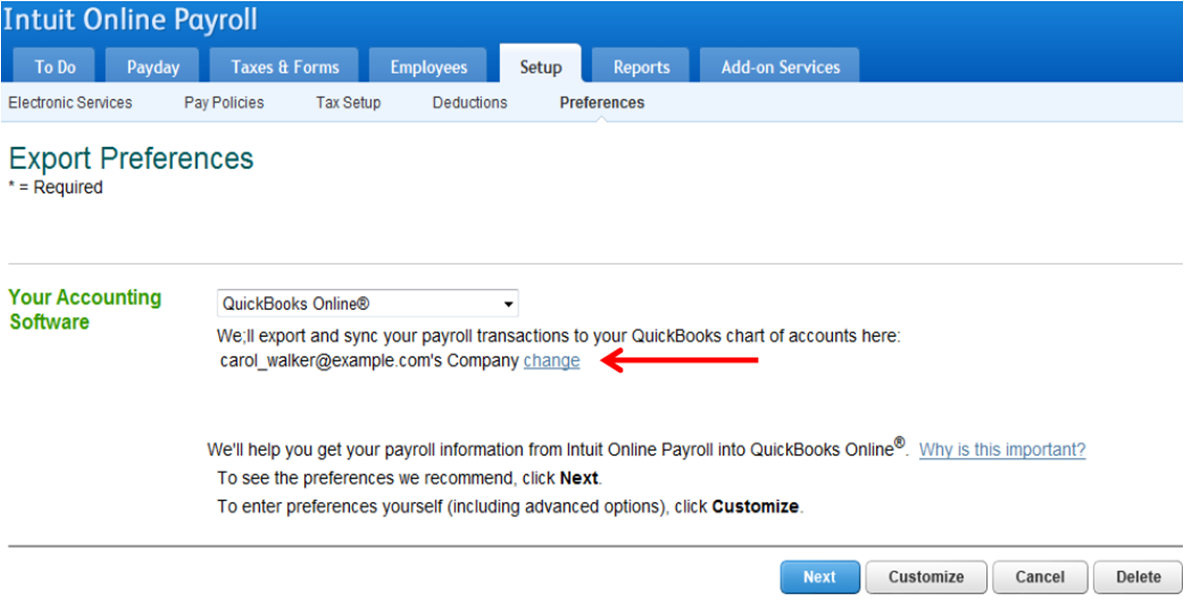
Set up connection to QuickBooks Online
We have updated the export setup flow between IOP and QBO.- In our payroll service, select the Setup tab.
- Under the Export heading, select Preferences.
- Select QuickBooks Online from the software drop down list.
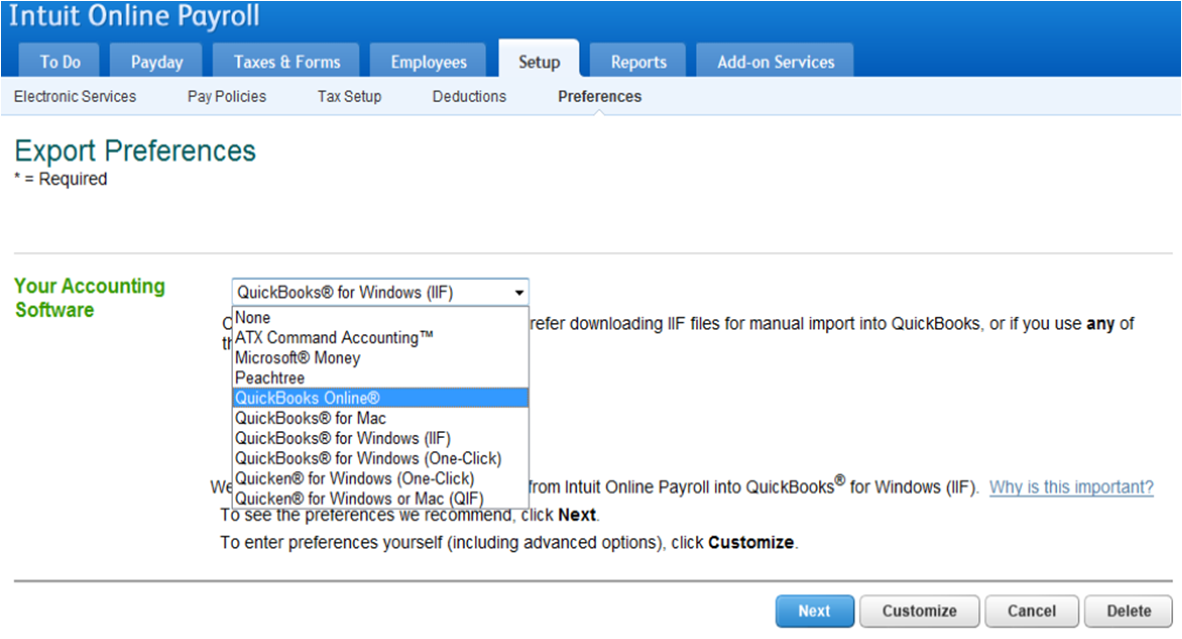
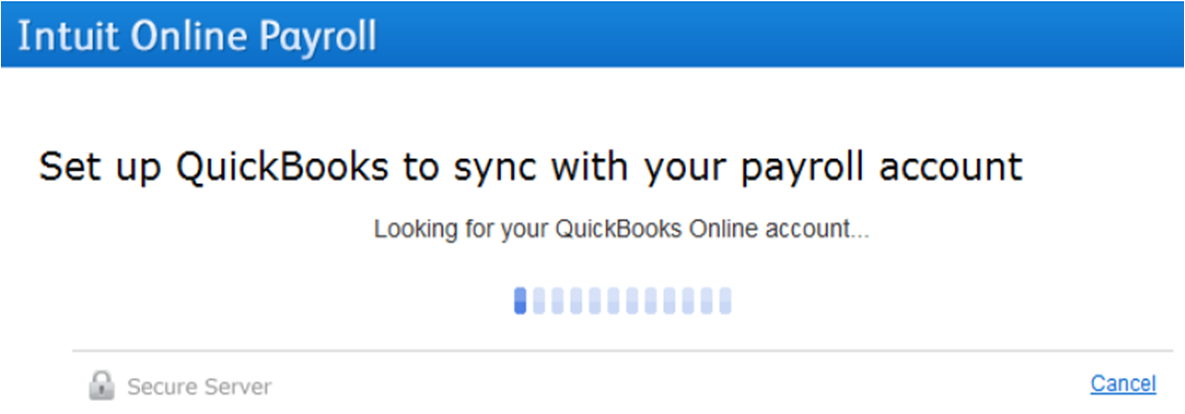
- We will search for any existing QBO accounts under the current the current user ID.

- First, we search for an existing QBO account attached to the current user ID.
- If we don't find one, you will be asked to login to your Intuit Account.
- Since QBO only accounts don't require security questions, the system may prompt the customer to select a security question and answer.
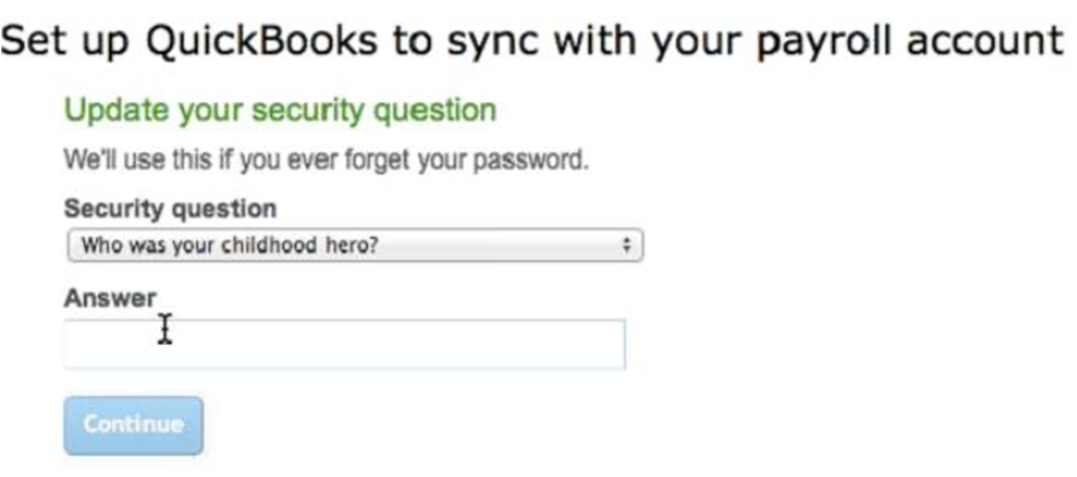
- If the correct account is found, you can continue to the export process. If multiple accounts are found, you will be prompted to select one.
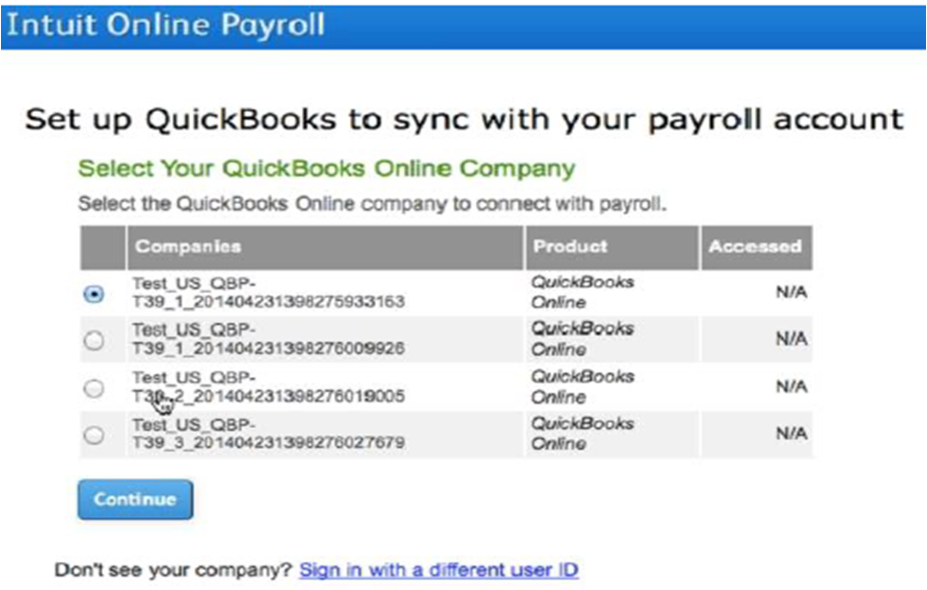
- Next, we will complete the connection process.
- Once completed, you can complete the export settings. NOTE: Select Payroll Liability accounts and Payroll Expense accounts to prevent any errors when setting up or exporting your payroll data.
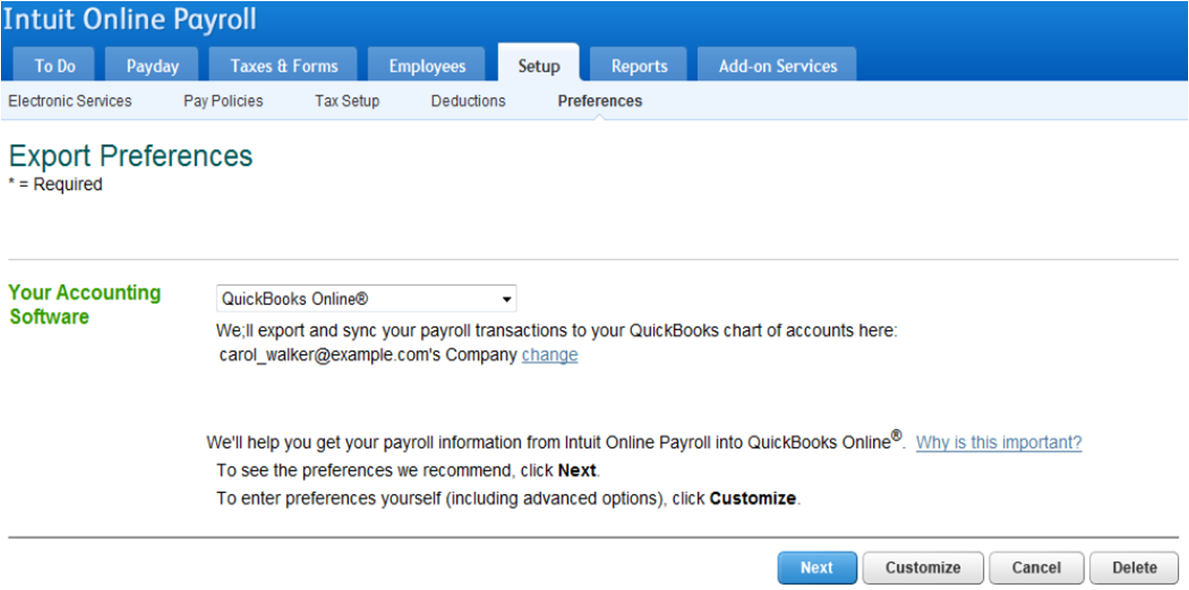
- You are also given the option to change the QBO company you sync with.