Solved
Paycheck history report for one employee
Paycheck history does not seem to be an option in my QBW 2020, so how can I run a payroll history report for one EE?


Paycheck history does not seem to be an option in my QBW 2020, so how can I run a payroll history report for one EE?
Thank you for visiting the QuickBooks Community again, ChristieV78. I'll be sharing the exact report that shows the employee's paycheck history and how to print it in QuickBooks Desktop.
A paycheck history report in QuickBooks provides an employee's previous pay amounts, including earnings, taxes, deductions, rates, and rate changes within a specific time period. However, the said report is only available in the Online version of QuickBooks and that's the reason it does not seem to be an option in your QBW 2020.
Since you're using the Desktop version, you can run the Payroll Detail Review Report and customize it to show the payroll history for one employee by going to the Paycheck detail page.
Here's how:
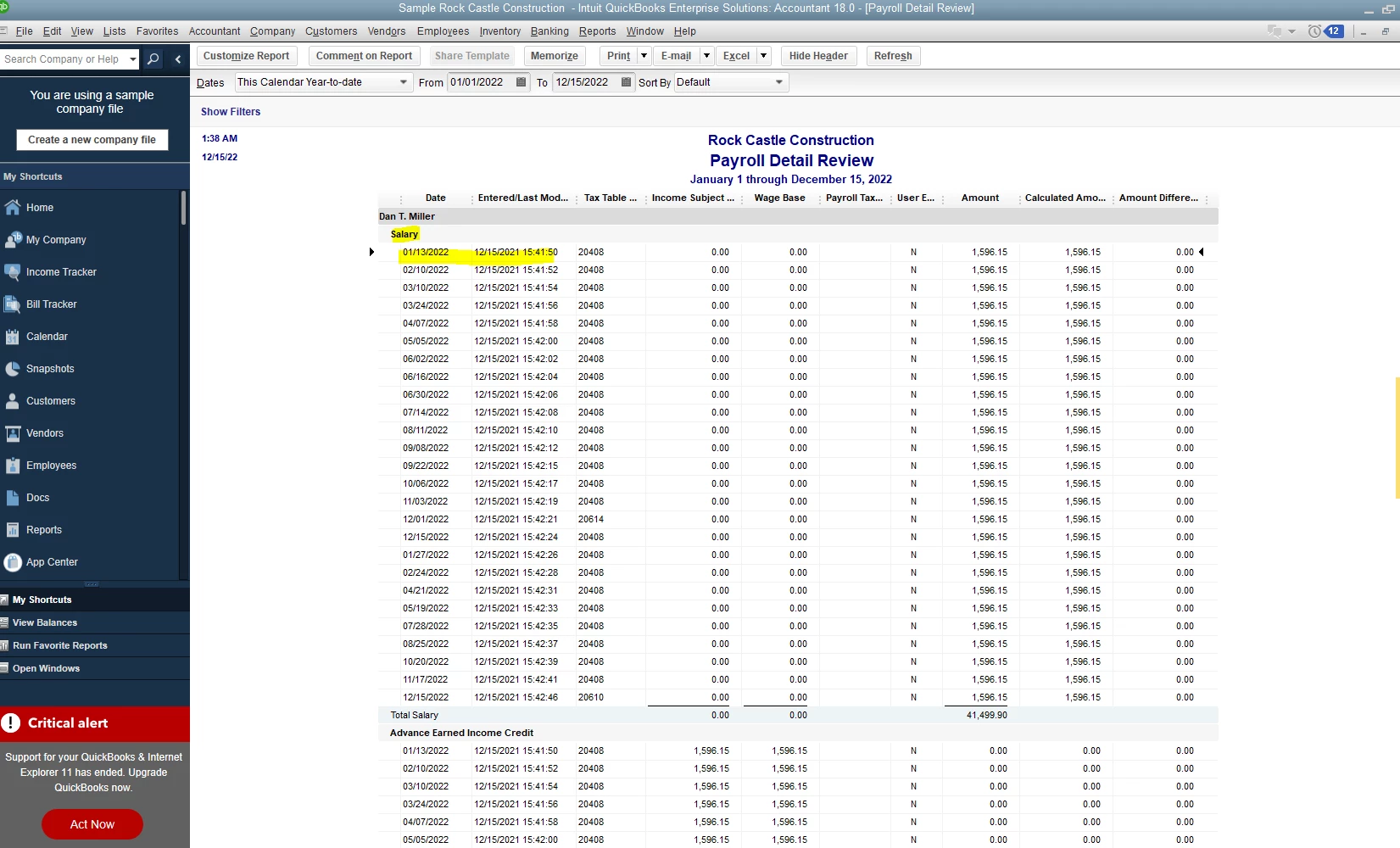
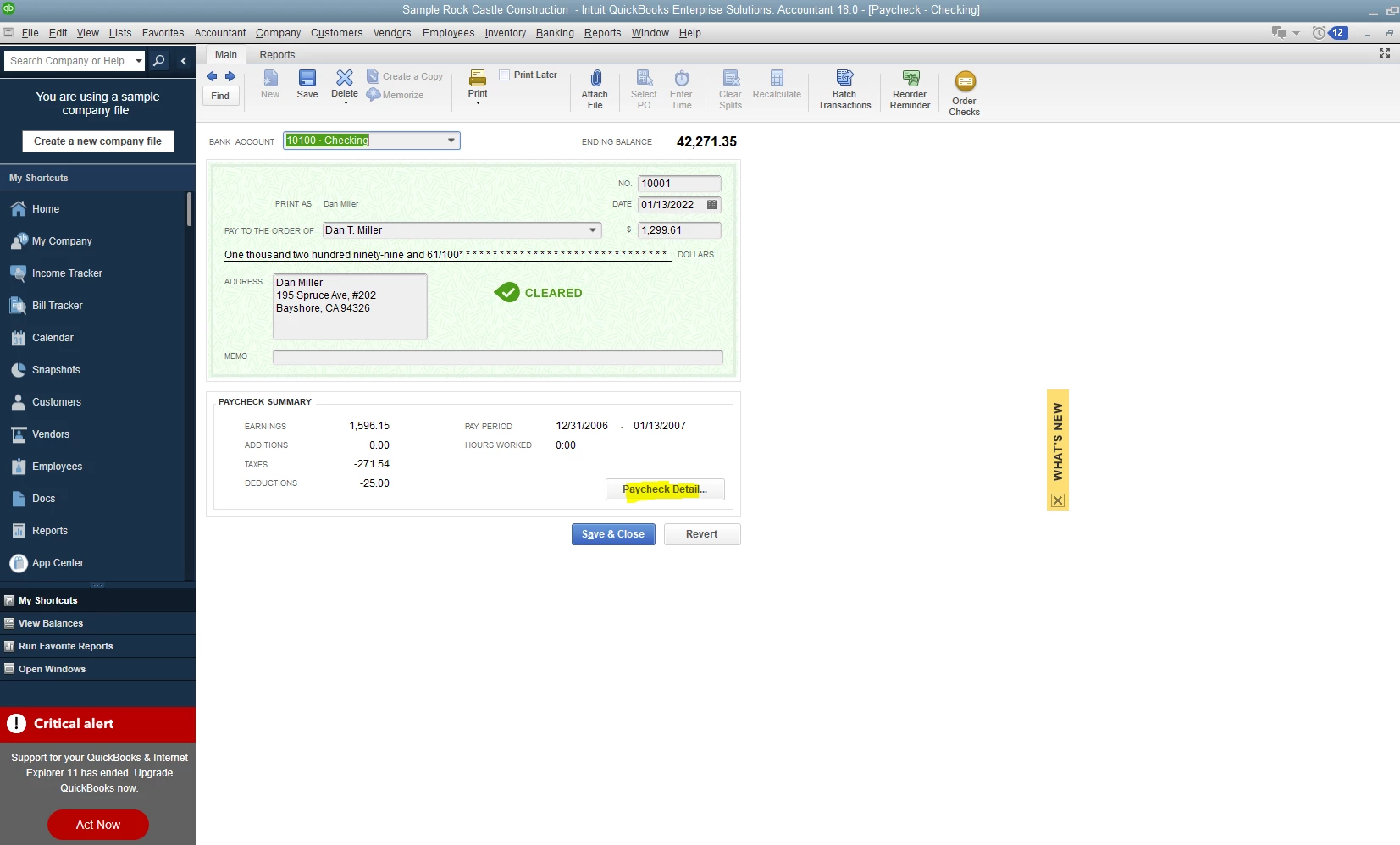
Once you view the data of the employee's paycheck, you can click the Print icon that is located at the upper portion of the report. Then, you can now print the payroll data for one employee or each paycheck date during the specific time frame.
Lastly, you may refer to this article to view information on how QuickBooks Desktop provides different reports that cater to your business needs: Understand reports.
Please know you can continue to comment below with any additional questions about running employee data. I'm always around to help, ChristieV78. Have a good day!
Enter your E-mail address. We'll send you an e-mail with instructions to reset your password.