

Paychecks and payroll taxes have gone into the wrong account and I can not move them.
Hello,
I have an issue where QuickBooks has changed the name of their QuickBooks Cash Account to QuickBooks Checking Account. At some point in the past month, the system automatically created a new account in the chart of accounts, called QuickBooks Checking Account, and moved all the transactions to it. Except either it did not move the payroll and payroll tax related transactions after 12-29-21 or the transaction were created after the others were moved. I would like to remove the payroll and payroll tax transactions out of the QuickBooks Cash Account and have them in the QuickBooks Checking Account where they should have been moved when they automatically changed my accounts without warning. However, I am not able to find a way to edit / move or change these QuickBooks payroll transactions.
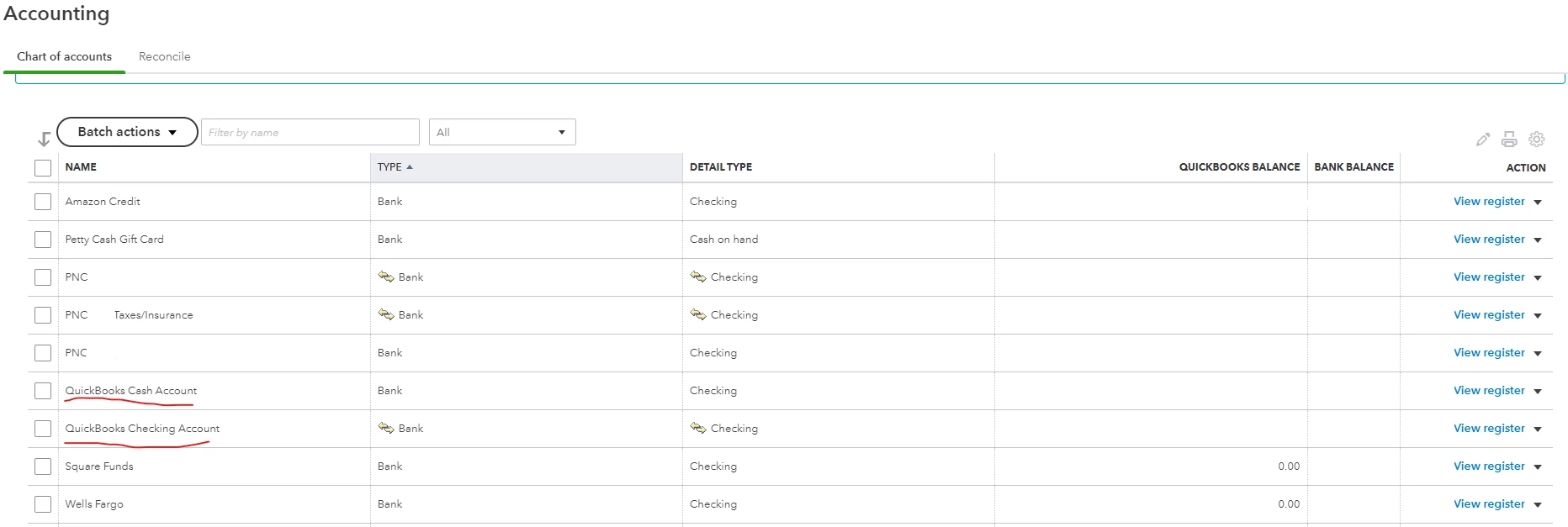
The payroll and payroll tax transactions that are still in the QuickBooks Cash Account or were added after everything else was moved. It is only payroll type transactions that are the problem.
I have also gone into Payroll Settings - Accounting and changed the "Paychecks and payroll tax payments" from the QuickBooks Cash Account to the QuickBooks Checking account and then at the bottom of that page choose to update exiting transactions after 12-28-21 but It did not help.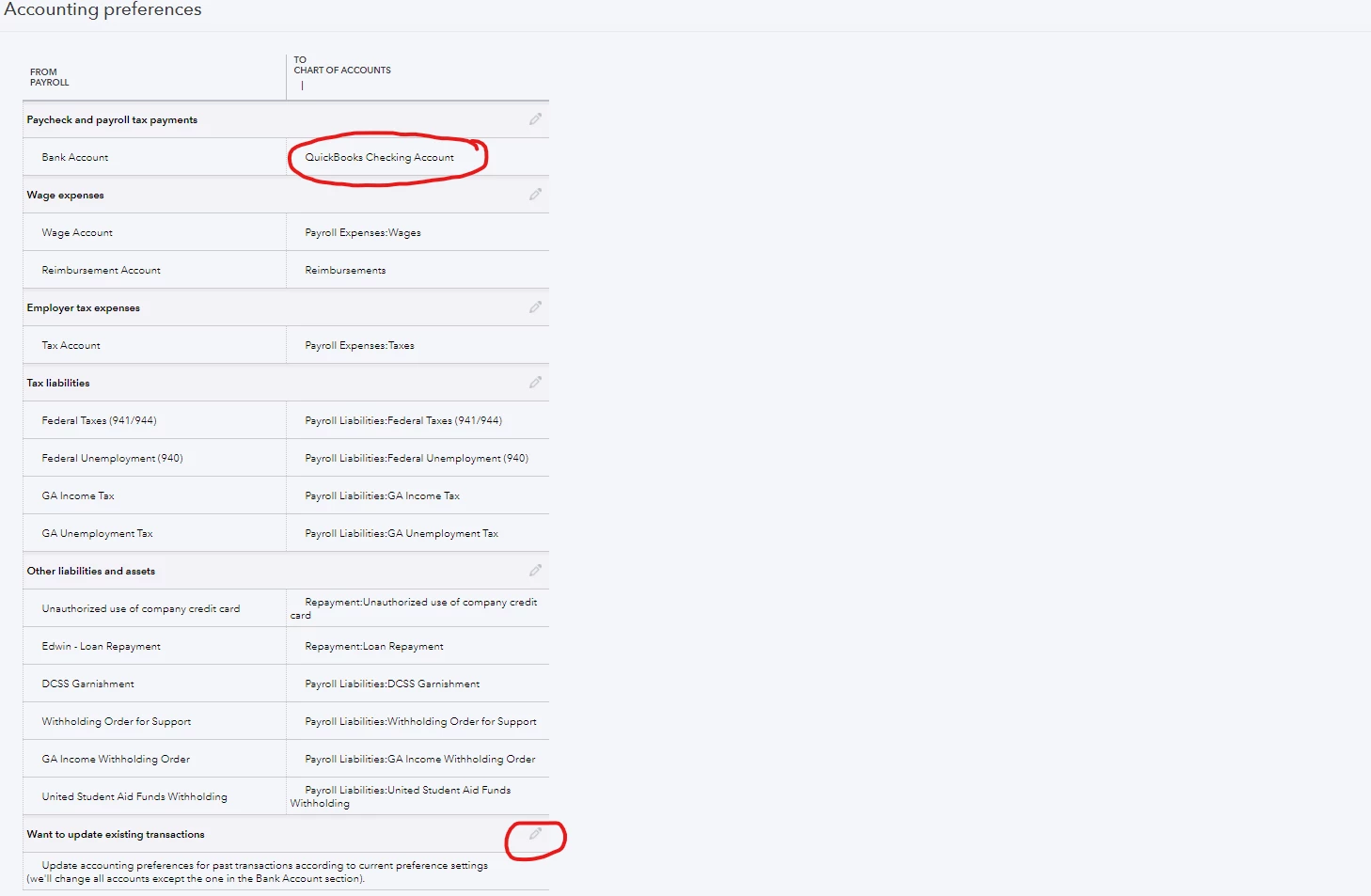
Can anyone help me to move these payroll and tax transactions from QuickBooks payroll into the correct account? I cannot edit the transactions as they were automatically added by QuickBooks payroll. I would also like to be able to remove the unused QuickBooks Cash Account from Charts of Accounts since it is using up one of my limited allowed accounts now.