April 21, 2025
Solved

Payroll Subscription

  • April 21, 2025
  • 1 reply
  • 0 views

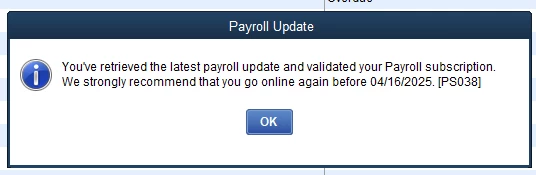
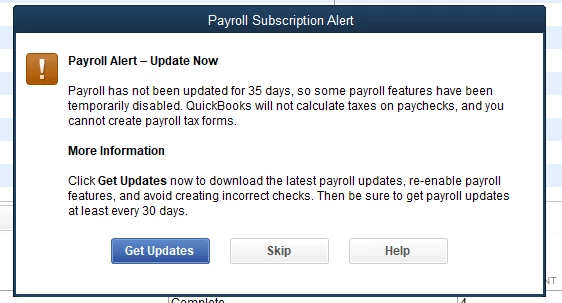
When I try to pay employees it tells me to update and I click get updates, but when I update it tells me to go online before a specific date. After I click Ok it keeps telling me to get updates. When I try to make checks my deductions aren't popping up. I also can't pay liabilities. I have an active subscription and I've tried updating QuickBooks it still doesn't work. 


Best answer by Clark_B

You'll encounter error code PS038 when running payroll, downloading tax table updates, or if paychecks remain as Online to Send, @noemii. I'd be glad to provide the troubleshooting steps to resolve this.


As you've updated QuickBooks Desktop to the latest release, ensure you create a backup copy of your QBDT company file before performing the steps below.


First, send your payroll or usage data:


  1. Navigate to Employees, choose My Payroll Service, and select Send Usage Data (if you don’t see this, proceed to the next step).
  2. Go to Employees and select Send Payroll Data.
  3. In the Send/Receive Payroll Data window, select Send All and enter your payroll service pin if prompted.


If the send is successful, try updating your payroll again. If the error persists, check for stuck paychecks:


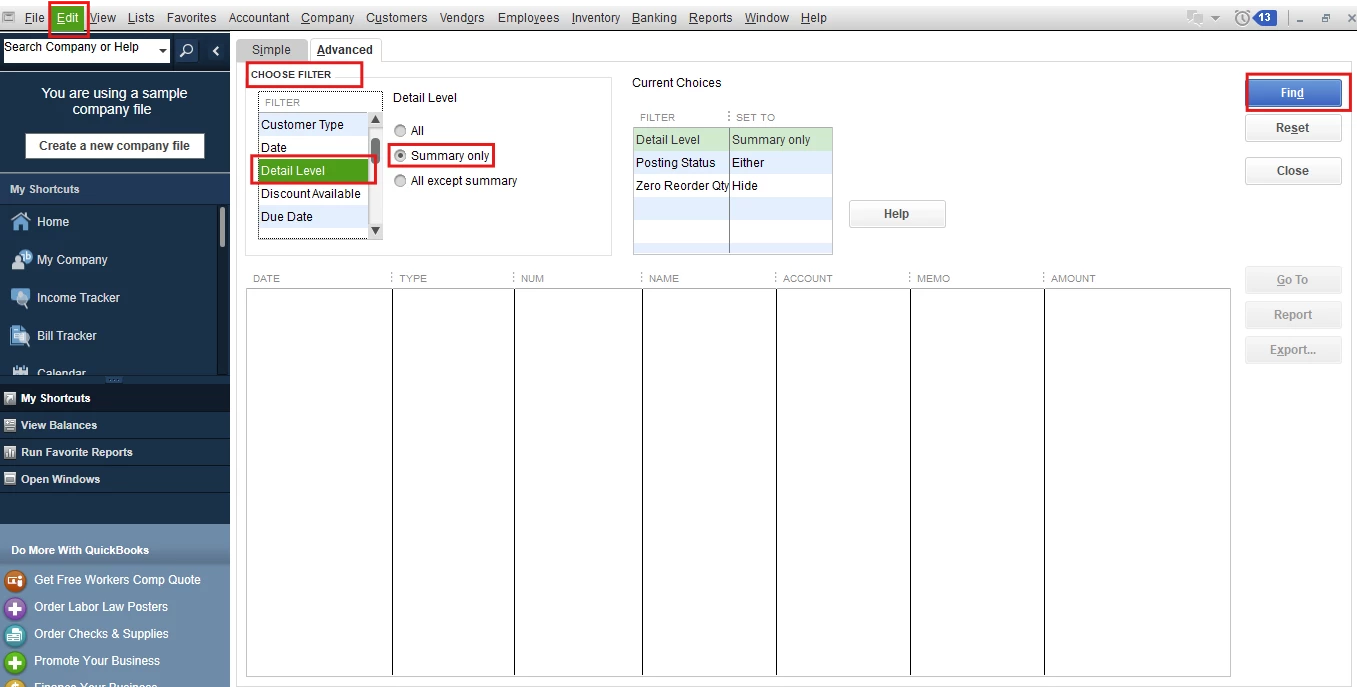
  1. Navigate to Edit and click Find.
  2. Select the Advanced tab.
  3. In the Choose Filter, select Detail Level from the Filter list. Then, click Summary Only.
  4. Scroll down in the Filter list and select Online Status. Then select Online to Send.
  5. Click Find to see unsent paychecks to Intuit.
  6. Take note of the Number of matches on the Find window and close the Find window.


After that, run a verify data to display stuck paychecks and proceed to rebuild your data file to check for corruption in your company file.


For more detailed information, you can refer to this article: Resolve payroll error PS038.


Additionally, you'll also want to consider inviting your employees to QuickBooks Workforce. This way, they can view their paychecks online.


Please leave a reply if you have further concerns about paychecks or error PS038. The Community is always available to back you up.


1 reply

Clark_B
Clark_BAnswer
April 21, 2025

You'll encounter error code PS038 when running payroll, downloading tax table updates, or if paychecks remain as Online to Send, @noemii. I'd be glad to provide the troubleshooting steps to resolve this.


As you've updated QuickBooks Desktop to the latest release, ensure you create a backup copy of your QBDT company file before performing the steps below.


First, send your payroll or usage data:


  1. Navigate to Employees, choose My Payroll Service, and select Send Usage Data (if you don’t see this, proceed to the next step).
  2. Go to Employees and select Send Payroll Data.
  3. In the Send/Receive Payroll Data window, select Send All and enter your payroll service pin if prompted.


If the send is successful, try updating your payroll again. If the error persists, check for stuck paychecks:


  1. Navigate to Edit and click Find.
  2. Select the Advanced tab.
  3. In the Choose Filter, select Detail Level from the Filter list. Then, click Summary Only.
  4. Scroll down in the Filter list and select Online Status. Then select Online to Send.
  5. Click Find to see unsent paychecks to Intuit.
  6. Take note of the Number of matches on the Find window and close the Find window.


After that, run a verify data to display stuck paychecks and proceed to rebuild your data file to check for corruption in your company file.


For more detailed information, you can refer to this article: Resolve payroll error PS038.


Additionally, you'll also want to consider inviting your employees to QuickBooks Workforce. This way, they can view their paychecks online.


Please leave a reply if you have further concerns about paychecks or error PS038. The Community is always available to back you up.
noemiiAuthor
April 22, 2025

Thank you so much! This fixed it!

April 22, 2025

You're most welcome, noemii.
 

I’m really glad to hear that my colleague, @Clark_B,  addressed your concern regarding your payroll subscription and successfully updated it so that you can continue to process payments for your employees seamlessly.
 

Should you have any further questions or require assistance related to QuickBooks payroll, please do not hesitate to respond to this thread or initiate a new discussion. I am more than happy to help. I look forward to assisting you.