July 15, 2021
Question

Prior payroll

  • July 15, 2021
  • 1 reply
  • 0 views

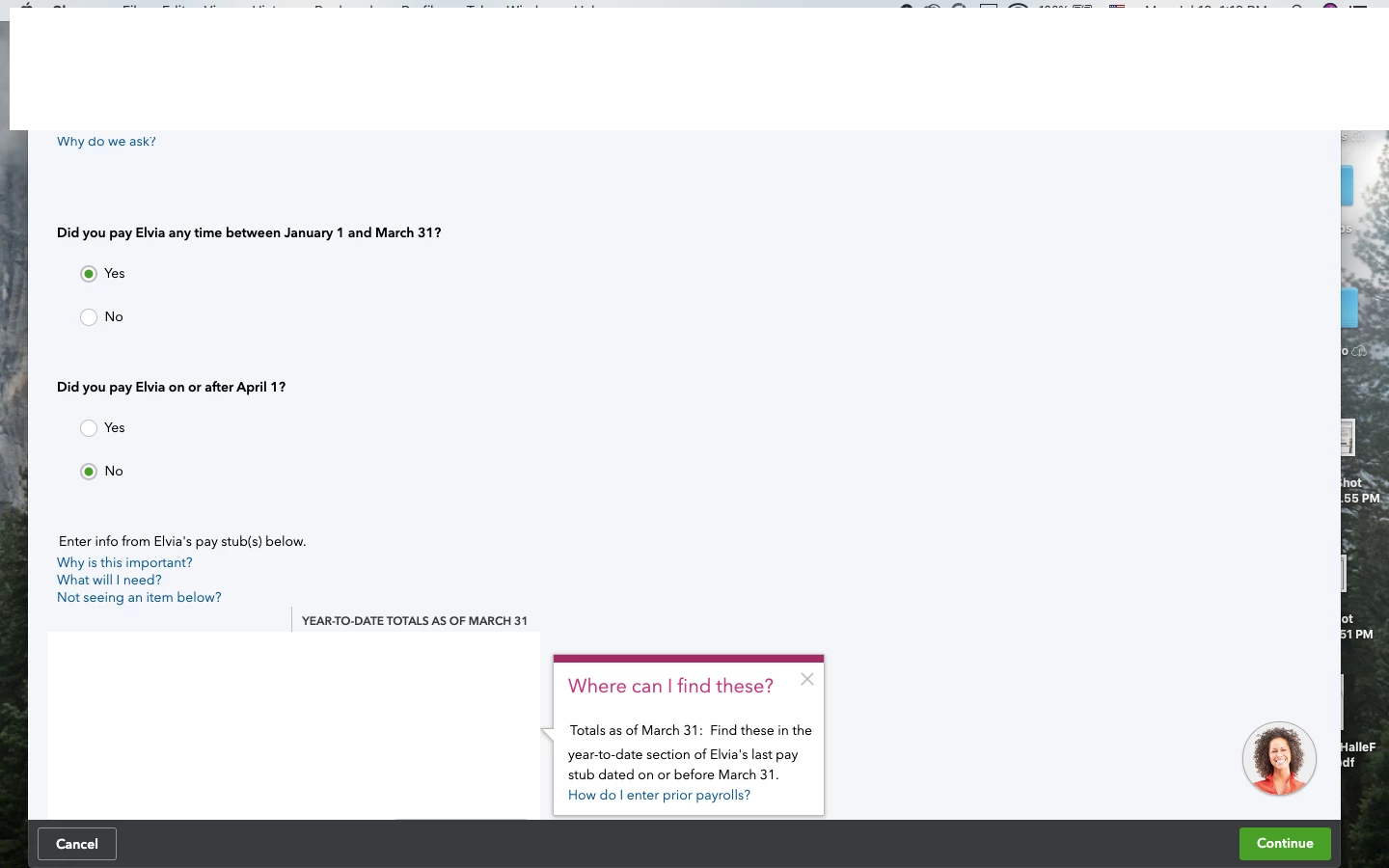
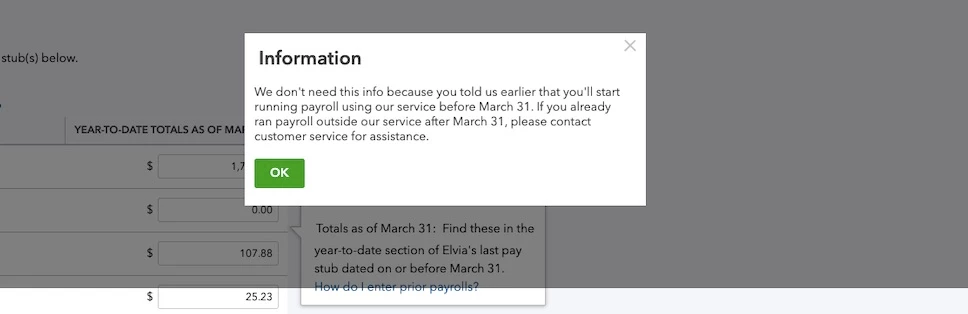
I have been having an issue where I can not input up to date prior payroll for my employees. I am able to input information up to date prior to March 31st but do not get prompted for recent YTD totals. In the second question where it asks if I have paid employees past April, I always click yes and save and it always defaults to no when I go back to change it. I believe this is why I can't input any other information but March. Additionally when I go to hit continue I get a message that says I have indicated I have not paid employees outside of quickbooks since march and if I have run payroll outside of quickbooks since then to contact customer service and when I do I never get anything resolved or get left hanging for hours within a chat. I have attached screenshots for clarification. 
1 reply

July 15, 2021

Thanks for the screenshot, where2go.


It's possible that there were past sections that were incorrectly selected. You'll want to reach out to our Phone Support Team so they can help you select the correct option when entering prior payroll. Here's how you can contact us: 


  1. Click the Help icon and select the Assistant tab.
  2. Enter talk to a human twice and select Contact Customer Support.
  3. If you still have the option contact us options, you can click Contact Us and enter a brief description of your concern something like prior payroll.
  4. Click Let's talk.
  5. Select the best way you'll want to get in touch with us. 

You can also check out our available hours and a direct Chat link here: Contact Payroll Support.


Feel free to refer to these articles for more details in handling payrolls you've done outside QuickBooks and in running payroll reports to get an overview of your YTD. 


I'm just here if you have other questions in handling employee transactions so I can walk you through it. Take care and have a good one!