

February 7, 2022
Question

Quickbooks online payroll premium missing W-2's

  • February 7, 2022
  • 1 reply
  • 0 views

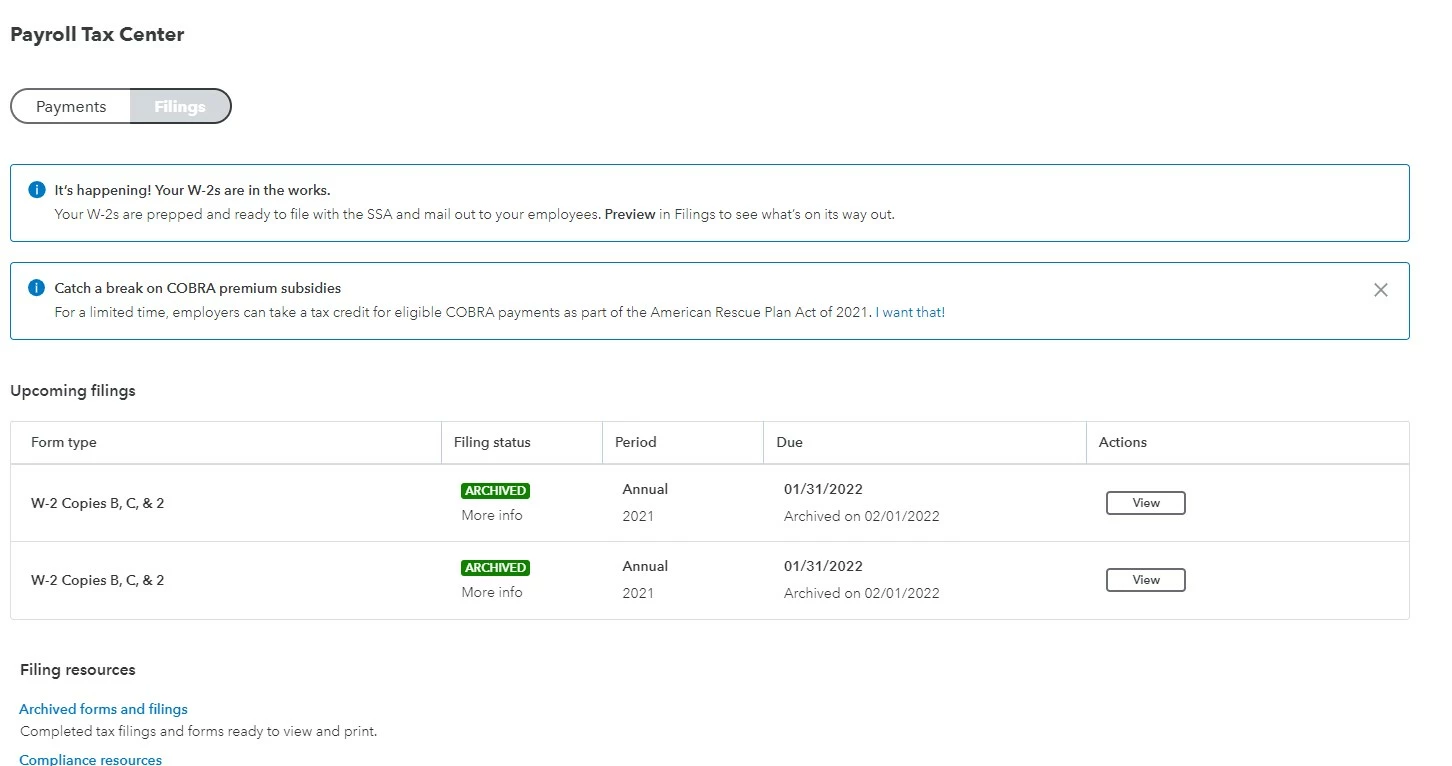
I pay for QBO Premium payroll, which means I can't do anything manually, even if I want to.  This is a problem because I found out that Quickbooks never filed my employees' W-2 for some reason.  I've spent hours on the phone with no one who knows what to do.  The farthest I've gotten is they are under "Upcoming Filings" as of February 7th (supposed to be filed no later than January.)   They are "archived" here, but still say they are "Prepped and ready to go".  None of my employees have received them in the mail and they are missing in Workforce - so they HAVE NOT BEEN FILED.  This is my last hope because 25 phone calls, hours on hold, several chat messages, nothing has resolved this.  I just got a notice from the IRS saying I failed to file other things as well
 

1 reply

February 7, 2022

Good day, @JD1983


I'll help you view this report in QuickBooks.
 

The Form W-2 for 2020 is already available in QuickBooks Online Payroll Premium. You can find this form under the Forms section in your Payroll Tax tab. Let me show you how:


  1. Go to the Taxes menu and select Payroll Tax.
  2. From the Forms tab, click Annual Forms.
  3. Look for the W-2 tax form and click it to open.

For more details in viewing and printing payroll tax forms, check out this article: How to view and print copies of your payroll tax forms (such as W-2, 941, 940, state withholding, an....


I'm just a reply away if you have other questions with the QuickBooks Online Payroll. Just add the details of your concerns in this thread and I'll help you out. Wishing you continued success in your business.

JD1983Author
February 7, 2022

Oh wow, I didn’t even think to do that!  

Thank you for the generic response that doesn’t address my problem.  

Mine were never submitted to the irs or social security yet and no one can figure out why or just gives me generic responses.