Congratulations on your first year with our payroll service, @j2s. I'm here to share with you some details about handling terminated employees in QuickBooks.
Once you give your employees their final paychecks, you can immediately change their employment status without waiting for year-end. Here's how:
- Sign in to your QuickBooks Online (QBO) account.
- Click on Payroll, then Employees.
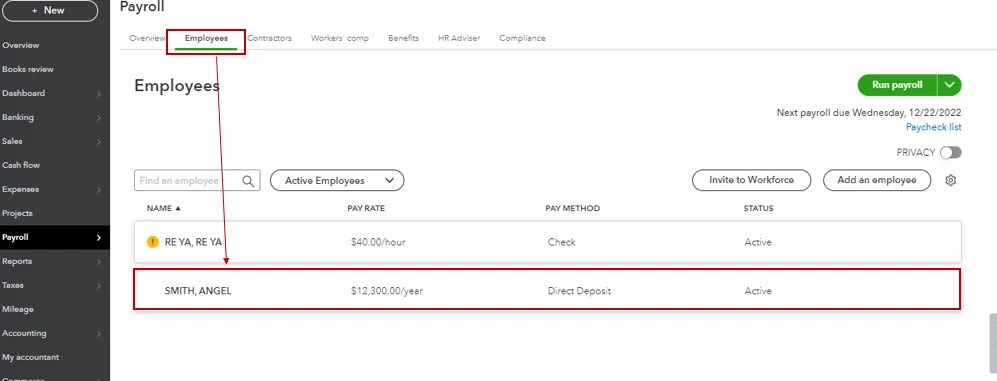
- Select your employee. If the employee isn't on the list, select All employees from the Active Employees dropdown.
- From Employment details, select Start or Edit.
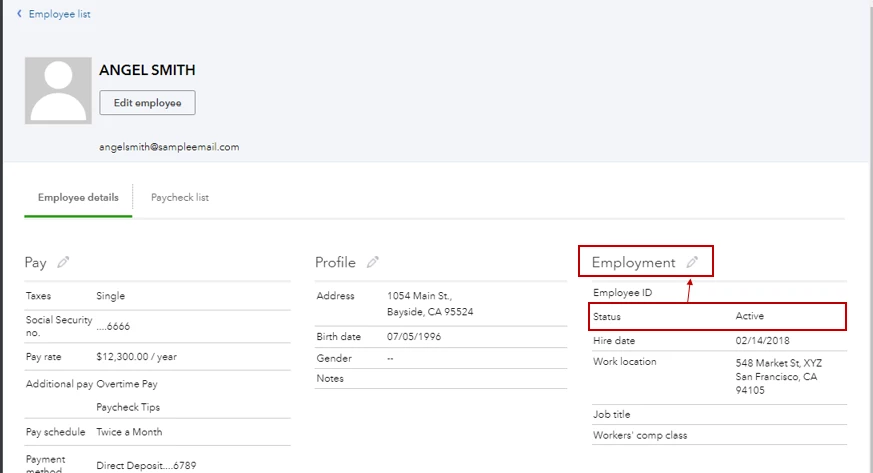
- Update the status from the Status dropdown menu.
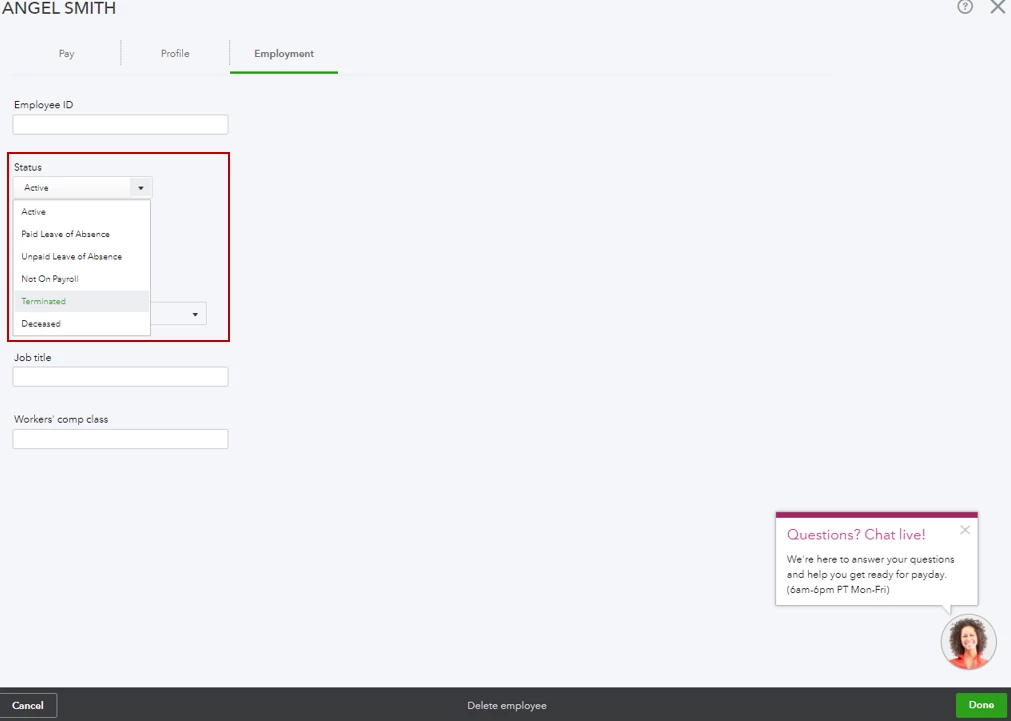
- Select Save.
You may also open this article for more reference about the steps: Terminate or change your employee's status on the payroll.
On the other hand, you can generate W2s for all of your employees regardless of their current status as long as they have paychecks recorded during the year. Learn more about W2s from these links:
Thanks for giving me the opportunity to help out today. If you have follow-up questions, let me know by adding a comment below. I'm always here to help. Keep safe!

