I appreciate you for replicating your payroll scenario in your QuickBooks Online (QBO) account, @sharon108. I'm here to guide you as to how you can create one-time bonus paper checks without losing your employees' direct deposit information.
When you create one-time bonus checks, it isn't necessary to switch employees' pay method from direct deposit (DD) to paper check through their profile. You'll have the option to choose the payroll method (Paper check) you want to apply for each of them when you're already running the Bonus Only payroll. This way, you can keep their DD info accordingly. Here's how:
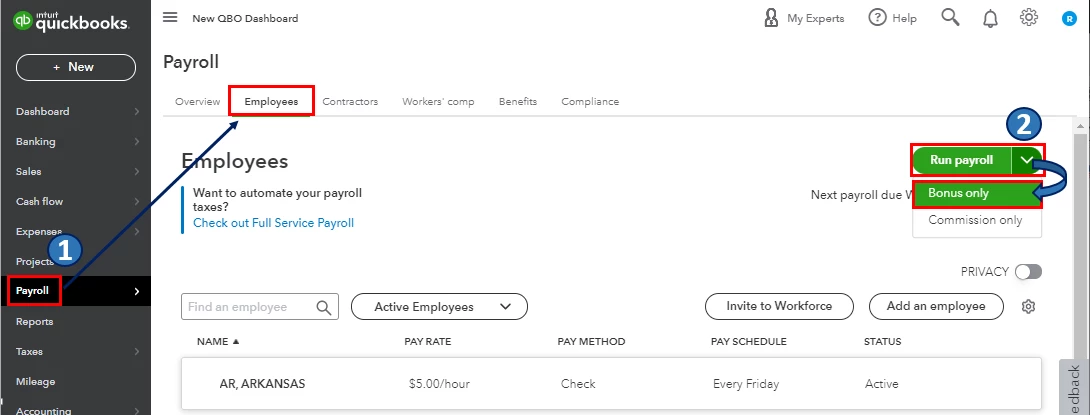
- Go to the Payroll or Workers menu, then select Employees.
- Click the Run payroll drop-down and choose Bonus only.
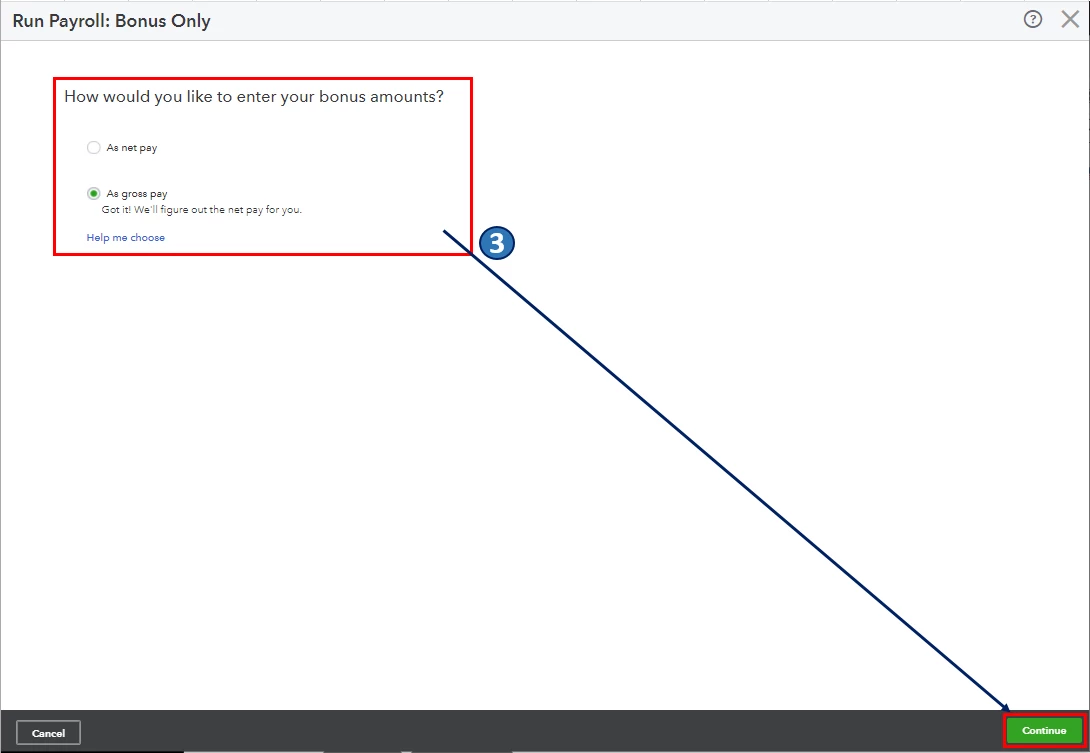
- Select the applicable settings for the bonus paycheck. Then select Continue.
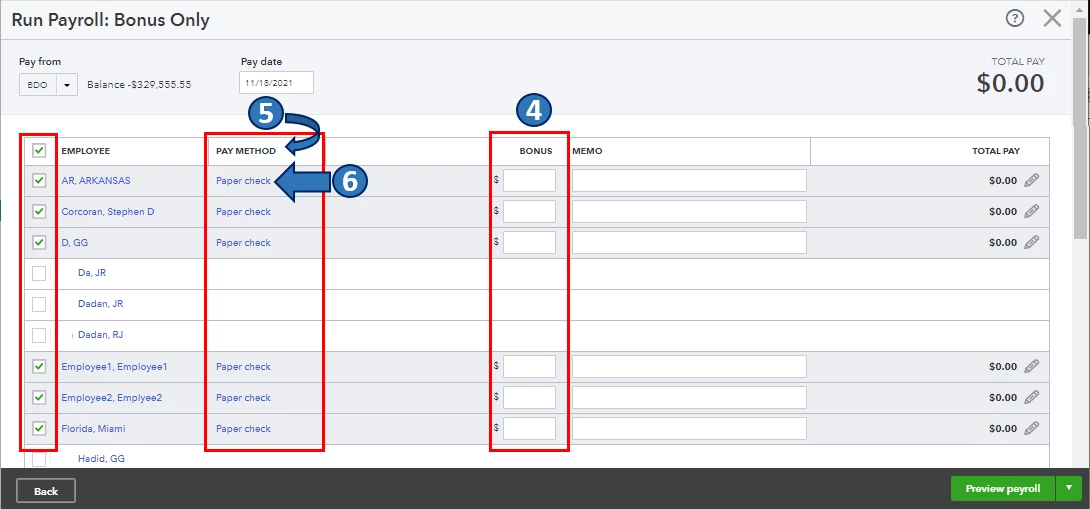
- Select the employee. Then enter the Bonus amount.
- Select edit (pencil) icon beside Payroll options under the Pay Method column.
- Select the payroll options you want (Paper check). Then select Apply.
- Select Preview and Submit payroll.
- If you selected As net pay, the pay stub includes Employee Taxes Paid by Employer in the pay section.
Also, to get a closer look at your business finances and employees, QuickBooks provides a variety of payroll reports. For the complete list and steps on how you can access, customize, and print these reports, I encourage you to check out this article: Run payroll reports.
Let me know in the comments if you have other payroll concerns and questions about bonus checks and employees' direct deposit info in QBO. I'm always around to help. Take care, and I wish you continued success, @sharon108.

