October 23, 2024
Solved

Where can I find Employee Direct Deposite Authorization form?

  • October 23, 2024
  • 1 reply
  • 0 views
Original commenter did not share additional details

Best answer by CarlSJ

I can help you find the Employee Direct Deposit Authorization form in QuickBooks Online (QBO), @Jaimesh.


To get started, kindly follow these steps:
 

  1. Sign in to your QBO account.
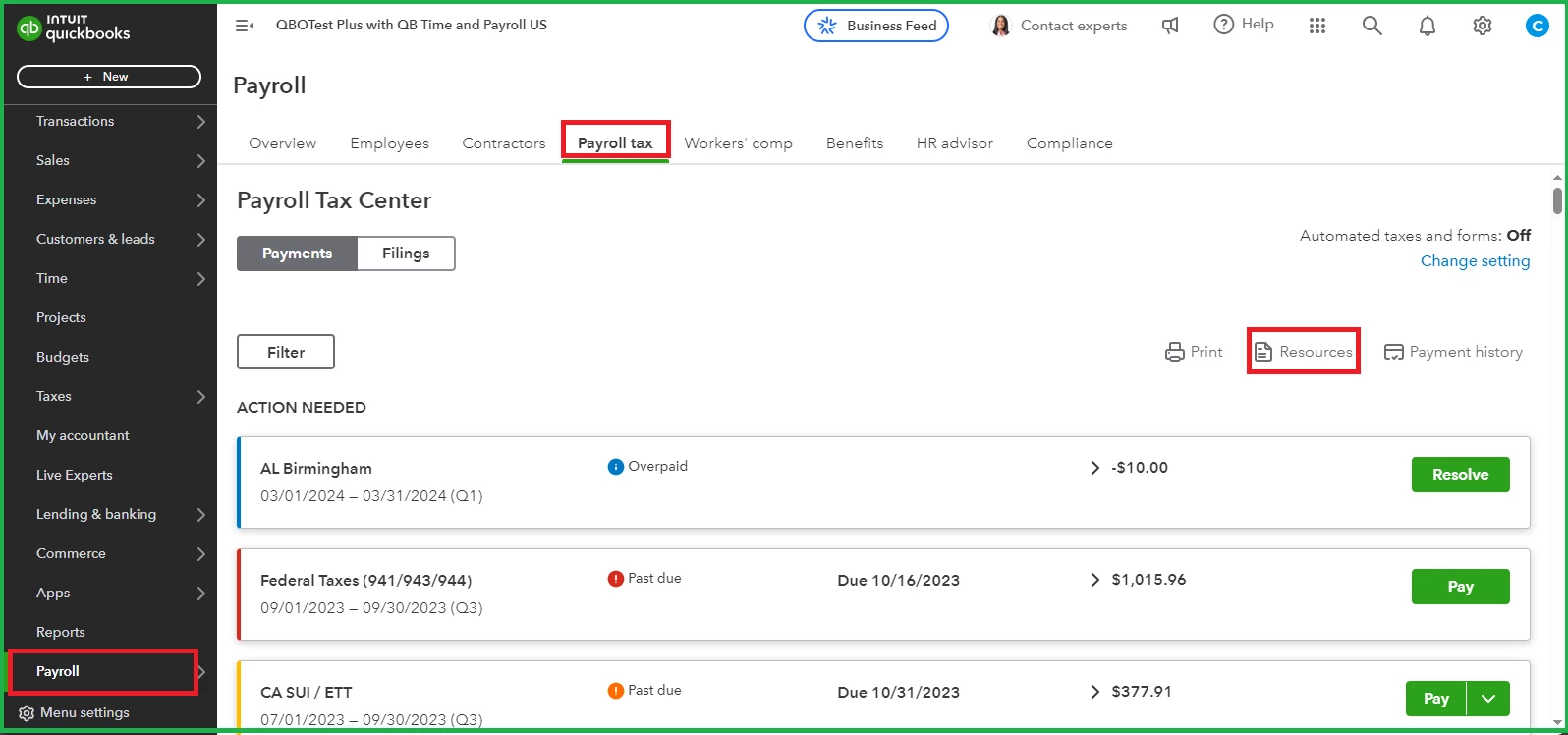
  2. Go to the Payroll tab and select Payroll Tax.
  3. Click on the Resources option.


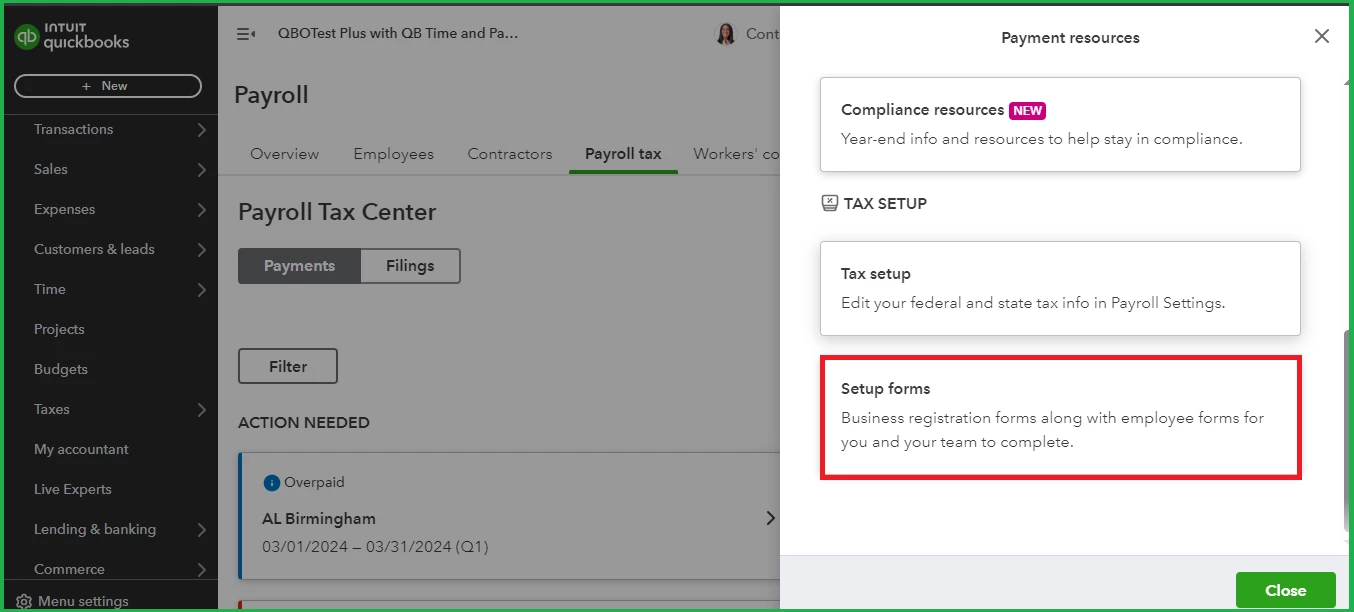
  4. Scroll down and select Setup Forms.


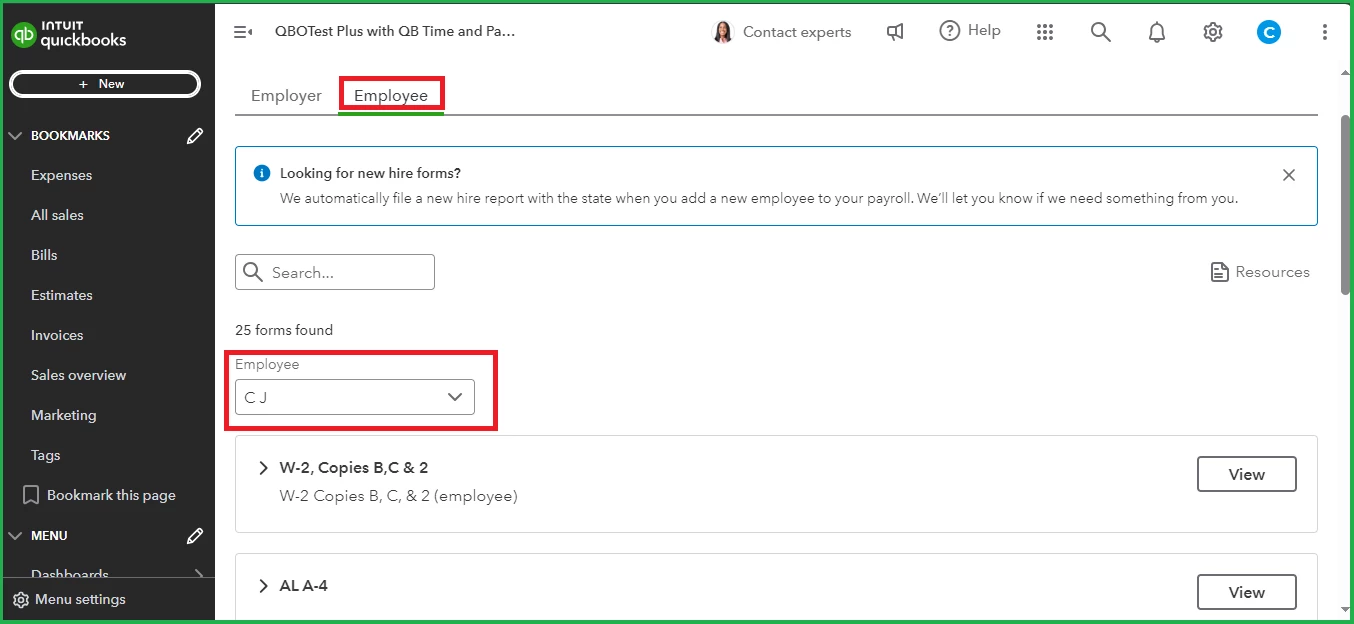
  5. Select the Employee section and choose the specific employee in the dropdown.


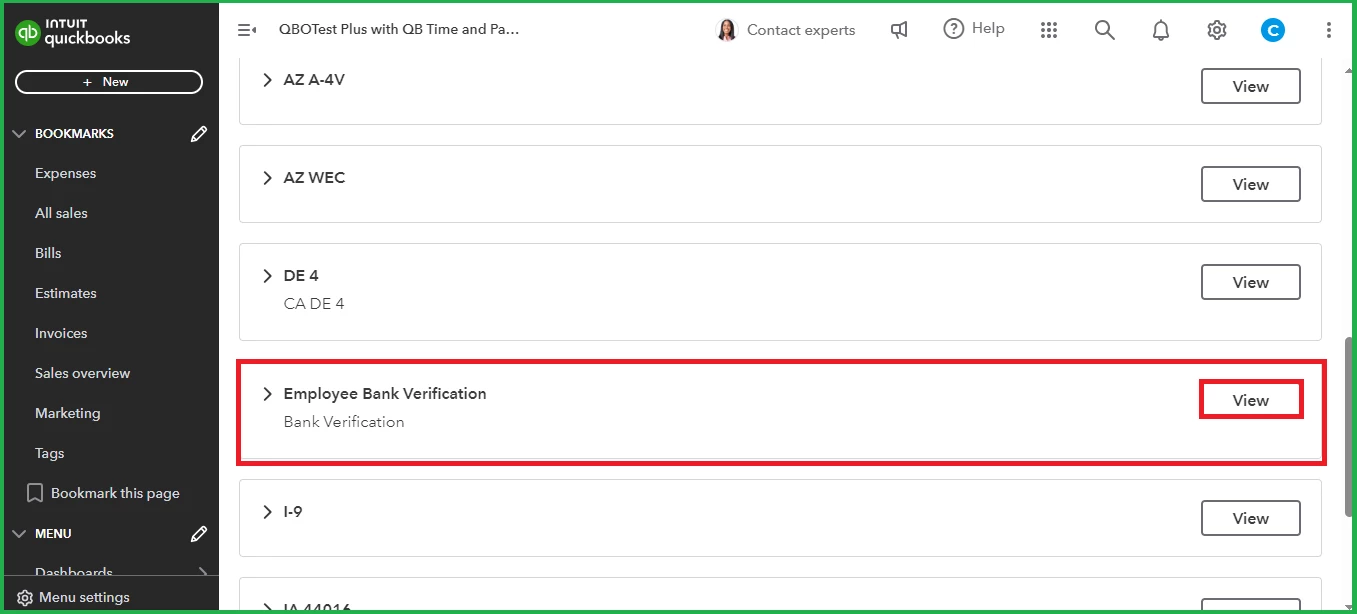
  6. Scroll down to the Employee Bank Verification section, then click View.


For future reference, you can check out this article to learn how to generate and modify payroll reports in QBO: Run payroll reports.


I'm here to help if you have further questions about payroll forms. Have a great day.

1 reply

CarlSJAnswer
October 23, 2024

I can help you find the Employee Direct Deposit Authorization form in QuickBooks Online (QBO), @Jaimesh.


To get started, kindly follow these steps:
 

  1. Sign in to your QBO account.
  2. Go to the Payroll tab and select Payroll Tax.
  3. Click on the Resources option.


  4. Scroll down and select Setup Forms.


  5. Select the Employee section and choose the specific employee in the dropdown.


  6. Scroll down to the Employee Bank Verification section, then click View.


For future reference, you can check out this article to learn how to generate and modify payroll reports in QBO: Run payroll reports.


I'm here to help if you have further questions about payroll forms. Have a great day.