Solved
Can I check how my payroll system calculates pension contributions? My pension trust which told me that my system does not calculate pension contributions correctly.
Original commenter did not share additional details


Welcome to the Community, @Slav7.
Let me share some information about the pension contributions in QuickBooks Online.
We’ve received reports that some customers are getting incorrect pension calculations in Advanced Payroll. Our engineers are finding a solution to get this feature working back to normal.
To check the pension settings, please follow these steps:
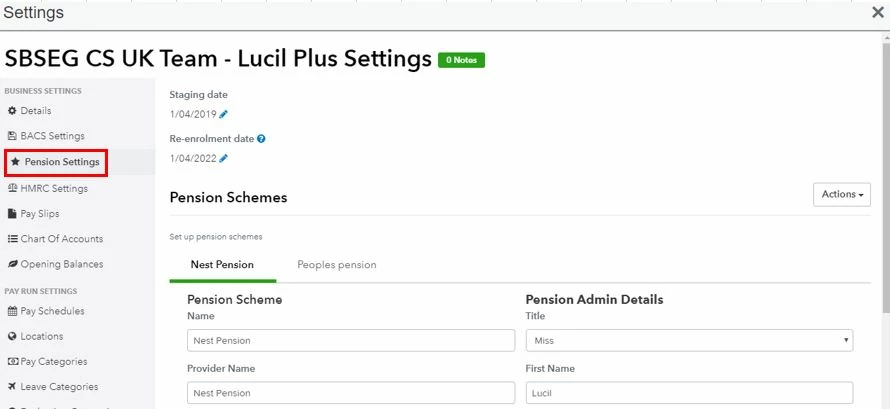
If you have Advanced Payroll, we’ll have to add the company to the notification list while waiting for the permanent fix. That way, we'll be able to ensure you receive email updates regarding the resolution status.
Since the safety of your personal data is our top priority, I recommend contacting our QBO Care Team. They can gather account information in a secure space.
Here’s how to reach them:
For additional reference, I've attached some articles you can use to learn more about the pension setup:
Setting up pay run inclusions in QuickBooks Online Advanced Payroll
Reach out to me whenever you have additional questions or concerns. Please know the Community has your back, and I'm here ready to help you. Have a good one.
Enter your E-mail address. We'll send you an e-mail with instructions to reset your password.