Solved
Can i get Employers NI contributions for each individual employee, this is needed to make a claim from HMRC for the Furlough pay. I am using Standard pay.
Original commenter did not share additional details


I’m glad to you see in the Community, sara-projexe.
Yes, you can get the employers' NI contributions for each employee. We’ll have to download the Annual Payroll Summary (P11) to get the information you need.
Opening the report can be done in just a couple of minutes. Here’s how:
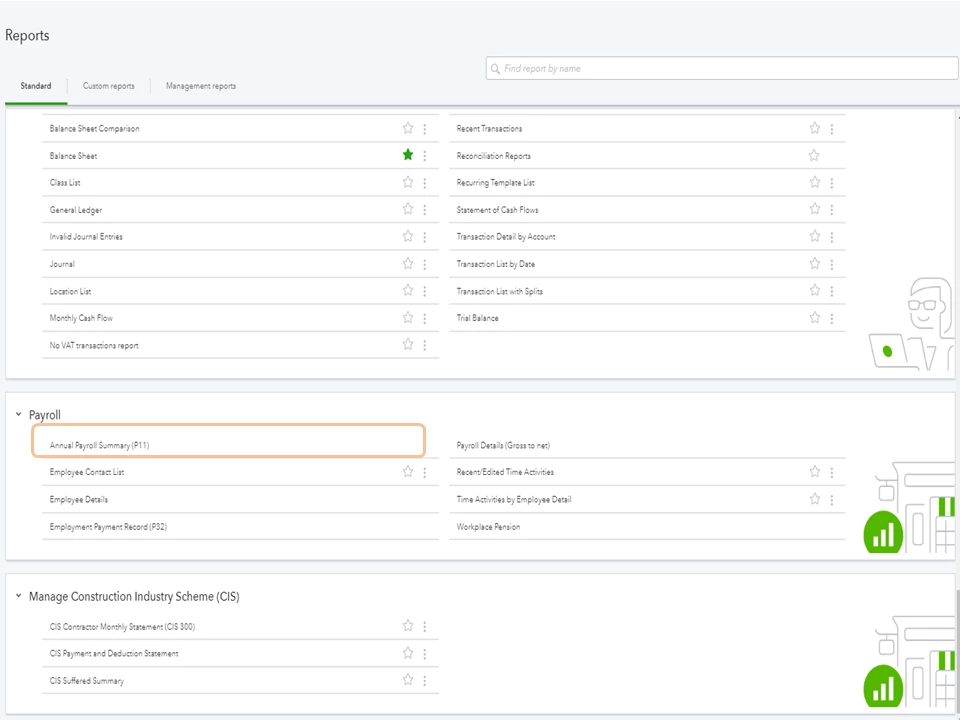
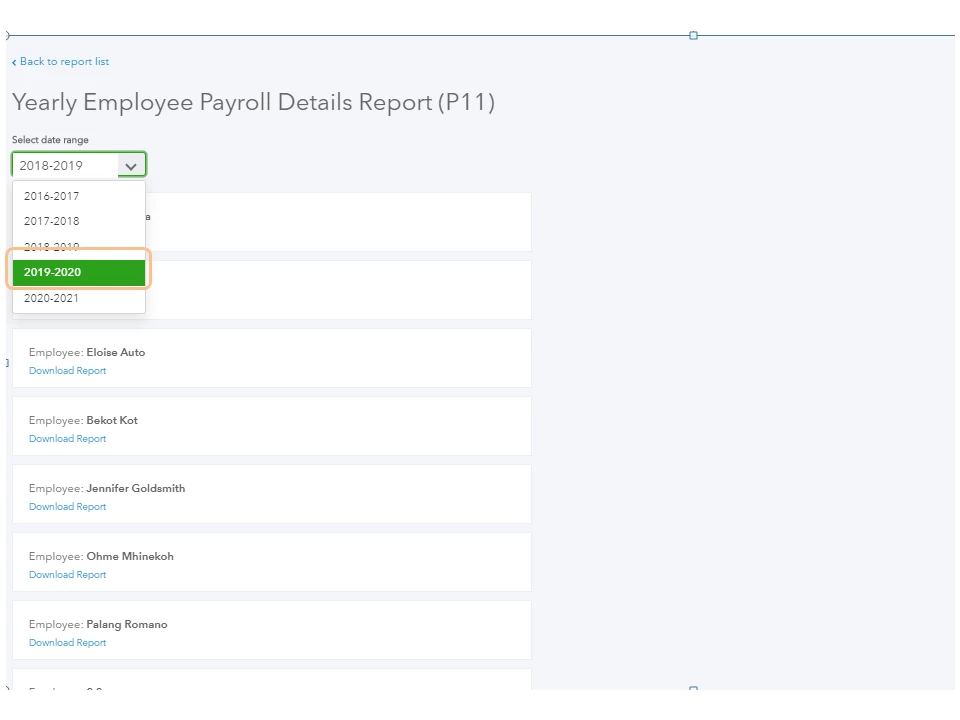
For future reference, I’m adding a link containing a breakdown of articles. Each one contains instructions on the processes you can perform using the payroll service: QuickBooks Online Standard Hub.
Reach out to me if you have any other concerns or questions. I’ll get back to assist further. Enjoy the rest of the day.
Enter your E-mail address. We'll send you an e-mail with instructions to reset your password.