

August 10, 2019
Question

Totals on Quotes

  • August 10, 2019
  • 1 reply
  • 0 views

We have created a quote for a client and created a progress invoice. The following totals are appearing on the quote screen
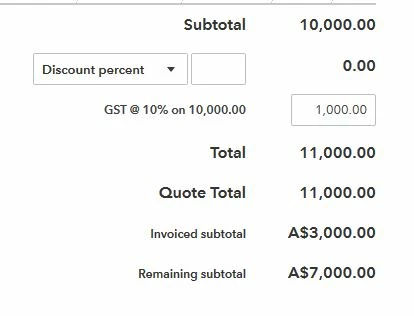


However they are not appearing on the quote template we issue to the client. Please advise how I can either show them on the QB templates or a Customized quote/estimate form.


Thank ou

1 reply

August 10, 2019

Welcome back, Deano2.


In progress invoicing, invoices are the ones you’re sending to your customers every time they make payments. 


If you want to share the total invoiced and the remaining balance to your customer, you can take a screenshot of your Quote. Save it to your computer and save it as an attachment in the invoice you’re sending. Here’s how:

  1. In your invoice, click Attachments at bottom. 
  2. This will open where computer drive. Locate where you saved the picture. 
  3. Select it and click Open to attach it successfully. 

You can also type in manually the information you want to share in the Message on invoice field. 


Thanks for dropping by! Reach us again if you have other questions.