Let’s work side-by-side to ensure you'll successfully log in to the forum, Clio. This will enable you to reply to your initial post and engage with the community effectively. Navigating login issues can be challenging, but together, we'll troubleshoot this and get you back on track.
QuickBooks Community forum utilizes your browser's cache to enhance performance, but these cached files can occasionally become corrupted, leading to functionality problems. Since you're unable to login to the Community forum, we'll need to perform a few troubleshooting procedures to determine if this is a browser-related issue. In this case, you'll need to log in to the forum via incognito or private window. This mode provides a clean slate by disabling browser extensions and clearing temporary data, which could be interfering with the login process.
Refer to the following keyboard shortcuts based on your browser type:
- Google Chrome: Ctrl + Shift + N
- Mozilla Firefox: Ctrl + Shift + P
- Microsoft Edge: Ctrl + Shift + N
- Safari: Command + Shift + N
Then, you need to login to your Community profile so you'll be able to respond to your previous post. I'll guide through the process:
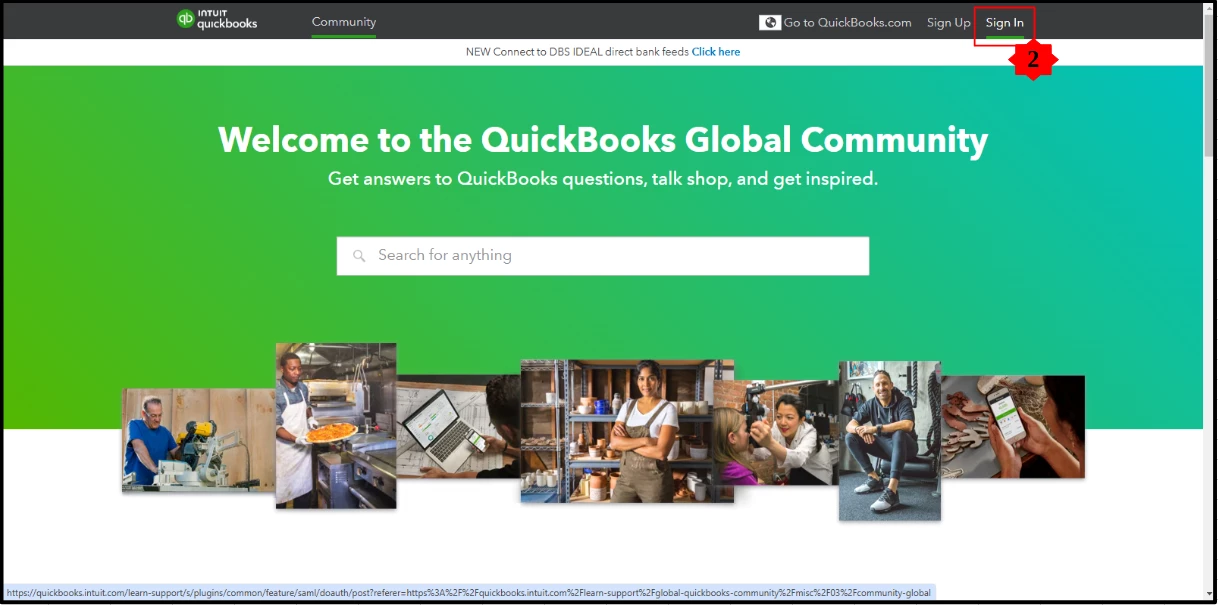
- Go to QuickBooks Community.
- Select Sign In, and enter your account information.
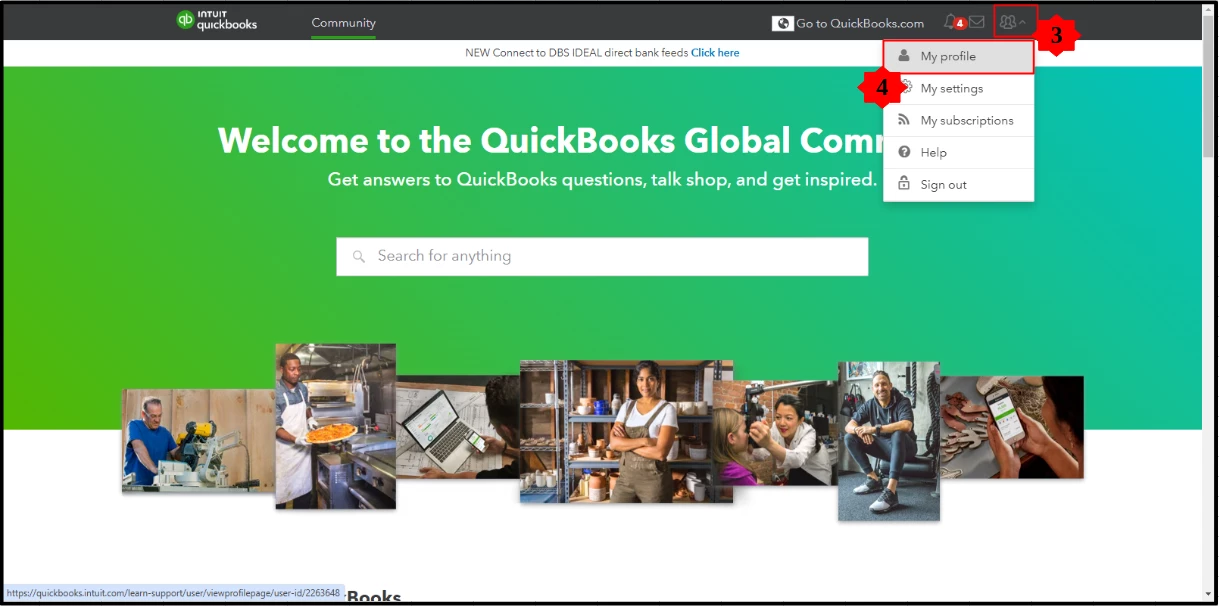
- Click the People icon dropdown menu.
- Select My profile.
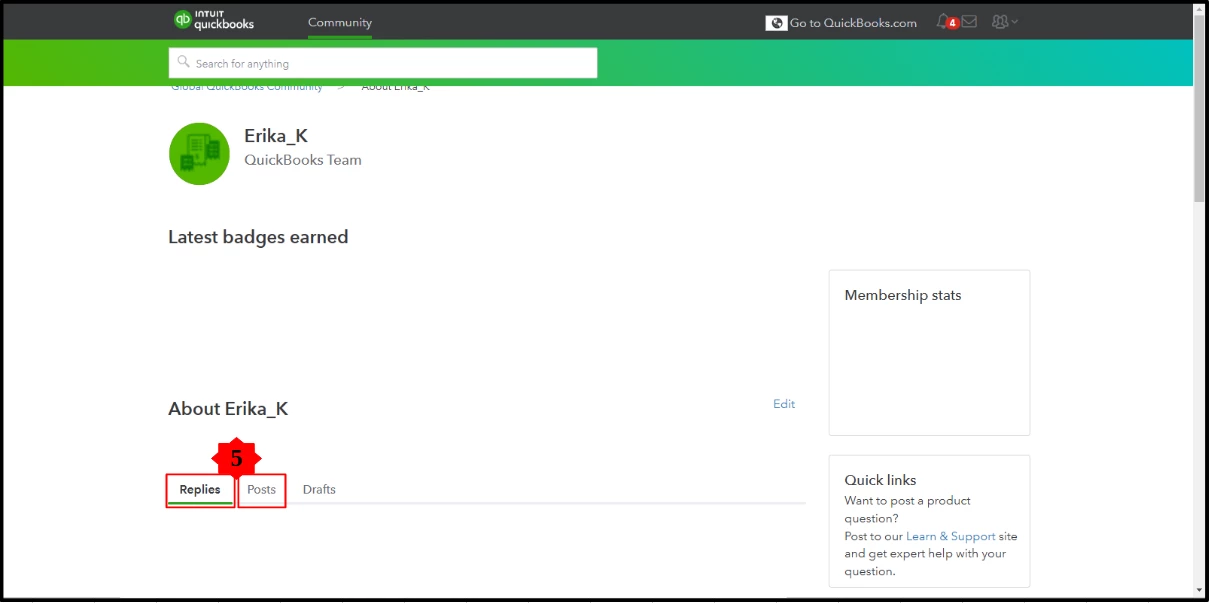
- Choose the Replies or Posts tab.
- Click one of your posts.
Alternatively, if the same issue persists after using the incognito or private mode, the next step is to clear your browser's cache. This action effectively resets the system, giving you a fresh start. By clearing the cache, you're removing stored data that might be causing conflicts or errors. This process can also be performed on supported and updated web browsers recommended for optimal performance with QuickBooks.
Keeping your browser updated and using supported versions is crucial for optimal performance, especially when working with platforms like QuickBooks, Clio. If you have additional questions, don't hesitate to let us know. I'm committed to ensuring you have seamless access to the Community forum and all its valuable resources. Thank you for your patience as we work together to resolve any technical hurdles you may encounter.

