

January 3, 2024
Question

Unable to Access Time despite an active subscription

  • January 3, 2024
  • 1 reply
  • 0 views

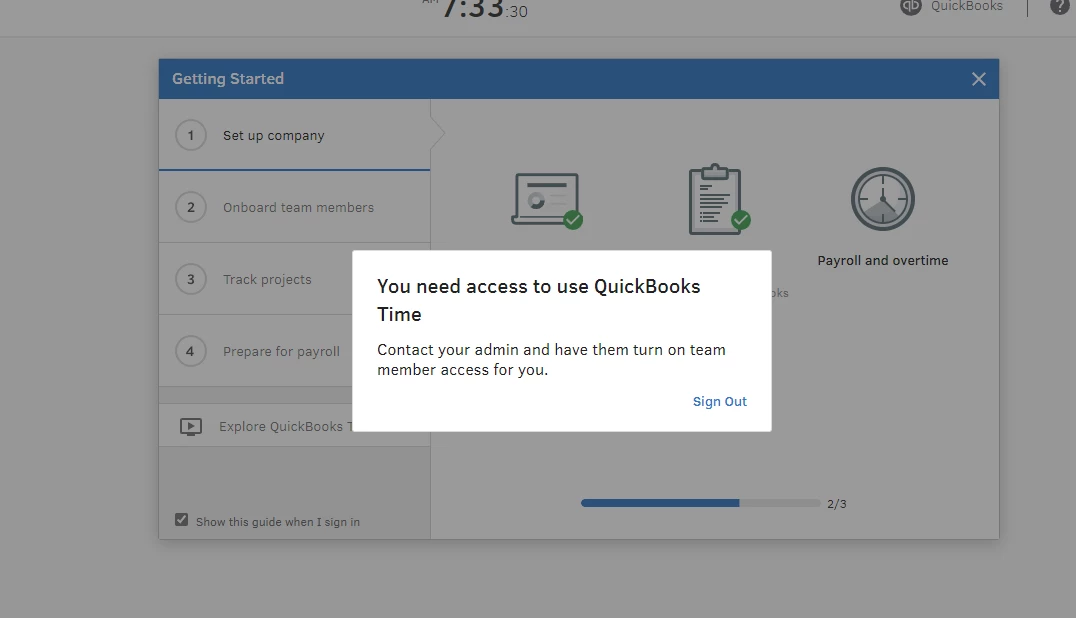
Our company has an active QuickBooks Time subscription.  The Primary Admin has invited myself and one other user to access Time but we still cannot access it.  When I log in I get the error, shown below.  Any suggestions as to what we need to do to get in or thoughts on why the error?


1 reply

January 3, 2024

I am having the same issue. The admin has verified everything is correct on her end. What is even more strange is all last week I was logged in and using Time. Friday afternoon I began receiving the attached error. 

JaeAnnC
January 3, 2024

Thanks for bringing this to our attention, Jeff. Allow me to share some troubleshooting options so you can access your QuickBooks Time (QB Time) account.


In some cases, error messages are caused by a corrupted cache stored in your browser. Let's clean them up by opening your account in a private window. You may refer to these keyboard shortcuts:

  • For Google Chrome browser: Ctrl + Shift + N
  • For Mozilla Firefox browser: Ctrl + Shift + P
  • For Safari browser: Command + Shift + N


Then, sign in to your QB Time account again. Once resolved, please return to your default browser to clear its cache or utilize another compatible window. It could be a temporary issue with QB Time or the browser you're using.


However, if the issue persists, it's preferable to reach out to our customer support team so they can go deeper into resolving this issue and initiate an investigation when necessary.


Additionally, here's a guide to help you set up your QB Time for the first time: Get started with QuickBooks Time.


Stay in touch if you have additional concerns about signing in to your QB Time account. I'll be here to help every step of the way. Take care, and have a good one.

January 5, 2024

Alas, going Private / Incognito didn't work.  I had to call Time Support and they found that a software switch was not turned on.  They resolved the issue rather quickly.


Thank you,

Jeff