I thank you for sharing the troubleshooting steps you've performed and their results, @Gary Cruse.
Linking the manual journal entry to your payroll system is unavailable. As a workaround, you'll have to recreate the payroll from the Workers menu so it will appear correctly. Let me show you how.
To delete your pay run:
- Go to the Employees or Payroll menu.
- In the Payroll History section, select the most recent period.
- On the Payroll details page, click Actions and select Delete Payroll.
- Type Yes in the box, then click Delete.
- Repeat for any additional pay runs you require.
To recreate the paycheck.
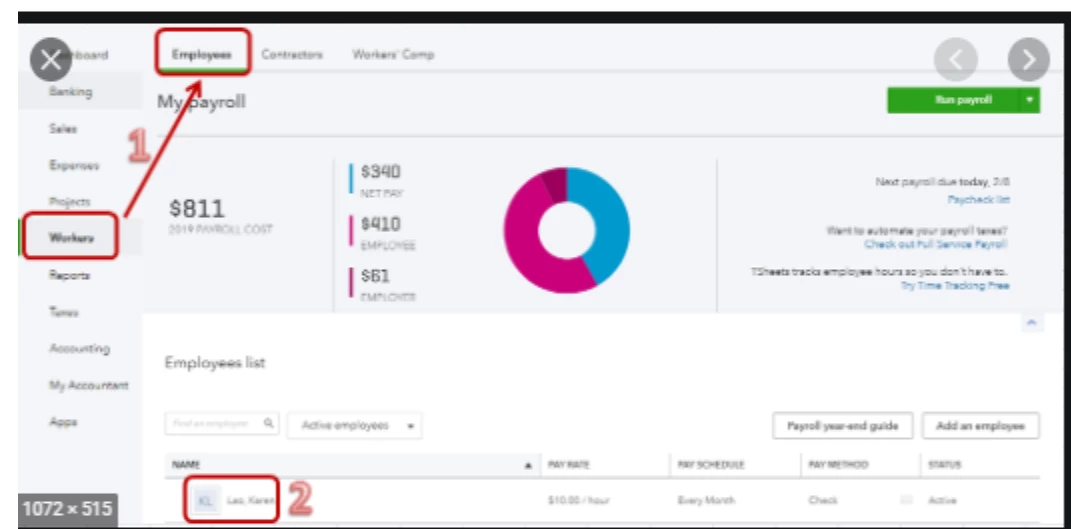
- Go to Workers and select Employees.
- Select Run Payroll.
- Choose the employees you'd like to pay then enter the hours and memos based on the deleted ones.
- Select Save and review to see a summary of this payroll.
- Select Confirm and submit to create the pay run in QuickBooks.
![]()
I've got these articles for additional information on how to create and edit paycheck in QuickBooks:
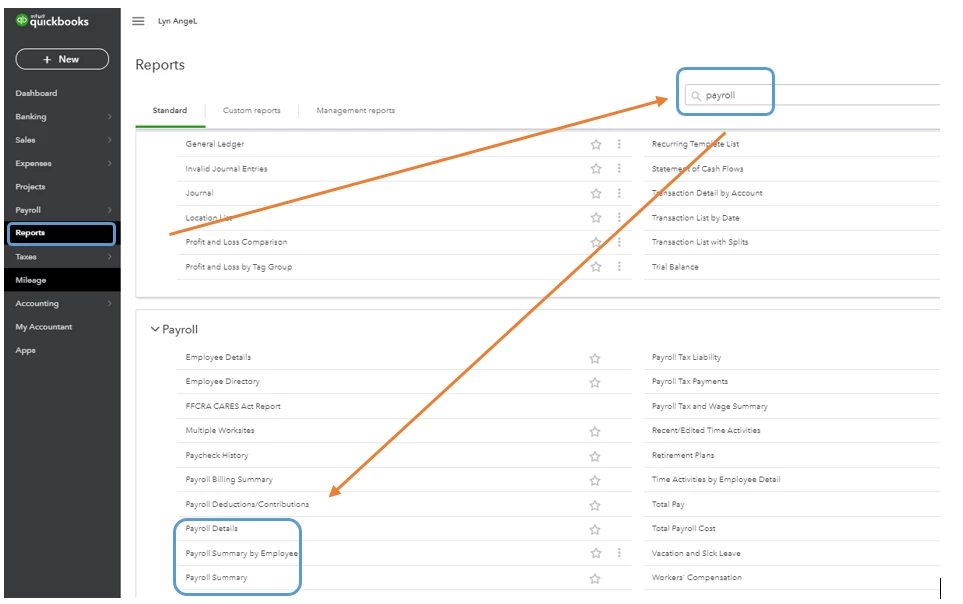
Also, to make sure the amounts are accurate, you can run a payroll report (Payroll Summary, Payroll Summary by Employee, or Payroll Details) for reference. To know more about the Payroll reports that you can run in QuickBooks, see the below articles:
If you wish to personalize them, browse this resource for detailed instructions. To ensure you save the current customization settings, you can simply memorize them.
If you have follow-up questions on this or any QuickBooks concerns, don't hesitate to let me know. I'll be here to help you further. Take good care.

