Solved
How can I customise Supplier Balance Detail report between 2 chosen dates - say 1st-17th September?
The options for date are pre-set and do not apparently allow for specific dates


Hello there, @communityoil.
Let me add some additional information. You can run the Purchases by Supplier Detail Report in your QuickBooks Online (QBO) account instead. This way, you'll be able to see the balance you owe to your supplier. Also, you have the option to set the date to Sept.1-17th of the month. I'll be glad to guide you on how.
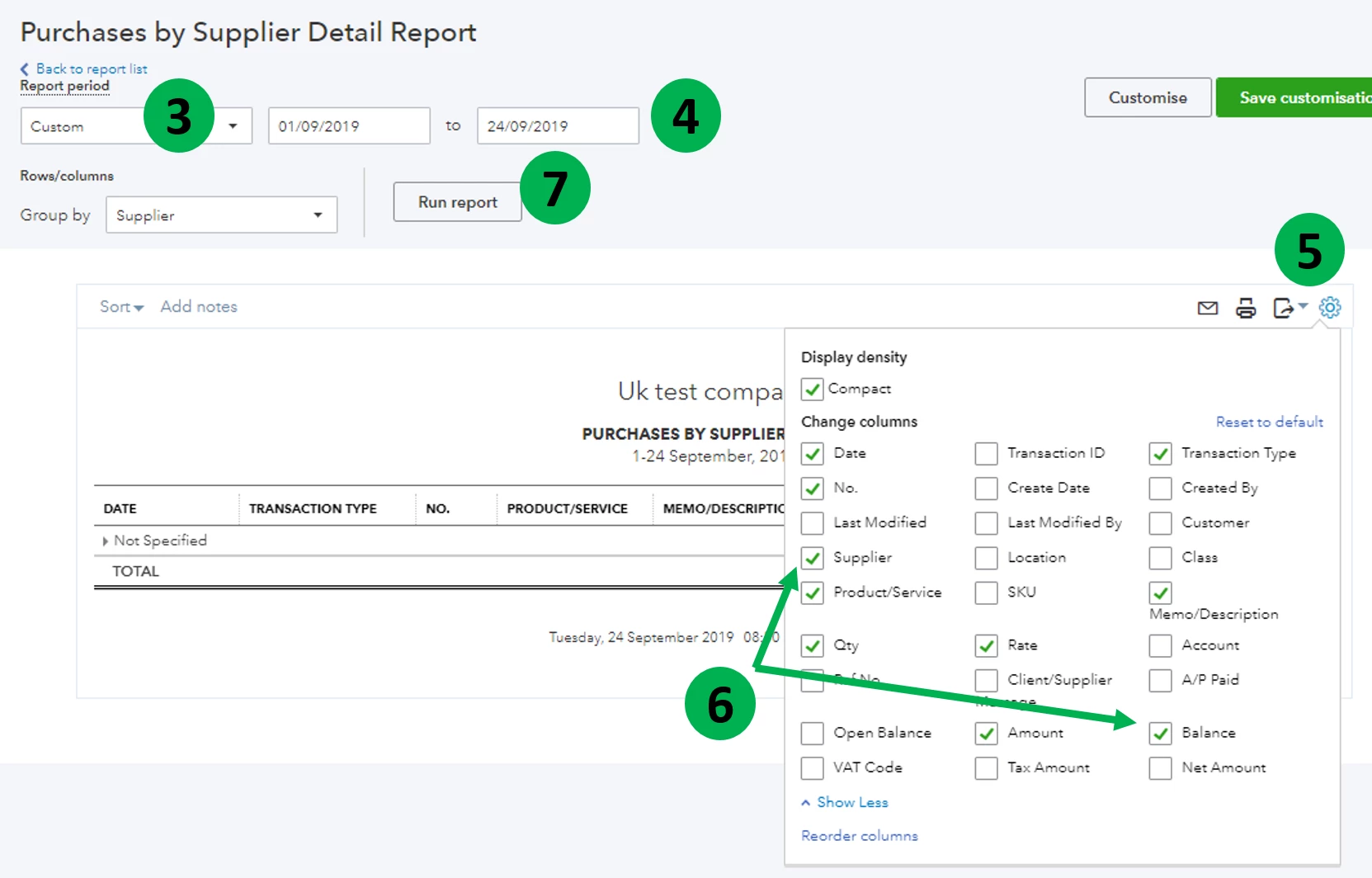
You can also check this article to learn more about how to customise report in QuickBooks Online: Customise Your Reports in QuickBooks Online.
Also, feel free to check our Reports and accounting page for QuickBooks Online to learn some tips and tricks on managing your report.
As always, feel free to reach out to us if you need further assistance. We're always here to help. Take care!
JasroV
Many thanks for your efforts. However, typing in Purchase by Supplier Detail as you suggest in Reports produces nothing. But you have led me into trying Expenses by Supplier where I can get Expenses by Supplier Summary. There I could, as you suggested, choose specific dates. Initially it was frustrating that I only got a Summary but I then discovered that I could double click on the Summary total to produce the Detail of that report. (An old QB desktop move). So I have the report that I want, huge thanks JasroV.
Enter your E-mail address. We'll send you an e-mail with instructions to reset your password.