Solved
How to record a refund
I paid Itunes £7.99 for an app it was rubbish so they refunded me £7.99 but its come through as a sale and its a refund how do i categorise this can you give me step by step instruction please


I've got just the steps you'll need in recording the refund, @hotlocks.
When you receive a refund from a vendor, you must first record a supplier credit for the expense that the refunded payment was applied. Then, you'll have to deposit the money received. After that, apply or link the deposit to the credit memo with a "zero GBP" payment. I'll show you how to do it.
Let's start recording the refund by entering the vendor credit.
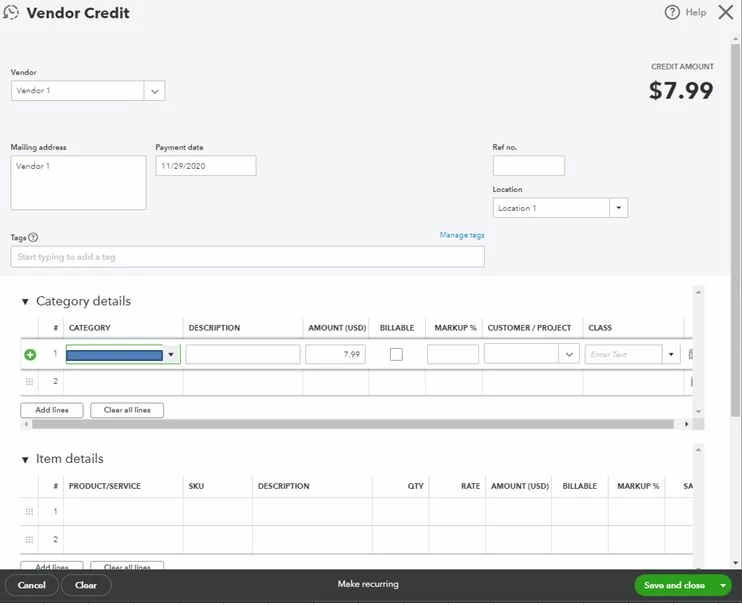
Then, let's deposit the money received.
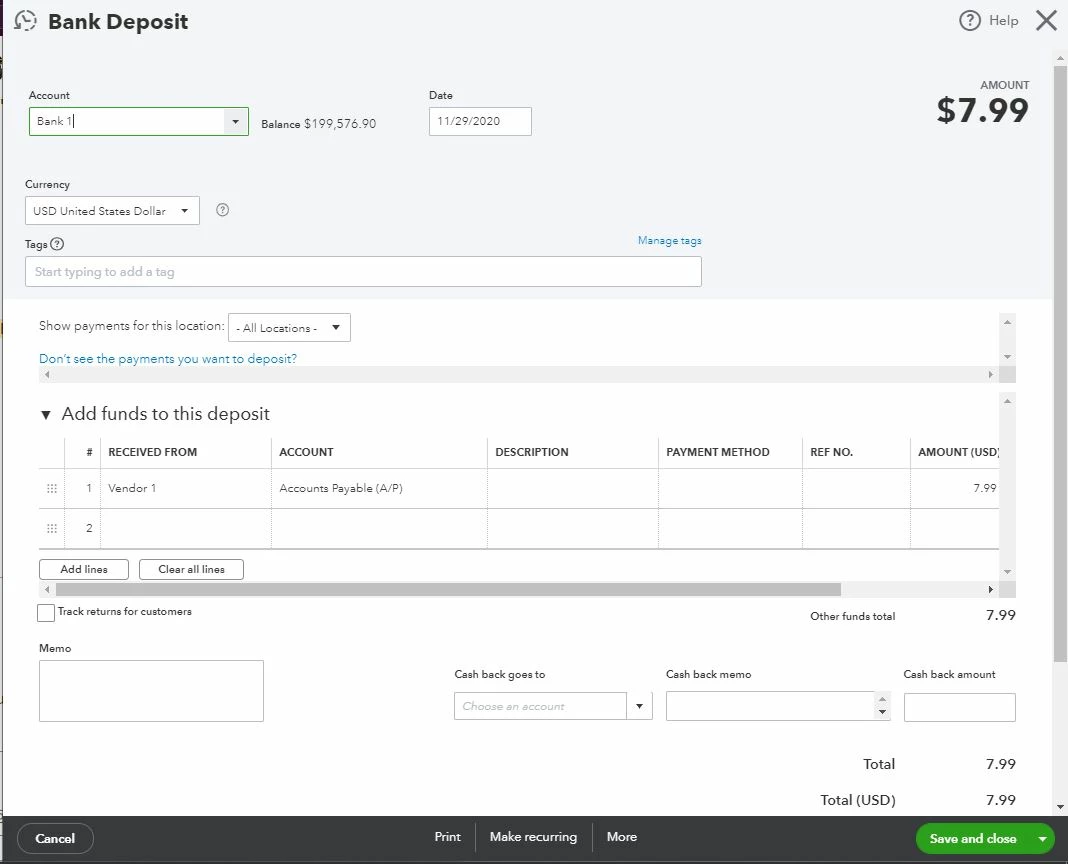
Lastly, let's link the deposit to the vendor's credit memo with a "zero dollar" payment.
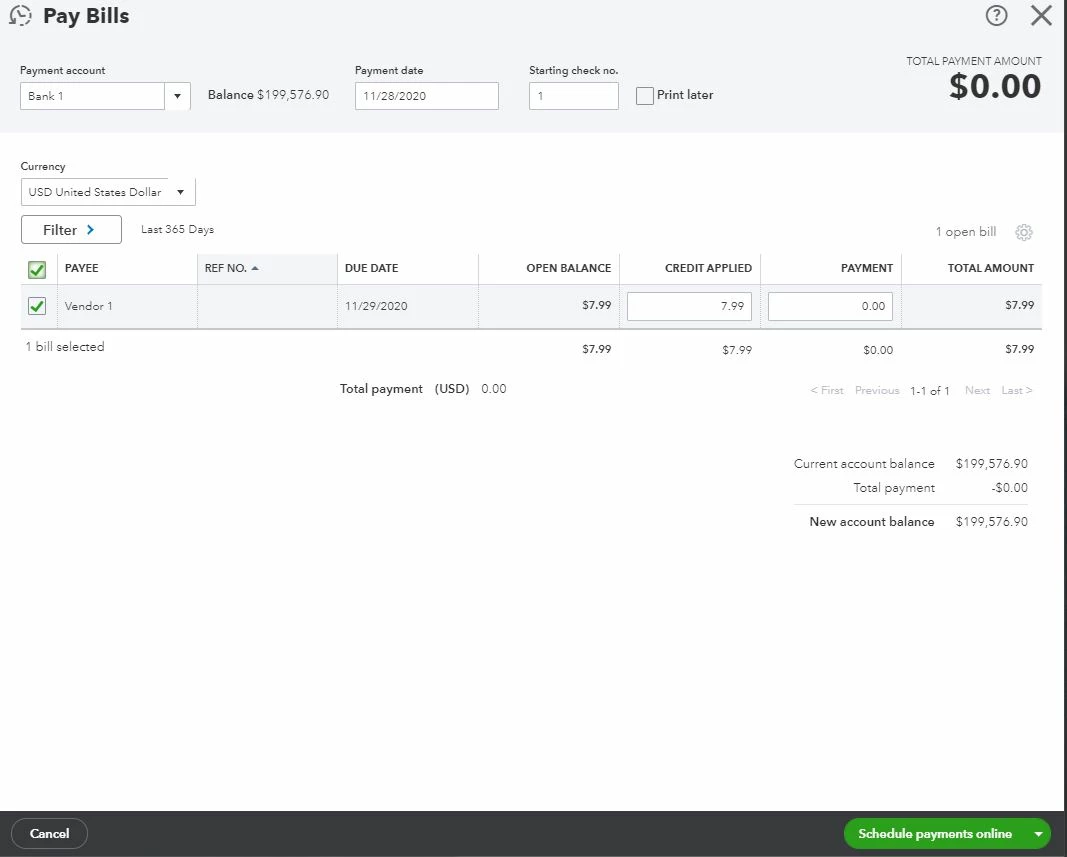
These instructions are available from our guide on entering a refund from a supplier.
Once done, you can reconcile your account to make sure they match your bank statement.
Just to add this is available in our Essentials and Plus packages. If you are using the Simple Start package you can record the refund by creating a bank deposit (+ New > Bank deposit) - select the date and bank account the money was returned to and then scroll to 'add funds to this deposit'. On the first line, enter the same expense account used in the original expense and then enter the total amount and VAT code.
Please touch base with us here if there's anything else you need, I'm determined to ensure your success. Have a wonderful day.
Enter your E-mail address. We'll send you an e-mail with instructions to reset your password.