Hello, David.
I'll clear things up so you can record your purchases accurately.
You'll want to enter the supplier receipts individually as mentioned by JonpriL. The general rule of the thumb is to record your transactions as they happen in real life.
Entering the purchases in a lump sum amount might complicate your records. The VAT amount might not be correct (as you might've presumed), and the data reporting might not be accurate.
As mentioned by JonpriL again, you can match a single statement (when the bank transactions come in) to multiple supplier receipts (entered in QuickBooks). Here's how:
- Go to the Banking menu.
- Select the bank or credit card account (if you connected multiple banks).
- Select the downloaded statement.
- Choose the Find Match radio button.
- Check the recorded receipts for that statement until the difference is zero.
- Click Save.
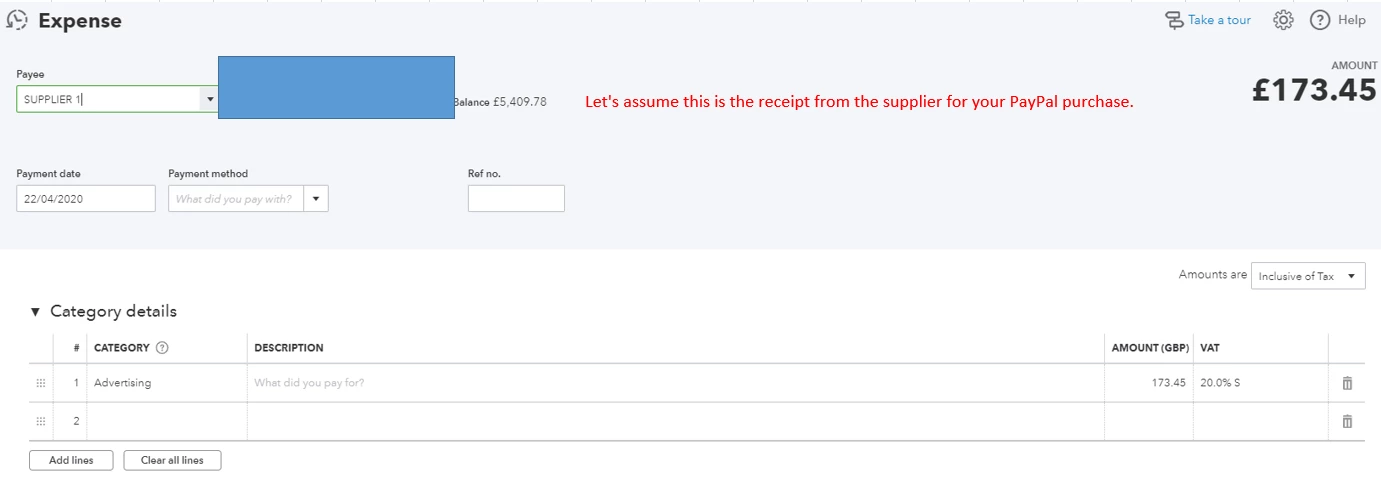
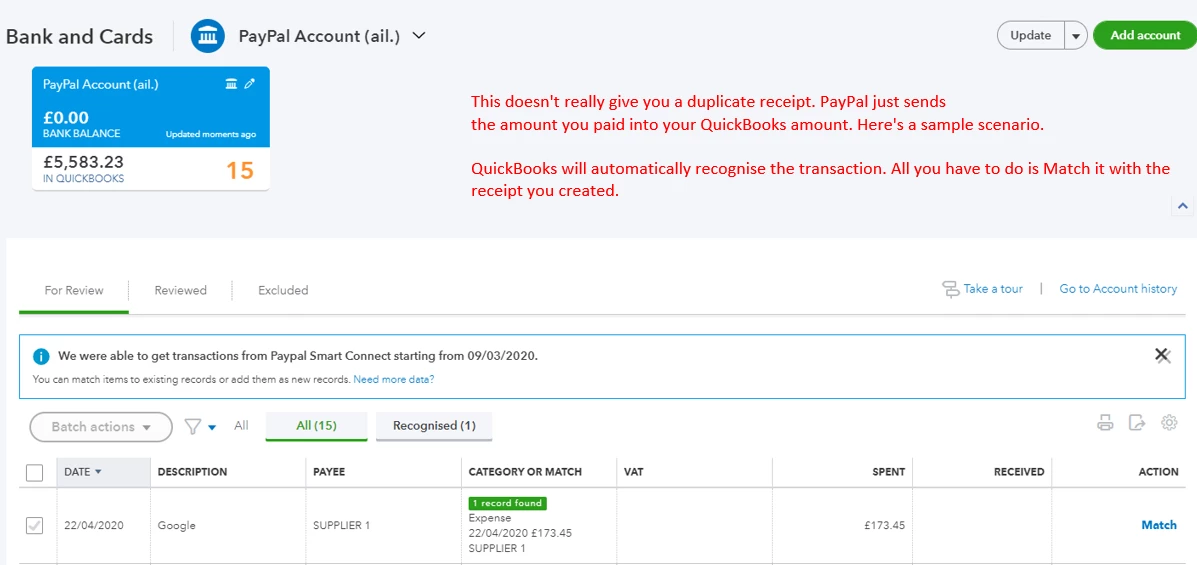
Regarding your PayPal purchases, you can record the supplier receipt normally (as a regular expense). PayPal will send you a downloaded transaction to your QuickBooks Online account. You can match this transaction with the recorded receipt.
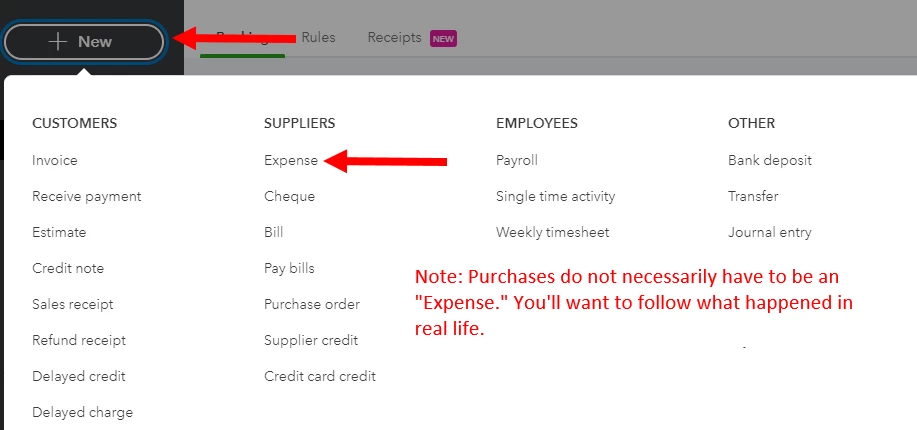
To record the purchase, simply click on the +New button, then select Expense.
Here are screenshots to help you out:
We all started from scratch. I'd recommend visiting our articles page to learn the ropes in QuickBooks Online: General Help Articles page.
We're always ready to help during these times. Just leave a reply below or post a new topic for other QuickBooks questions. Thanks!

