


AChipOffTheOldBlock
April 20, 2022
Solved

A/R Aging is not calculating correctly

  • April 20, 2022
  • 2 replies
  • 0 views

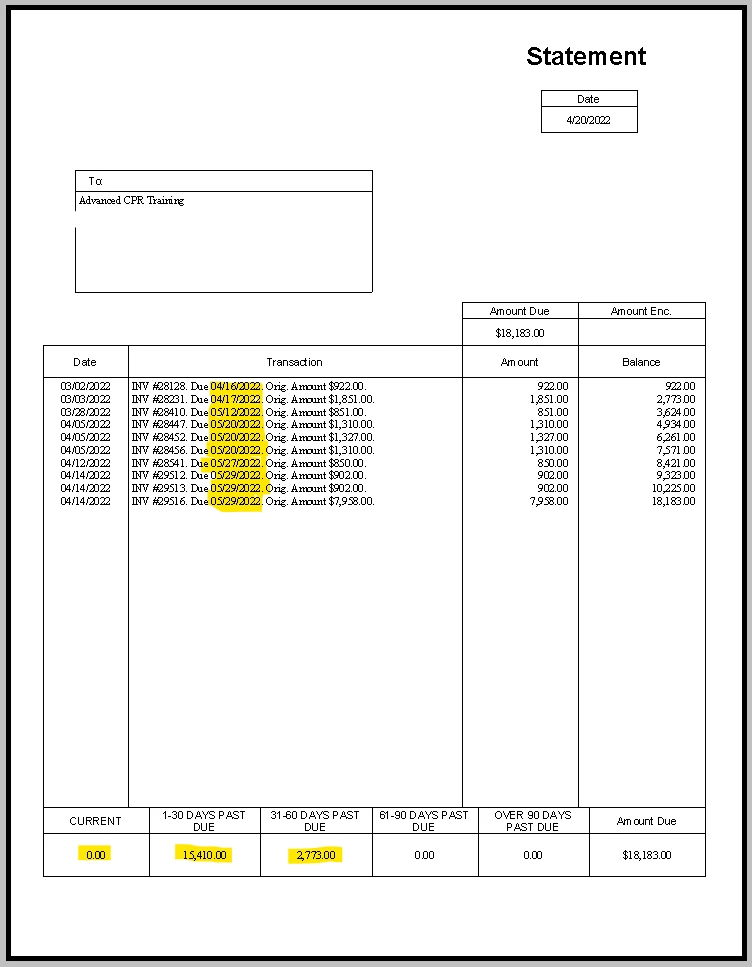
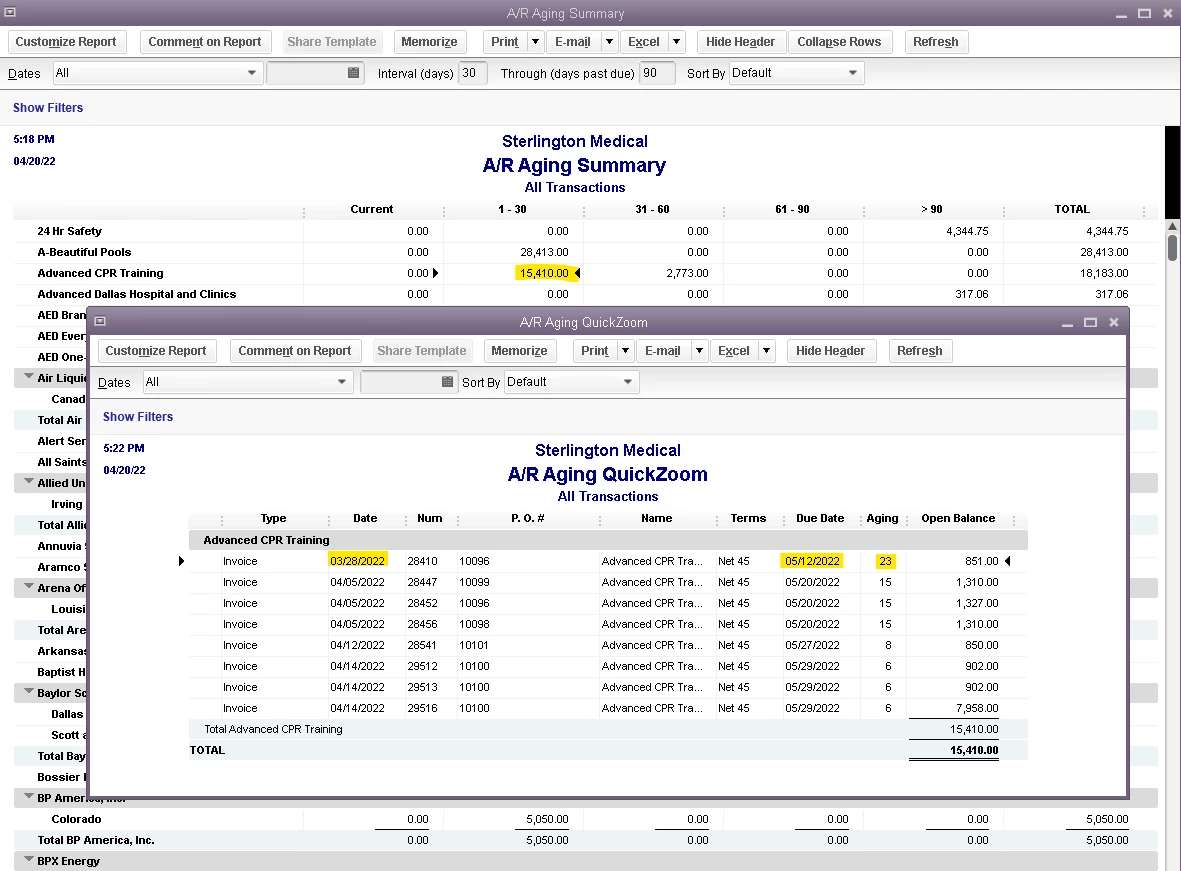
My A/R aging is calculating based upon the invoice date, rather than the due date. This is causing both my aging report and my customer statements to be incorrect and show invoices as past due even though they aren't. The only items that show as current are the ones from the current day. Does anybody have any idea what might be causing this or how to fix it? I have checked my payment terms items as well as the terms assigned to the customers and they are all correct. In the attached example, the customer is set with Net 45 terms. The due dates reflect this as shown in the statement, yet the aging shows as past due.


Best answer by Rainflurry

@AChipOffTheOldBlock 


Check your preferences (Edit>Preferences>Reports & Graphs>Company Preferences), under 'Aging Reports', make sure 'Age from due date' is checked and not 'Age from transaction date'. 

2 replies

BigRedConsulting
April 20, 2022

It sort of looks like the numbers are off by one box, that 15,410 is current and 2,773 is 1 - 30 days late.


Is this statements using the Intuit Standard Statement template, or a custom template?


If a custom template and you edit it in the Layout Designer, and then click each of the data fields in the aging area, are the fields in the right location compared to the field titles?

Rainflurry
April 20, 2022

@AChipOffTheOldBlock 


Check your preferences (Edit>Preferences>Reports & Graphs>Company Preferences), under 'Aging Reports', make sure 'Age from due date' is checked and not 'Age from transaction date'. 

AChipOffTheOldBlock
April 21, 2022

That did it! Thank you so much @Rainflurry!! I knew there had to be a box checked somewhere that shouldn't have been...