
Solved
All the expenses I entered yesterday are missing. Any reason why i cant find them?
I have no idea where the expenses went. i clicked on the save button & it said expense saved.

Hi there, mucksal.
I appreciate you for providing detailed information about your concern. I've got steps to ensure you can find all the expenses you entered yesterday smoothly.
All expenses entered and stored into the program will be displayed in the Expenses menu. I recommend going to the said section to locate the transactions. I've added a screenshot below for visual reference.
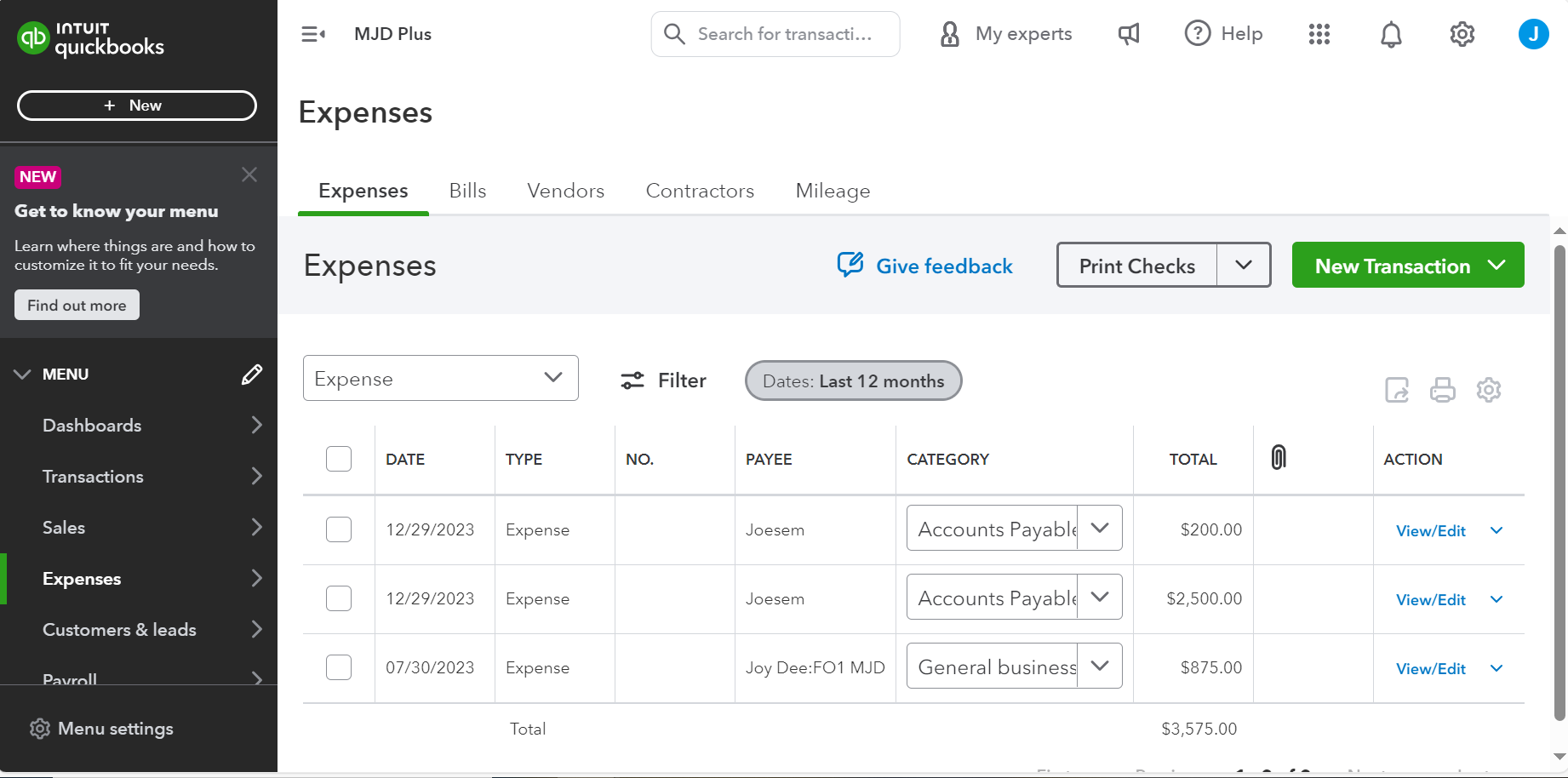
If you're still unable to see the expenses from there, it could be an authorized user deleted the data. That's why you can't find those transactions. To verify this, I recommend visiting the Audit log page to see the list of the company's movements, the adjustments made, and who made them.
Here's how:
Once done. the audit log shows 150 records at a time. For most transactions or events, click View in the History column to open the audit history. This tells you who made the change and what they did.
If the issue persists, I suggest accessing your QBO using a private browser and finding all entered expenses from there. This is to rule out any webpage issues as incognito mode doesn't store local files or cache.
Use these keyboard shortcuts based on the browser you're using:
If it works in incognito, you have to clear the cache of your regular browser. This deletes the history or log of sites so you can start with a clean slate. If the steps above don't work, use another supported browser as an alternative.
In case you need steps on how you can delete expenses, you can read this article: Enter and manage expenses in QuickBooks Online.
If you have additional questions or concerns about managing expenses or any related concerns with QuickBooks, please leave a comment on this thread, mucksal. I'll assist you promptly. Have a great day ahead.
Enter your E-mail address. We'll send you an e-mail with instructions to reset your password.