Thank you for posting in the Community, @pkeogh.
I'm here to help get rid of the overdue items in your accounts receivable.
You'll need to link the journal entry you created and the reversed journal entry to remove the overdue status.
Here's how:
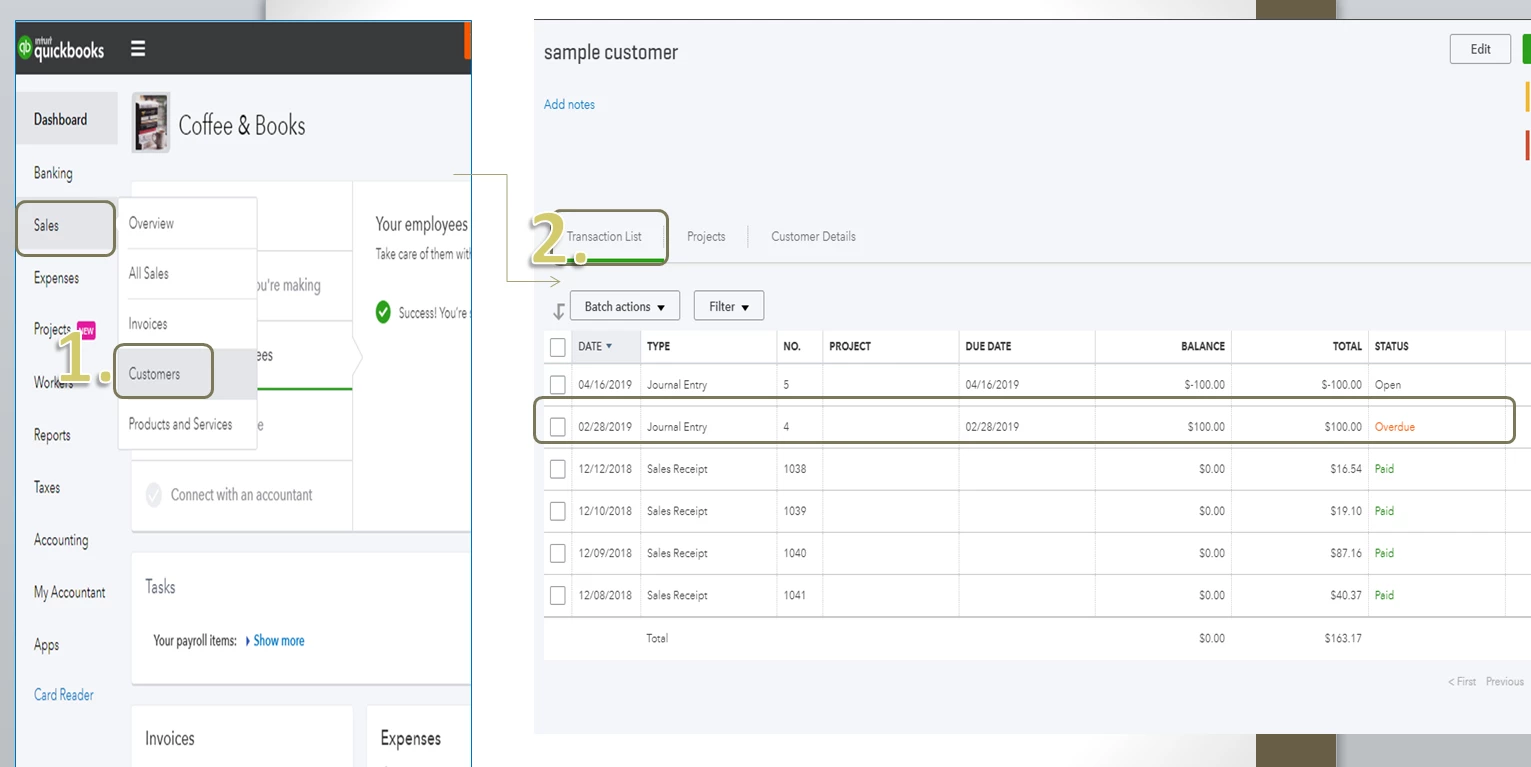
- On your QuickBooks account, go to Sales and select Customers.
- Select the customer and open the Transaction List.
- Create a Payment transaction to link the two journal entries.
- On the Receive Payment window, you'll see the outstanding transaction for the first JE you created and the reversed JE on the Credits. Make sure they are both checked before you click the Save and close tab.
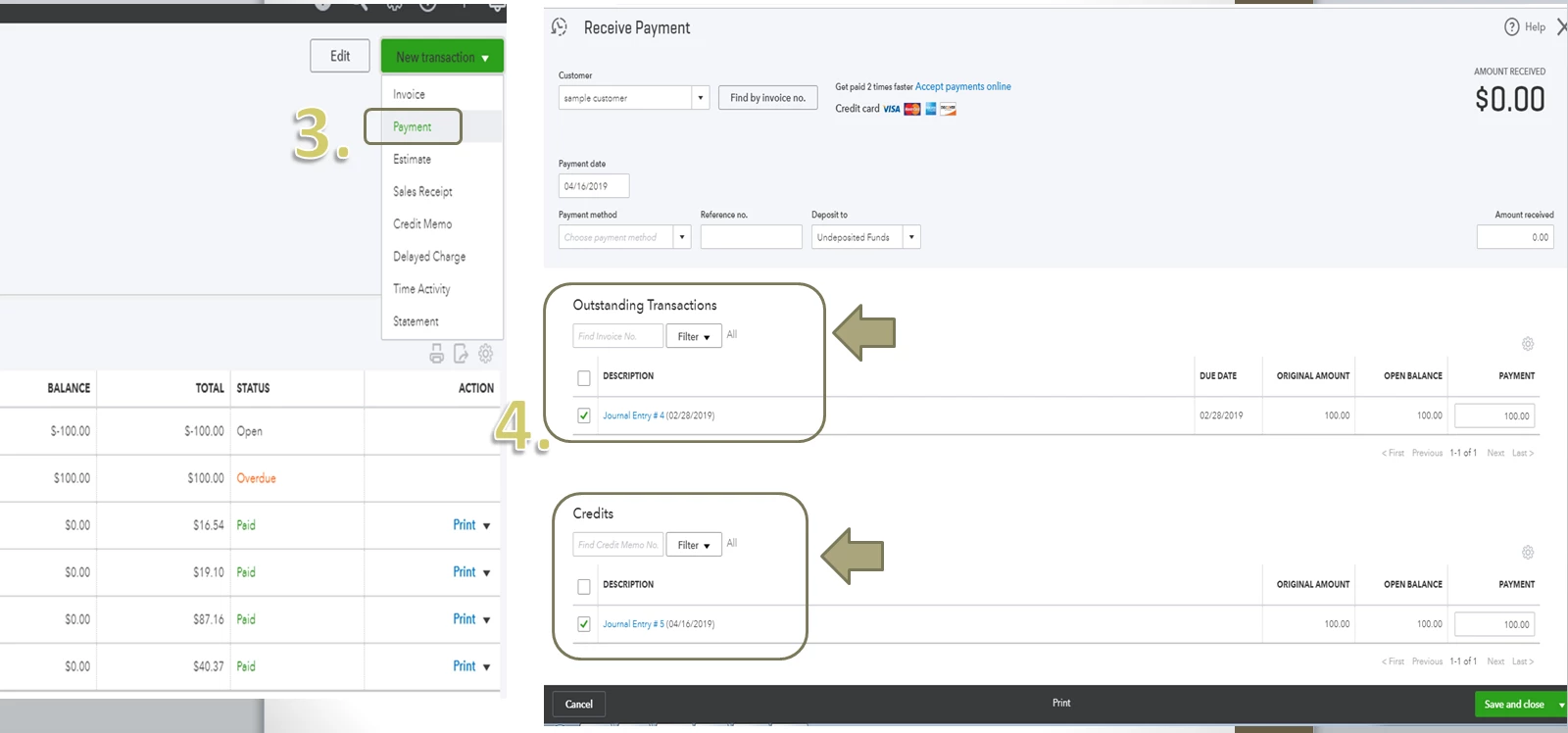
That should do it. Both JE status will show as Paid after you link the two journal entries.
If you need other references in the future, please feel free to access our site: Help articles for QuickBooks Online.
Keep me posted if you have additional questions about removing overdue status in QuickBooks. I'll be here to help however I can.

