Thanks for visiting the Community today, rmp7345.
Let me provide some information on why you’re unable to see the bank transfers in your Profit and Loss report.
The financial statement summarizes your business revenues, costs, and expenses incurred for the month. This is to check whether you’re operating at a profit or a loss. Also, it will show the subtotals for each income or expense account in your chart of accounts.
Regarding your bank transfers, we’ll have to identify first how it’s recorded in the company file including your other transactions. Thus it affects how the data is shown in your report and will help check why the entries didn’t show up.
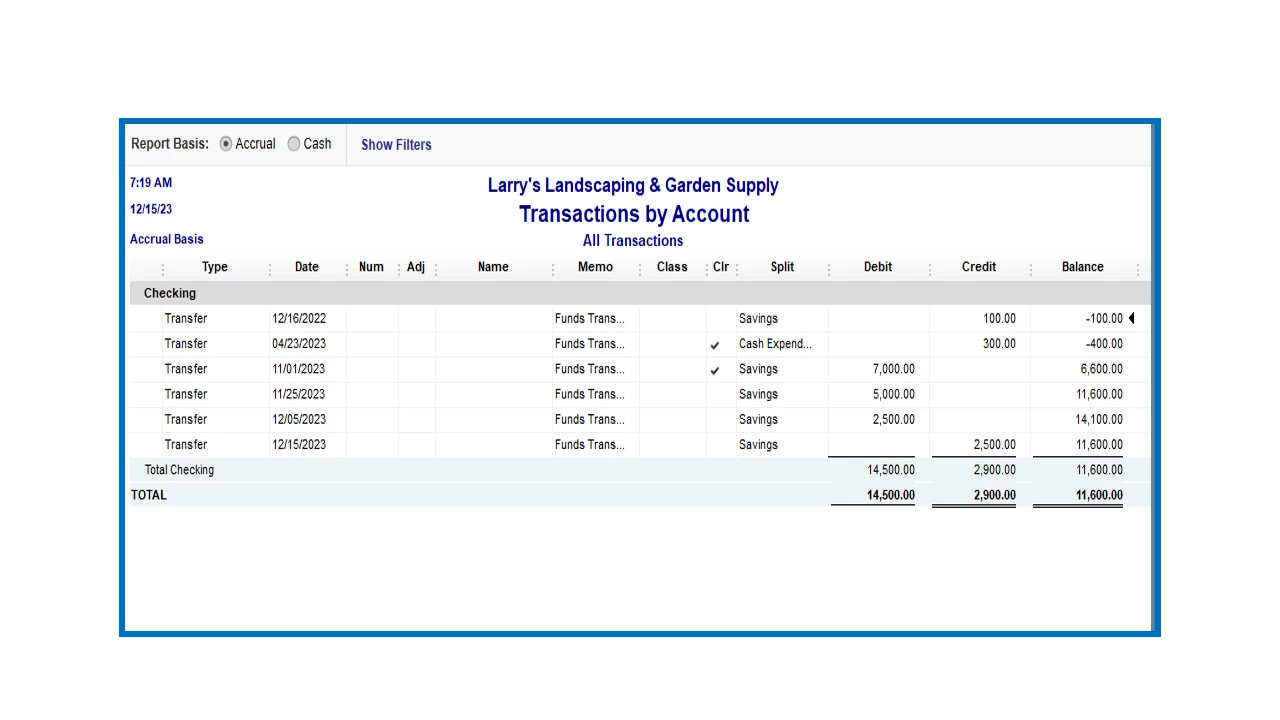
You can run the Balance Sheet report to check the activities incurred in your bank accounts. Then customize it to see the bank transfer.
Here’s how:
- Open QuickBooks and go to the Reports menu to select Company & Financial and Balance Sheet.
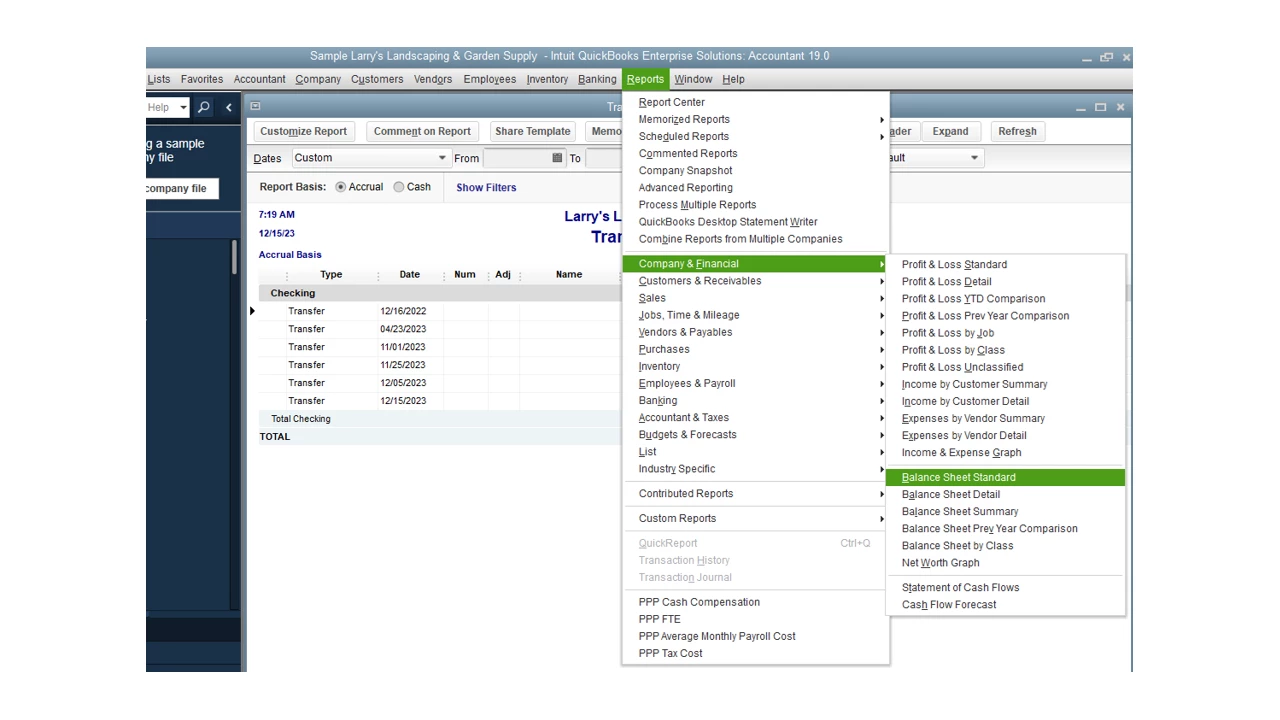
- Tap the Dates drop-down and pick the correct date range.
- Click the Customize Report menu in the upper right to open the Modify Report window.
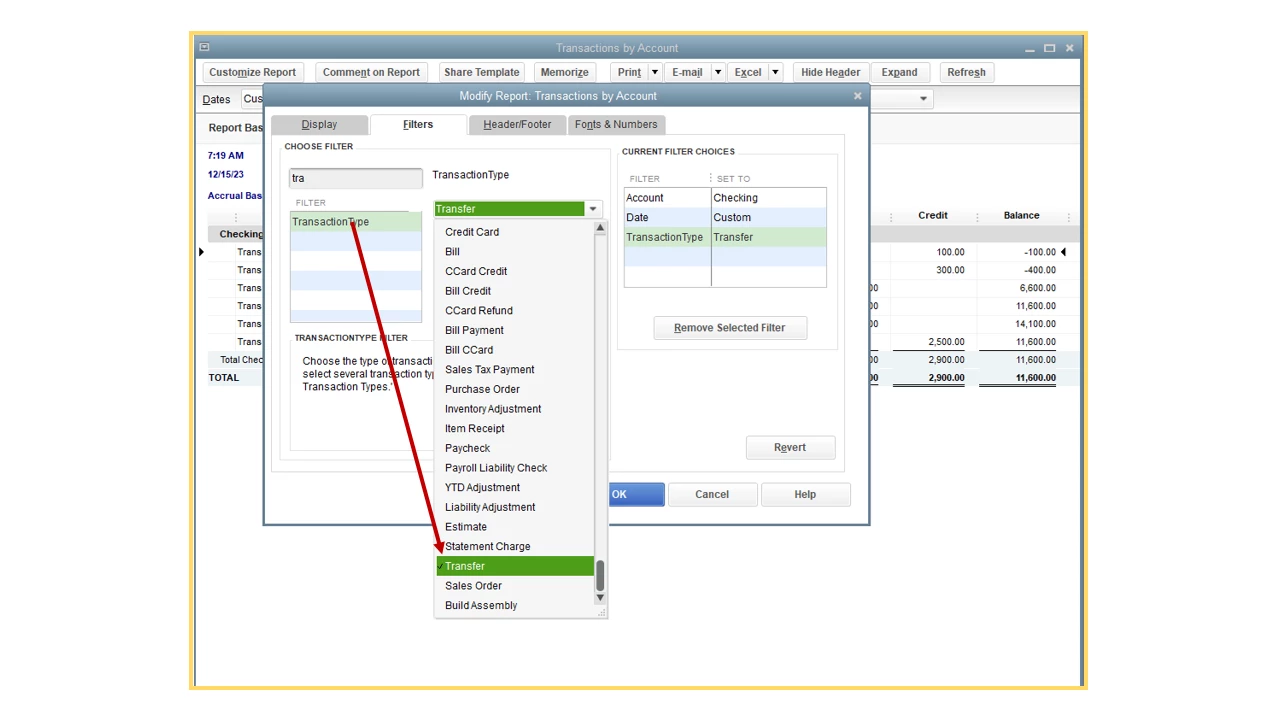
- Navigate to the Filters tab and enter Transaction Type in the field box.
- Choose Transfer from the drop-down and press OK to reflect the changes.
Check the following resource for additional information: Customize company and financial reports. It provides detailed instructions on how to build and tailor your statements. You’ll see the links on how to perform each process in QuickBooks.
This reference will guide you on how to manage your reports: Customize reports in QuickBooks Desktop. It outlines the complete steps on how to use the Display, Filters, Header/Footer, and Fonts & Numbers tabs to name a few.
Stay in touch if you have additional questions about running financial reports and other QuickBooks concerns. I’ll jump right back in to assist further. Have a great weekend ahead.

