Hello, @karma0016.
Thanks for dropping by in the Community. I'd be pleased to help run a P&L report showing your income after invoicing your billable expense.
In QuickBooks Desktop, you cannot track reimbursed expenses in income account using COGS. When entering a bill, you'll need to choose another expense account. Then you'll have to put a check mark on the Track reimbursed expenses in Income Acct. box.
Here's how to track the income on the expense account:
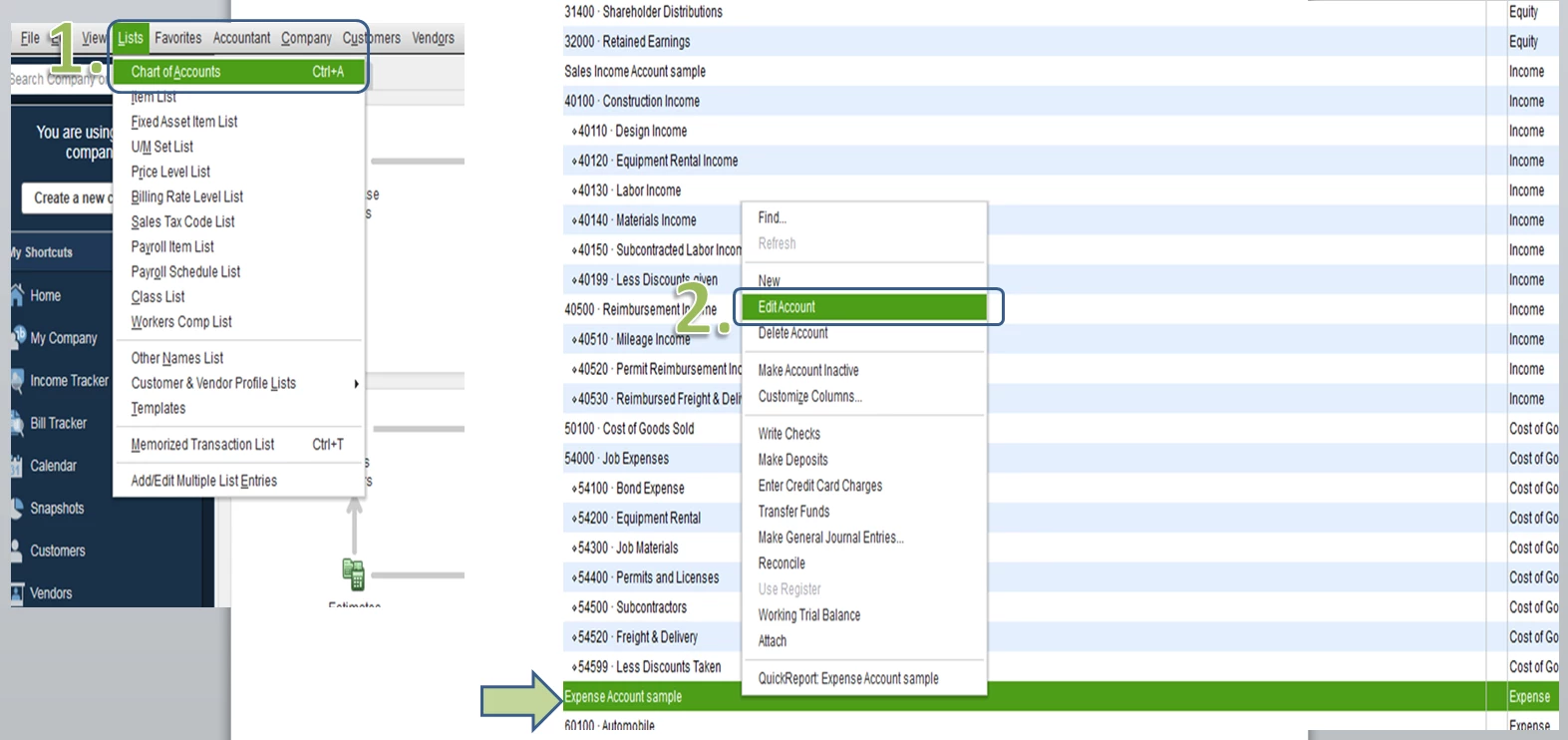
- Go to Lists menu and select Chart of Accounts.
- Edit the expense account you'll use in entering your bill.
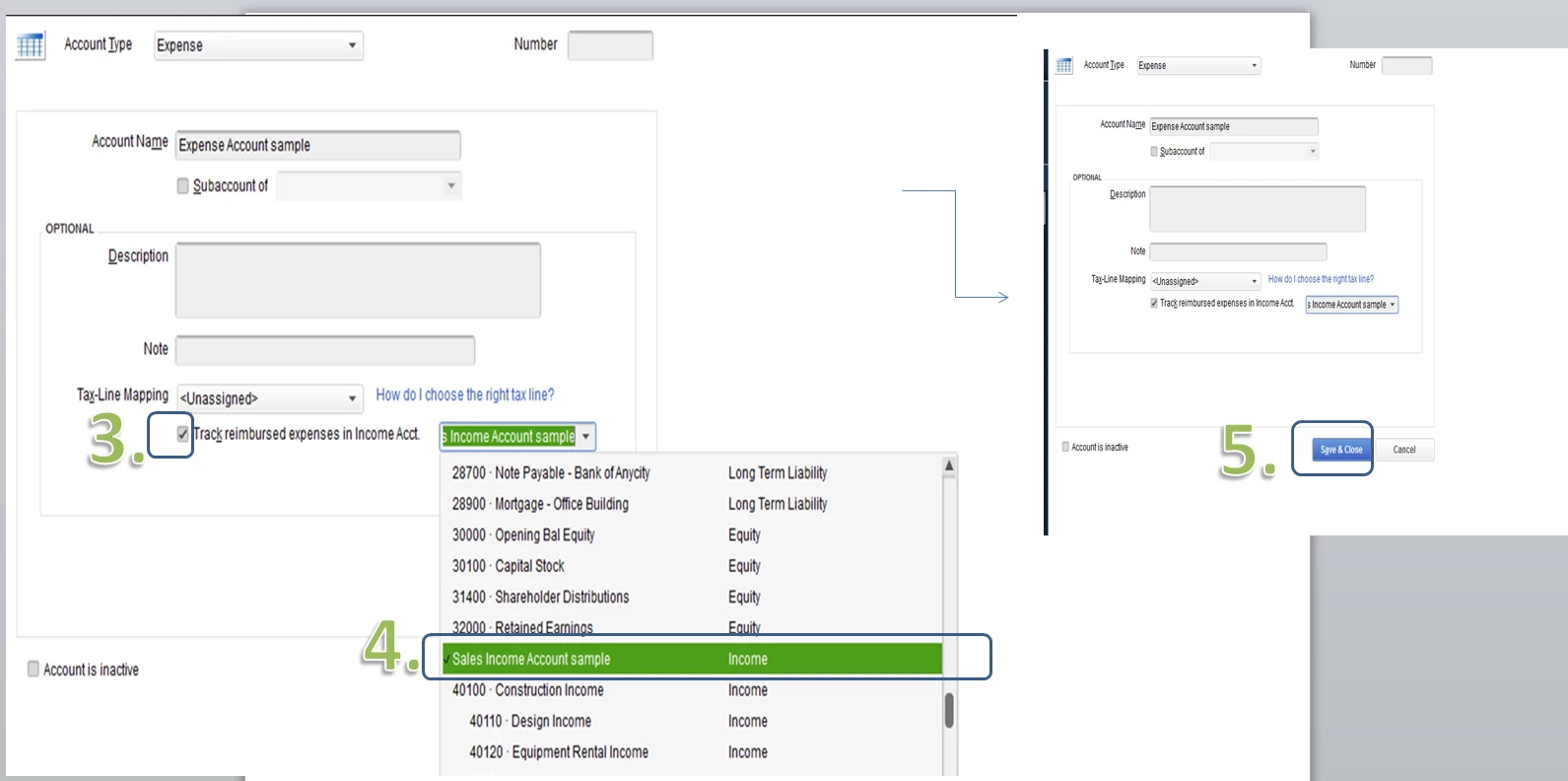
- Put a check mark on the Track reimbursed expenses in Income Acct. box.
- Click the drop-down arrow and select an Income account.
- Once done, click Save & Close.
When entering the bill, make sure to select the expense account. You'll need to either delete or edit the previous transactions you've already created
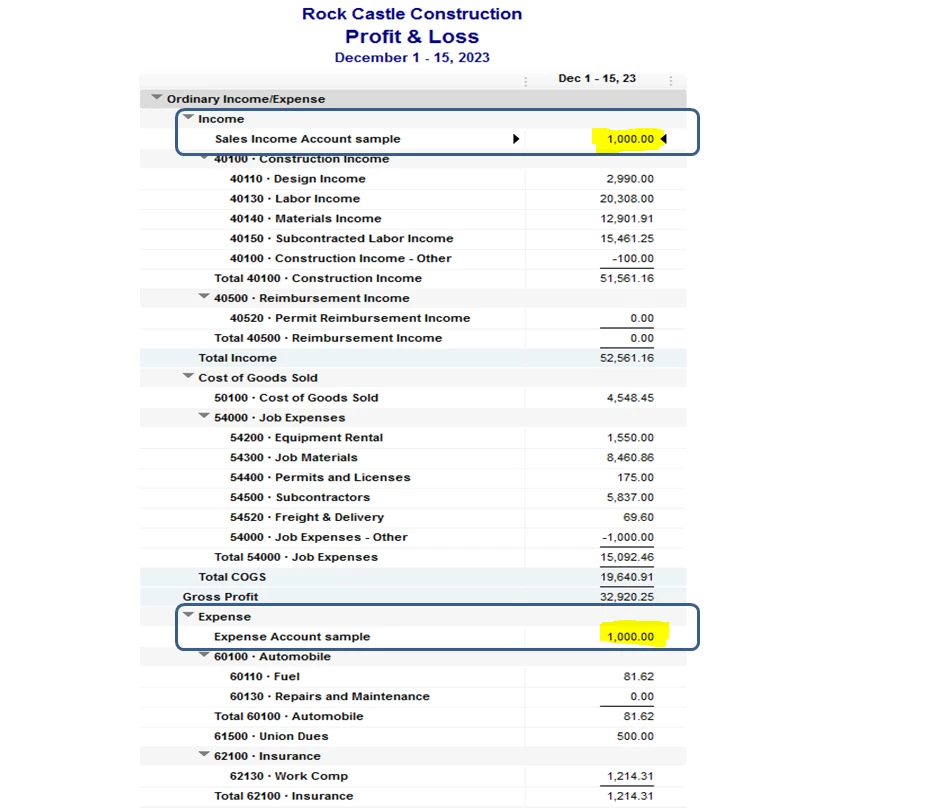
Once done, open your P&L report again to verify the amounts on your Expense and Income accounts.
As always you can check out our site if you may need some helpful references in the future: Help articles for QuickBooks Desktop.
Let me know if you have additional questions about your billable expense. I'll be here to help however I can. Have a good one.

