

Can I create an Inventory Report by DATE ADDED for QBDT Enterprise?
I need to run a report showing all items added to inventory from the beginning of the year. We use 2024 QBDT Enterprise with Advanced Inventory.
I thought I could search by the "As of" date which is documented when adding a new inventory item (see picture). I can't seem to find "as of" as an available filter.
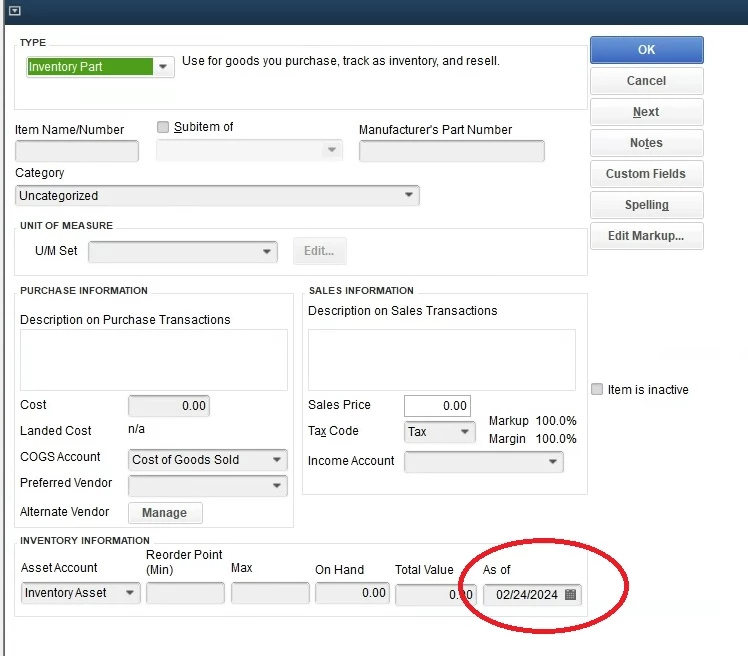
Can anyone help or provide suggestions?
I need to modify all the newly added items (Jan 1, 2024 to present) to properly reflect the inventory as of 12/31/23 for tax purposes. The person assigned to do this did not follow my directions and I'm pressed for time to make the proper corrections before meeting with the accountant.
I thought this would be the quickest way. Open to anyone advise as this point.
Please HELP!!!
(And THANK YOU!)