You can set up price rules, kavellahaircare.
This feature will allow you to charge a special price of a certain item. The first thing we need to do is turn on the feature. You can follow these steps:
- Go to the Gear icon and select Account and Settings.
- From the Sales tab, click the Edit (Pencil) icon on the Products and services section.
- Check the Turn on price rules Beta box, then Save and Done.
The next thing to do is add a pricing rule.
- From the Gear icon and then select All Lists.
- Click Price Rules and select Create a rule/New price rule.
- Give your rule a name. Select the item and enter a rate.
- Hit Save and close.
When you create a sales transaction, you'll see the prices you added on the Rate field. This is how it looks like: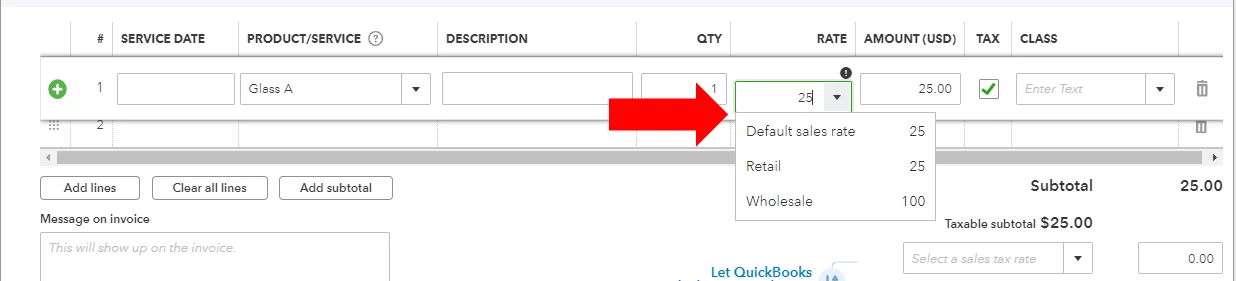
You can also check this article to learn more about this feature in QuickBooks Online:
Please post again if you need anything else. Wishing you all the best!