Nov 12, 2019 6:31 PM UTC
Solved

Can I include parent name on a printed invoice? Even when 'Bill with parent' is selected I only see the child name on the invoice (albeit next to the parent address).

Original commenter did not share additional details
Rose-A
Rose-AAnswer
Nov 12, 2019 8:20 PM UTC

Hey there, awinter.


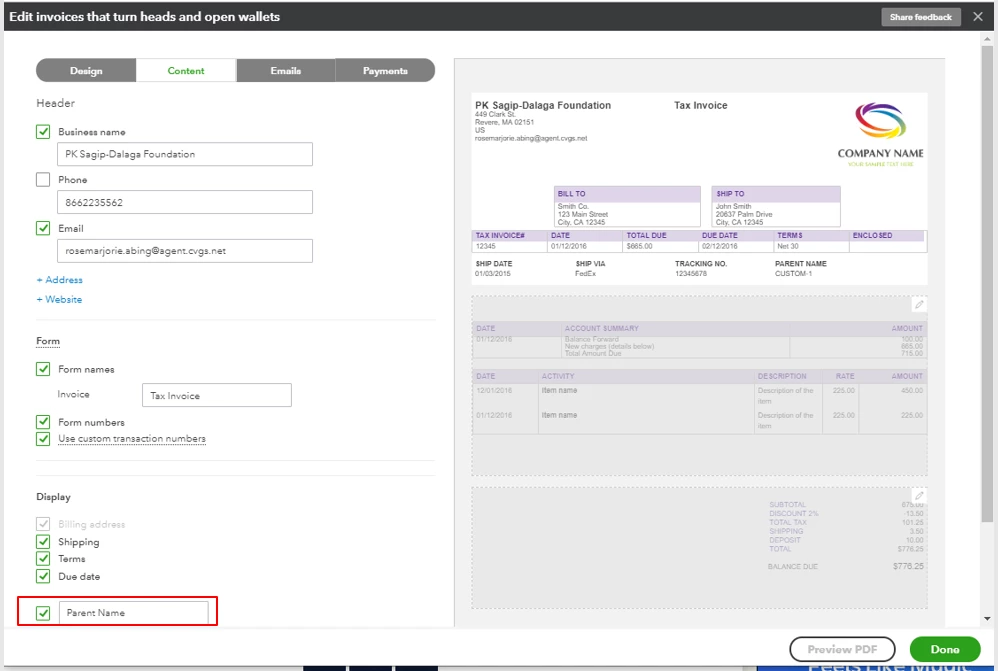
Including the parent's name when printing the invoice for the sub-customer isn't an option for now, so it has to be done manually. As a workaround, you can customize your invoice template to add a field and manually enter the parent's name.


Here's how:


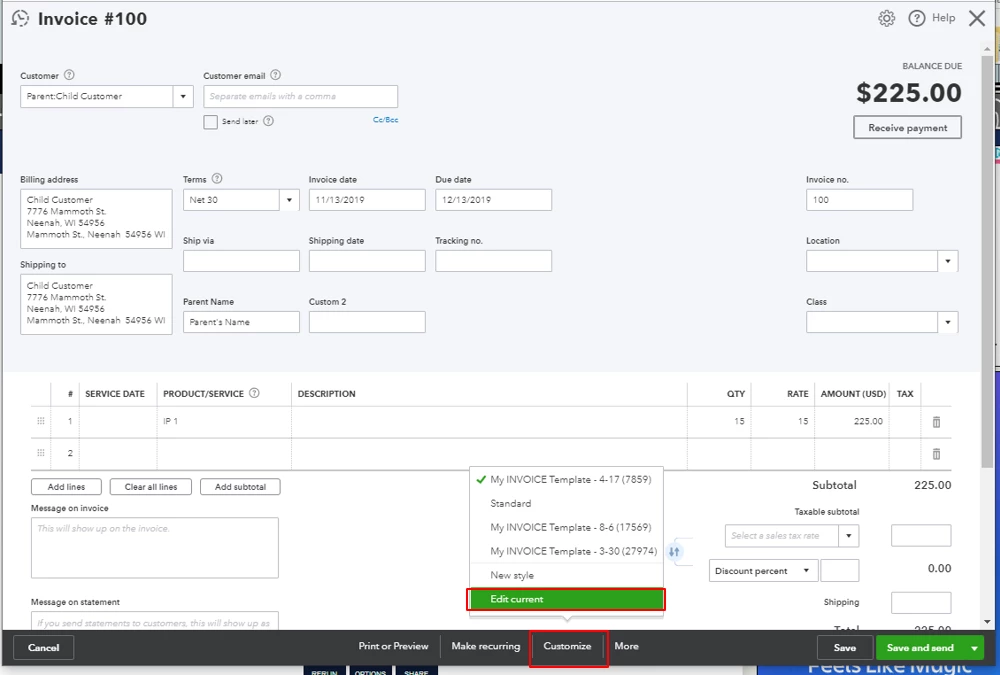
  1. On the invoice screen, click Customize at the bottom and select Edit current.
     

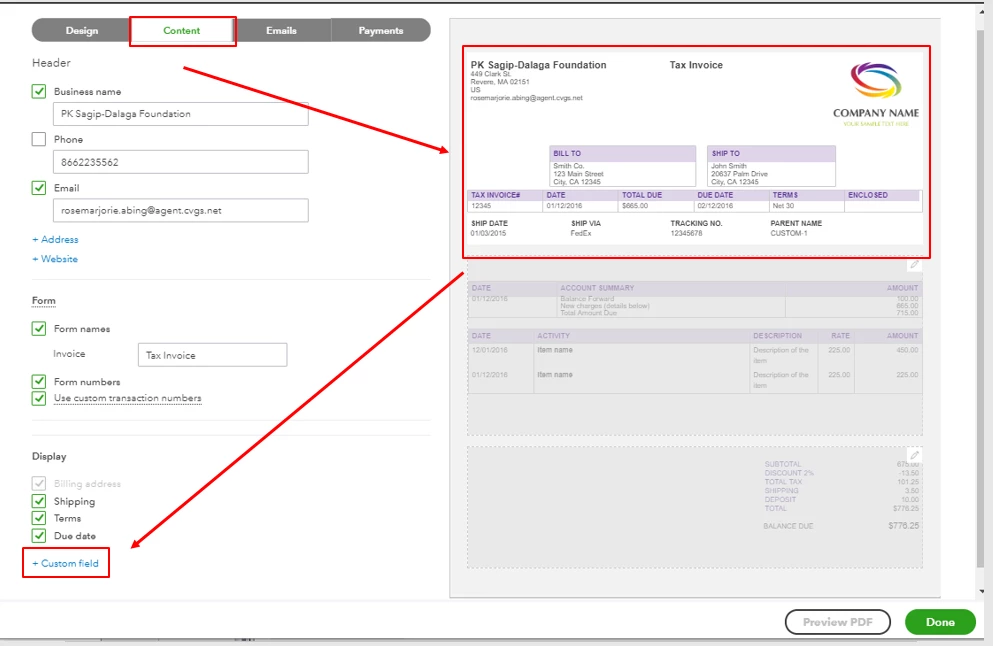
  2. Go to the Content tab and click the upper part of the template. Hit the Custom field.
     

  3. Add a custom field and click Done.

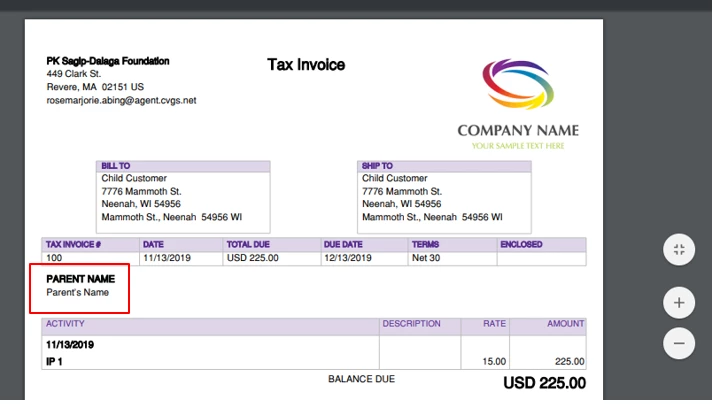
  4. This way, the parent's name will show when you print the invoice.
To know more about customizing sales forms in QuickBooks Online, check out this article: Customize your invoices, estimates, and sales receipts in QuickBooks Online.


You can always get back to me if you have any other questions. Have a great day.

1 reply

Rose-A
Rose-AAnswer
Nov 12, 2019 8:20 PM UTC

Hey there, awinter.


Including the parent's name when printing the invoice for the sub-customer isn't an option for now, so it has to be done manually. As a workaround, you can customize your invoice template to add a field and manually enter the parent's name.


Here's how:


  1. On the invoice screen, click Customize at the bottom and select Edit current.


  2. Go to the Content tab and click the upper part of the template. Hit the Custom field.


  3. Add a custom field and click Done.

  4. This way, the parent's name will show when you print the invoice.

To know more about customizing sales forms in QuickBooks Online, check out this article: Customize your invoices, estimates, and sales receipts in QuickBooks Online.


You can always get back to me if you have any other questions. Have a great day.