February 7, 2020
Solved

Can I set up an invoice with variable date and amounts for the future? Example, total amount $5000, $500 deposit due 1/1, $1,000 due 3/1, $1000 due 6/1, $2500 due 10/1

  • February 7, 2020
  • 1 reply
  • 0 views
Original commenter did not share additional details

Best answer by Angelyn_T

Happy to have you here on the Community page, @875409.


Creating one invoice can only have one due date. That being said, you can't deposit the payments on multiple due dates when recording the $5000 amount in an invoice. As a workaround, you can record an estimate first, then manually add the amounts to an invoice one at a time so the due date will be achieved.


To create an estimate:
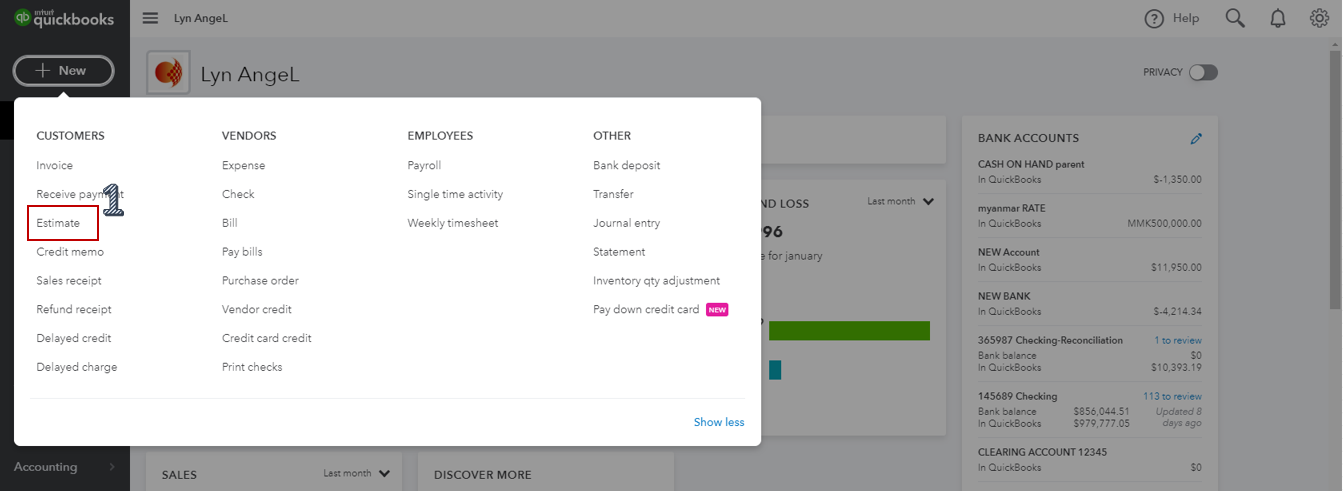
 

  1. Select Estimate under Customers from the Plus (+) icon.
  2. Choose the customer's name, then fill in the necessary information.
  3. Add the $5000 amount under the Amount column.
  4. Click on Save to record the transaction.


Once completed, convert it to an invoice:


  1. Pick Invoice from the Plus (+) icon.
  2. Select the customer's name under the Customer section, then look for the estimate at the right side of the page.
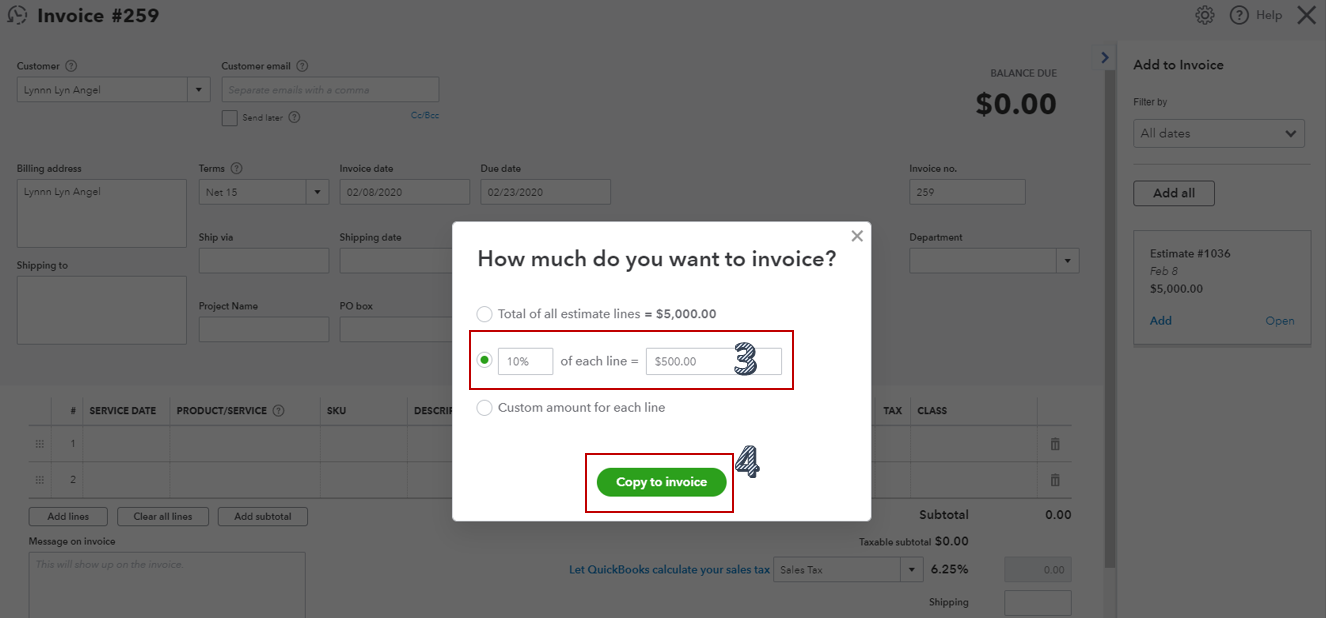
  3. Tap on Add, enter the amount on how much do you want to invoice ($500) on the pop-up window.
  4. Hit Copy to invoice.
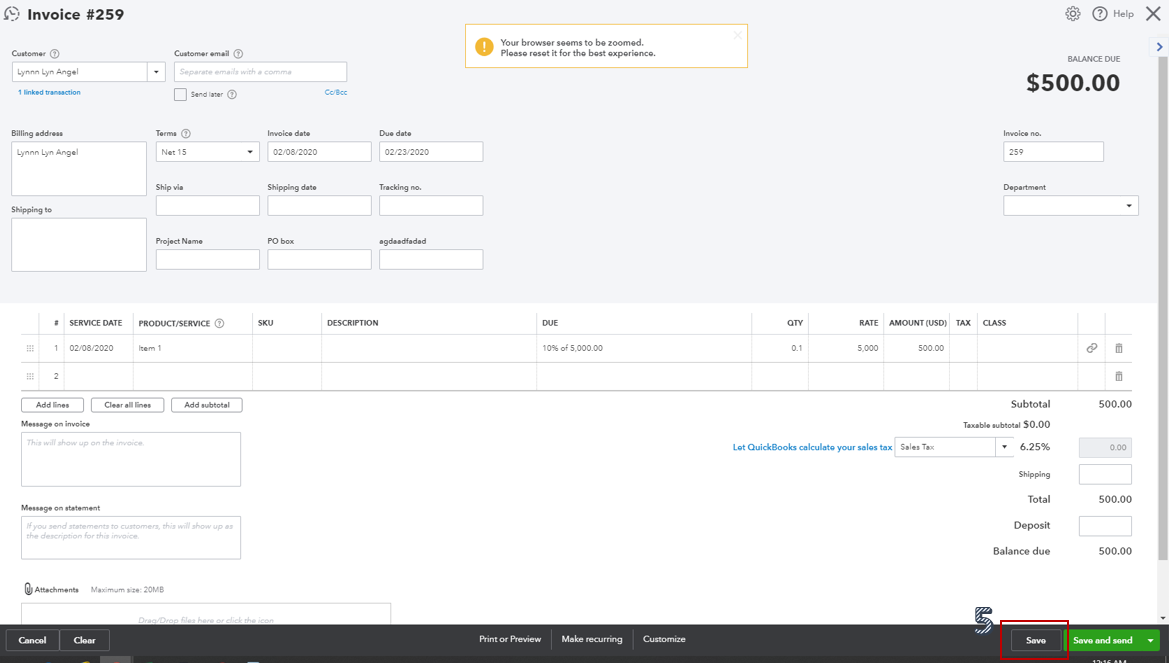
  5. Save the transaction.
  6. Repeat the steps for the rest of the amounts.


For additional reference about converting an estimate to an invoice, read this article: Convert an estimate into an invoice in QuickBooks Online.


Reach out to me if you have any other questions as I'm always here to help. Have a good day!

1 reply

Rustler
February 7, 2020

No, in QB an invoice is a final sale, it does not do installment sales

Angelyn_T
Angelyn_TAnswer
February 7, 2020

Happy to have you here on the Community page, @875409.


Creating one invoice can only have one due date. That being said, you can't deposit the payments on multiple due dates when recording the $5000 amount in an invoice. As a workaround, you can record an estimate first, then manually add the amounts to an invoice one at a time so the due date will be achieved.


To create an estimate:


  1. Select Estimate under Customers from the Plus (+) icon.
  2. Choose the customer's name, then fill in the necessary information.
  3. Add the $5000 amount under the Amount column.
  4. Click on Save to record the transaction.


Once completed, convert it to an invoice:
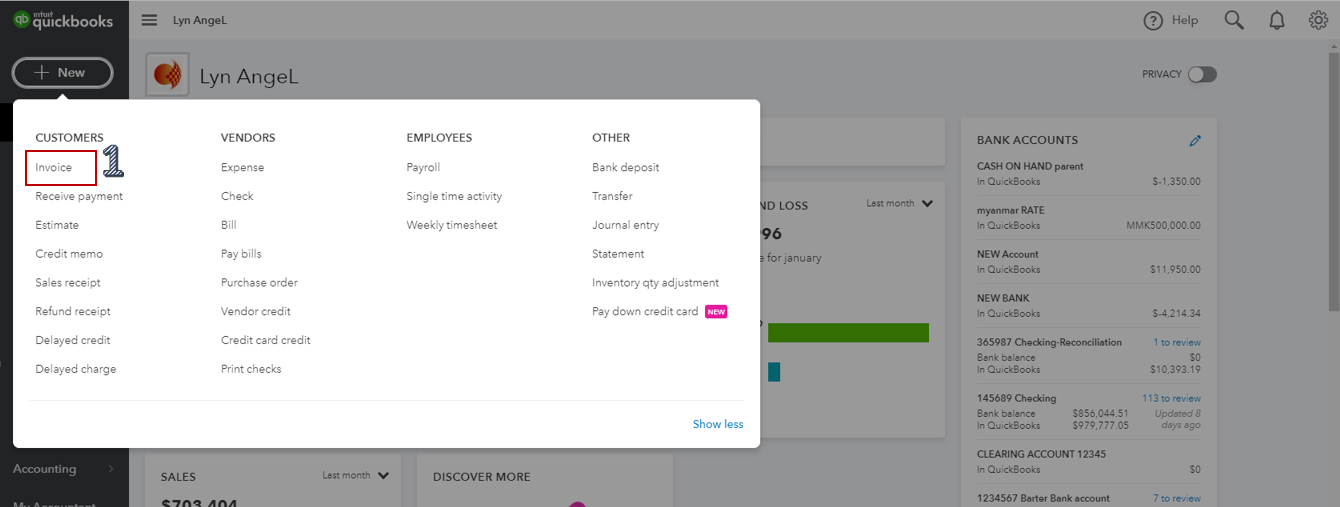
 

  1. Pick Invoice from the Plus (+) icon.
  2. Select the customer's name under the Customer section, then look for the estimate at the right side of the page.
  3. Tap on Add, enter the amount on how much do you want to invoice ($500) on the pop-up window.
  4. Hit Copy to invoice.
  5. Save the transaction.
  6. Repeat the steps for the rest of the amounts.


For additional reference about converting an estimate to an invoice, read this article: Convert an estimate into an invoice in QuickBooks Online.


Reach out to me if you have any other questions as I'm always here to help. Have a good day!

July 2, 2021

This doesn't seem to work any longer. When I go to add the estimate, no popup dialog comes up asking me how much I want to invoice, it just adds the entire total amount of the estimate. Is there a new way to do this?