
Solved
Can I sort the customer list into numerical order? it shows unit 10, 1, 15 etc
Original commenter did not share additional details


Thanks for the clarification, @office-kedemllc.
In QuickBooks Online (QBO), the sub-customer is sorted within the parent customer. It'll automatically sort the first letter name of your employee in alphabetical order. Then, the numbers are also automatically arranged in ascending order from smallest to biggest.
Ensure you use the same spacing in numbering your unit to be sort accordingly. I've attached an image below for visual reference. 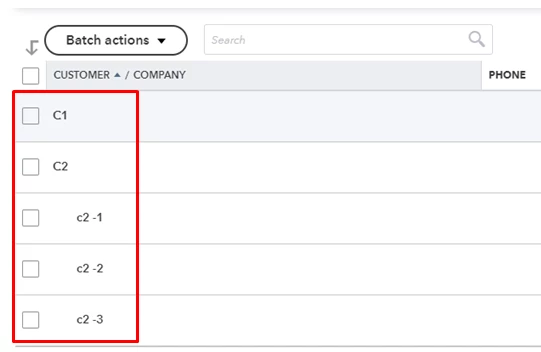
Additionally, I got you this article that you can use for reference. This link provides detailed information on how you can merge your customers in QBO: How to merge accounts, customers, and vendors.
Let me know by leaving a comment if there's anything else you need help with. I'm always here to have your back. Keep safe!
Enter your E-mail address. We'll send you an e-mail with instructions to reset your password.