@MariaSoledadG, thanks for your message. I tried your suggestions but none of them worked. Any other suggestions?
Hello, wreade78.
I'll share additional information about customizing the navigation menu in QuickBooks Online.
You're right. The old company can edit the left navigation menu in the Accountant view. This option is unavailable with the release of the new Bookmark feature.
From early August through the end of 2022, new companies can only change the navigation panel in the Business view. However, soon it will be available in the Accountant's view.
In the meantime, you can switch to the Business view if you want to customize the left navigation panel.
Here's how:
- Go to the Gear icon.
- Select Switch to Business view.
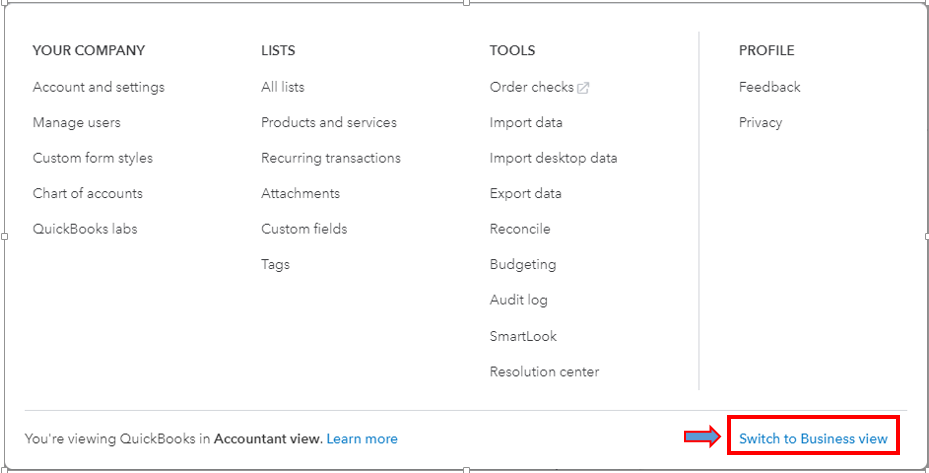
- Click the pencil icon to customize your menu.

For your reference, you can read this article to learn more about the different views in QuickBooks Online: Switch between Business and Accountant view in QuickBooks Online.
I've also added this resource to guide you if you need to change some settings or turn on features in QuickBooks Online: Edit company settings in QuickBooks Online.
You're welcome to post again if you need anything else. We're available 24/7 to assist you.

