I appreciate you for posting here in the QuickBooks Community, Lloyd. It's my pleasure to assist you with updating your account numbers in QuickBooks Online (QBO).
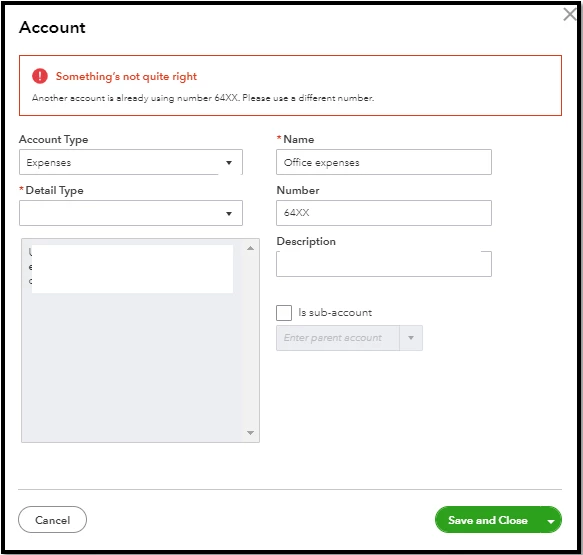
Yes, the legacy transactions will also be updated with the new account number you'll set up. However, please keep in mind that you cannot directly change the account number to the same number you already used. You can only assign different series of numbers per single account in QBO.
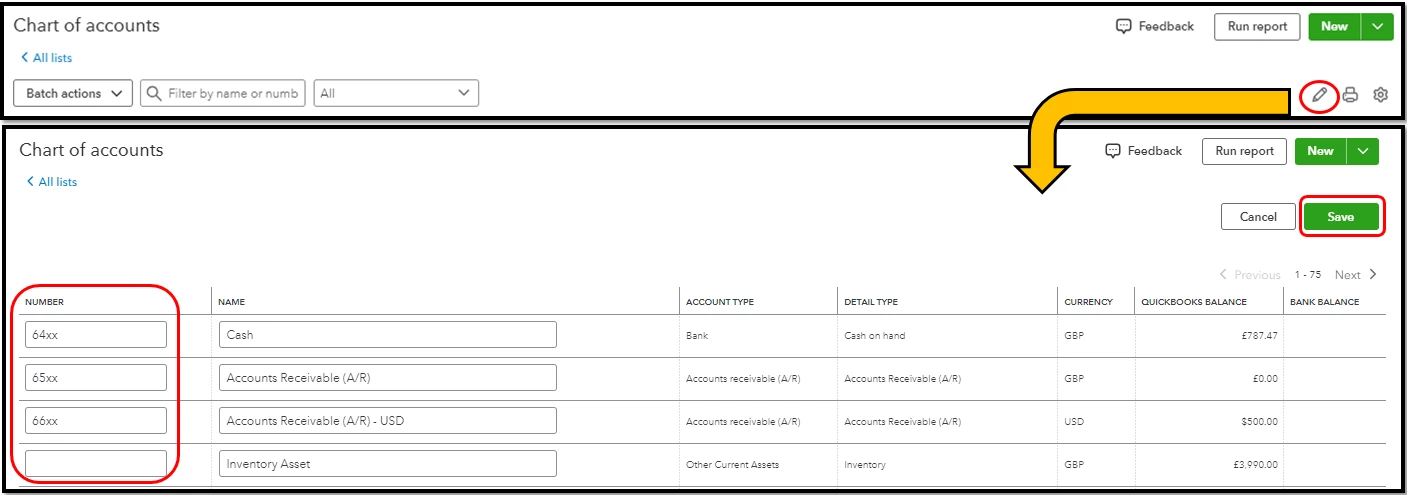
Moreover, you can follow these steps below to easily update your account numbers by batch:
- Go to Settings ⚙, then select Chart of accounts.
- Click ✎ Batch edit above the Action column.
- In the Number column, edit the account numbers.
- Once you’re done, select Save.
You may refer to this article for more information: Use account numbers in your chart of accounts in QuickBooks Online.
Additionally, check out this article to see different information on how the Chart of Accounts organizes your transactions so you know how much money you have and owe in each account: Learn about the chart of accounts in QuickBooks Online.
Please don't hesitate to let me know if you have additional questions about changing account numbers in QuickBooks. We're around to provide the steps. Have a wonderful day ahead!

