Hi there, @Feather1. I'll help you fix this and run the report to see those refund that you've process for several customers last year.
To begin, these are the steps:
- On the left panel, Go to Report menu.
- Pull up the Check Detail report.
- Click the Customize button on the upper right.
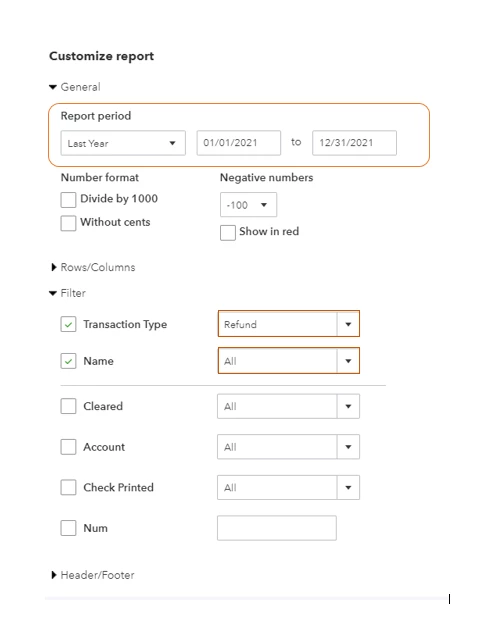
- On the General drop-down, select the Last year on the Report period.
- Go to the Filter drop-down and then choose Refund on the Transaction Type drop-down.
- Select All on the Customer drop-down.
- Last, click Run Report.
For visual reference, you can refer on the screenshot below.
Additionally, I'll be leaving these articles to help you in the future:
Don't hesitate to get back to me if you have further clarifications with this. I'll be more than happy to provide additional assistance. Keep safe!

