

March 4, 2024
Solved

Correct application of deposit to invoice

  • March 4, 2024
  • 1 reply
  • 0 views

My S Corp balance sheet for FY 2023 (CY 2023) shows:
-$500.00 in Accounts Receivable and
-$500.00 in undeposited funds. 

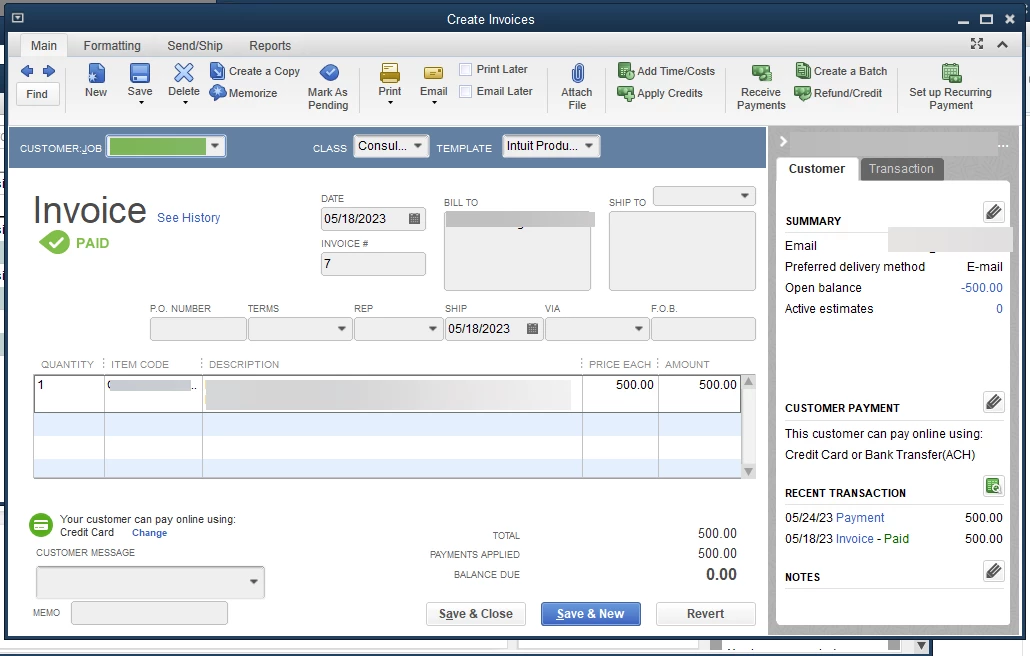
It's the same $500.00, related to an invoice and a related payment. 


This is the invoice:
This is the deposit in the associated checking account

 

This is the Accounts Receivable register
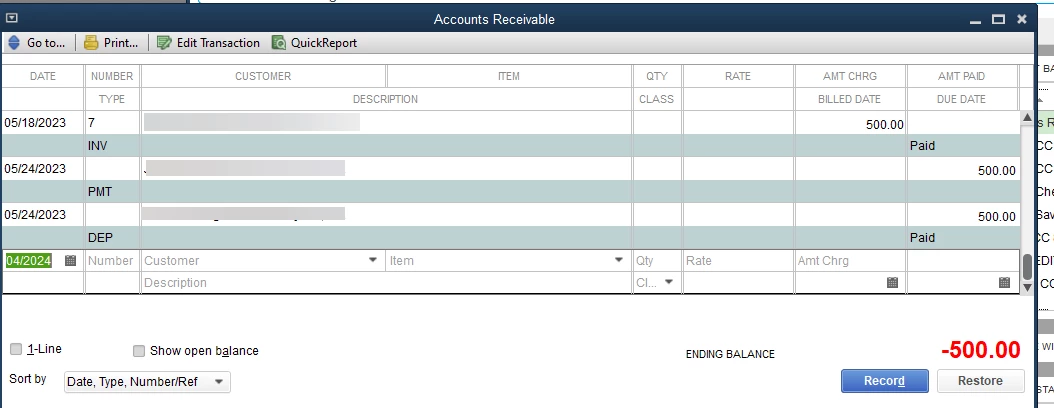
 

The checking account has already been reconciled (the amounts were accurate).  I have made a PDF copy of the checking account register for May 2023, for audit purposes, if I need to change the checking transaction. 

What do I need to do to tie all this together, so that the Accounts Receivable shows $0, and the Undeposited Funds show $0, and both registers show reconciled amounts?


Any guidance on this would be appreciated.

Thanks!



Best answer by BigRedConsulting

Undeposited Funds is used when including payments because that's where your payments are recorded.  Picking the Undeposited Funds account directly, which technically allowed, won't work properly to deposit the payments.


It's a better practice to create the deposits in QuickBooks as you make them, including the payments in them at that point. After doing that, when you download from the bank they'll already be in your bank register.


When using invoices, neither the payment nor the deposit uses any P&L accounts, like income accounts. The income is recorded on the sale - the invoice. If you report on a cash basis, then the income will usually use the payment's date (if the payment follows the invoice by date). Using either accrual or cash basis reporting, the deposit has nothing to do with income.

1 reply

BigRedConsulting
March 4, 2024

The Deposit Transaction shouldn't use your Accounts Receivable account.


To resolve this, edit the deposit and delete the row with the AR account, and then click the Payments button at the top of the deposit form and then select the payment and include it in the deposit.

March 5, 2024

Thanks for the reply.  I got it to work.  Unfortunately, I'm not sure I remember the steps! :-). However, I'm more familiar with the different relationships, for next time, and I'll do some research (unless you might add a quick tutorial or pointer..my brain works in terms of data flows.)


One further question(two parts):
a) I ended up with the check register entry using the account as "Undeposited Funds".  How should I have labeled the deposit when it was downloaded from the bank?  I originally used "Consulting Services Revenue" for the account.  Would it have made a difference if I had used Undeposited Funds when I first received the deposit?  Or would the payment function have found the deposit in any case?
b) I see that "Consulting Services Revenue" shows up on the P&L via the Invoice...is that how the deposit is  supposed to get into the "income" category?

Invoice


Deposit, originally downloaded from the bank, here in final form 


Payments window


Balance Sheet Entries


BigRedConsulting
March 5, 2024

Undeposited Funds is used when including payments because that's where your payments are recorded.  Picking the Undeposited Funds account directly, which technically allowed, won't work properly to deposit the payments.


It's a better practice to create the deposits in QuickBooks as you make them, including the payments in them at that point. After doing that, when you download from the bank they'll already be in your bank register.


When using invoices, neither the payment nor the deposit uses any P&L accounts, like income accounts. The income is recorded on the sale - the invoice. If you report on a cash basis, then the income will usually use the payment's date (if the payment follows the invoice by date). Using either accrual or cash basis reporting, the deposit has nothing to do with income.