It's nice to see you again in the Community, @aveshnaik007.
I'd be glad to help create a clearing account in QuickBooks Online.
Just follow these simple steps:
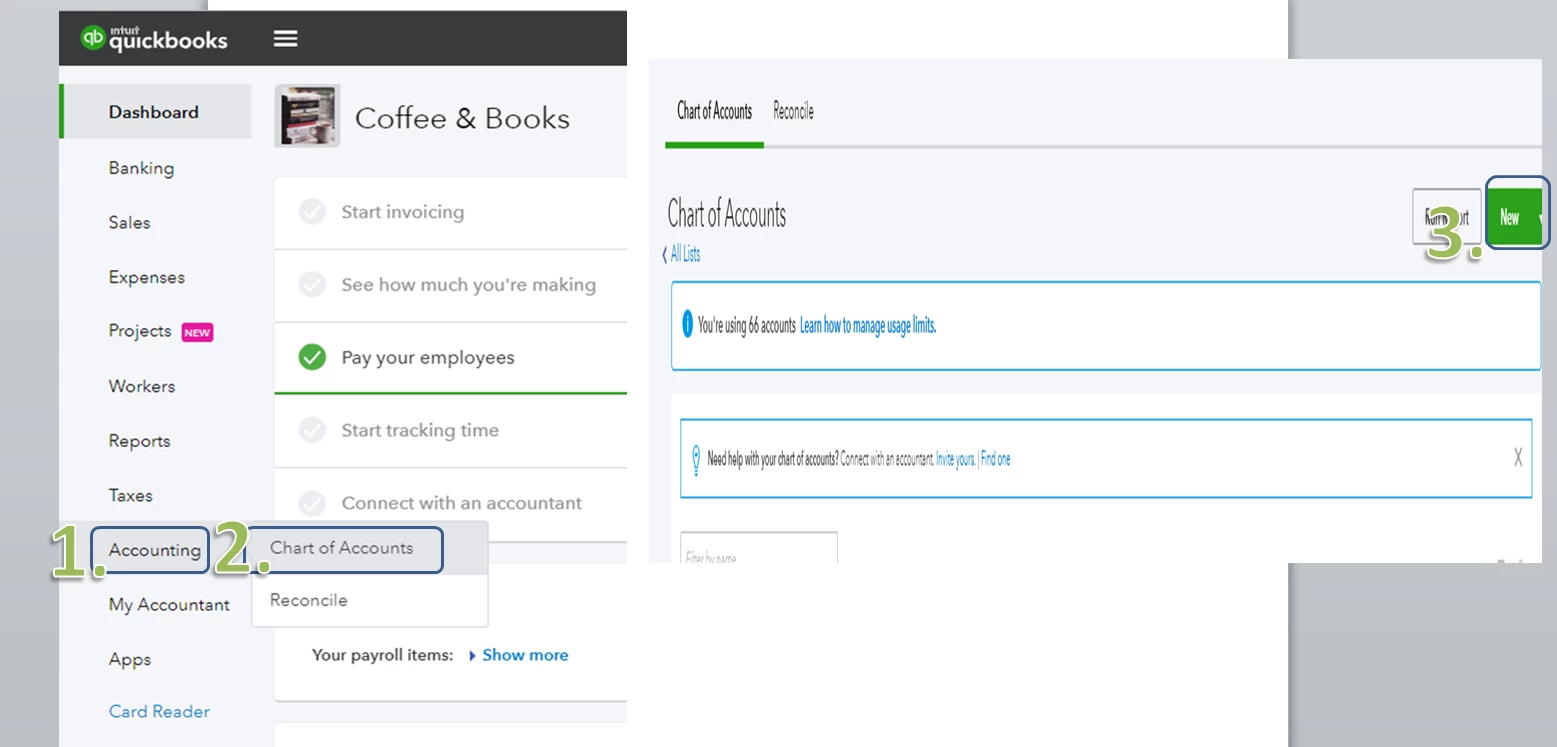
- Sign in to your QuickBooks account and go to Accounting on the left-side panel.
- Select Chart of Accounts.
- On the Chart of Accounts screen, click the New tab.
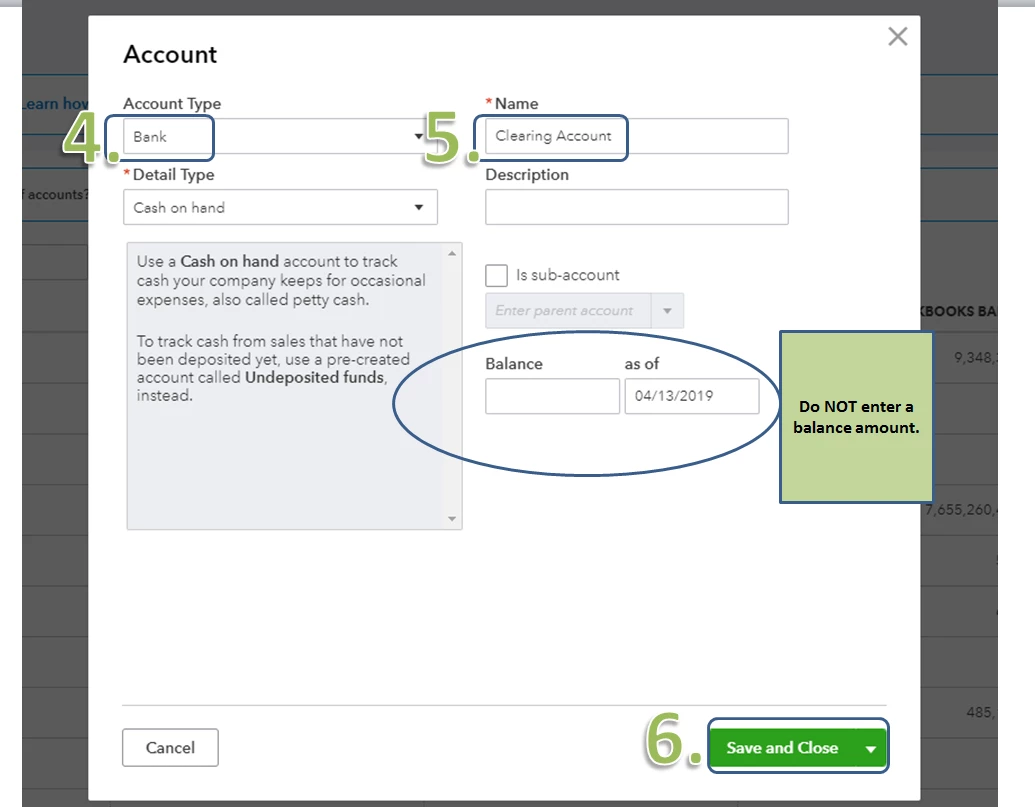
- Choose Bank for the Account Type. You may choose any detail type you want for your clearing account.
- Type in the Name for the clearing account.
- Make sure you do not type in any amount on the balance before clicking Save and Close.
That should do it. You can now move money from one account to another account using the clearing account.
Also, if you need some references in the future, you can always access our site: Help articles for QuickBooks Online.
Should you need further assistance in using the clearing account, please let me know. I'm always here to help. Have a great weekend. :)

