January 21, 2021
Solved

Customer-related transactions posted to a checking or credit account do not appear in the customer list

  • January 21, 2021
  • 1 reply
  • 0 views

When I post a check or charge and indicate that it is for a customer/job, the transaction doesn't show up in the customer transaction list. Why not?


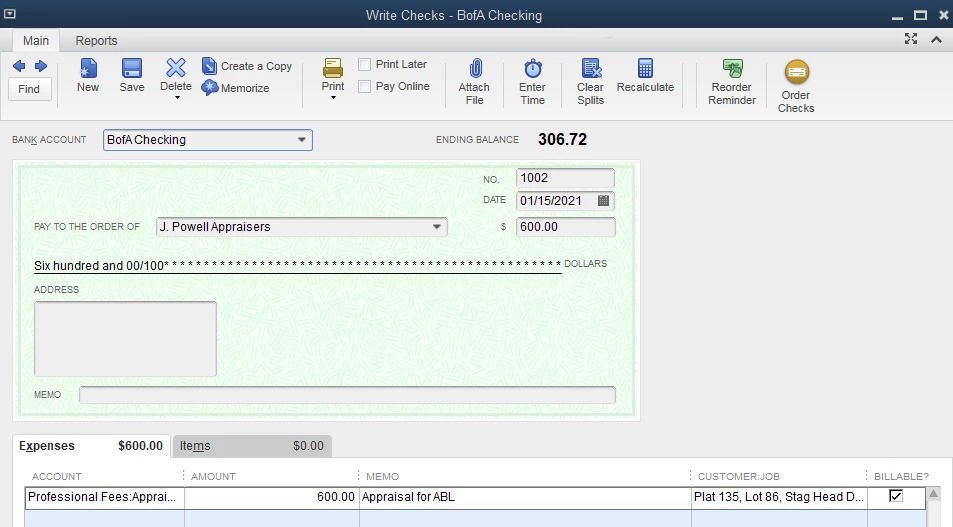
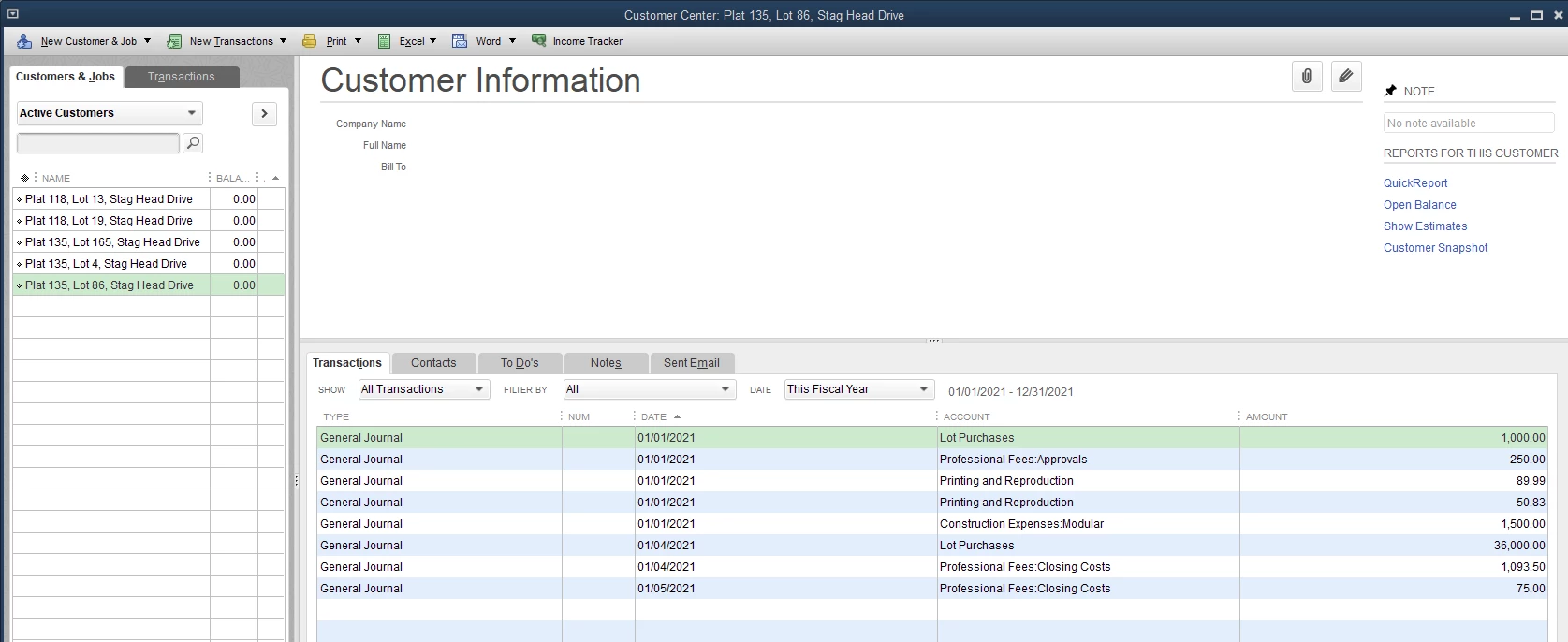
Screenshots are attached, as follows:

1. The transaction as it appear in the check register.

2. The transaction when it is edited - note that a customer/job is selected

3. The customer transaction list for the associated customer/job


Note that posting the transaction amount in the "Items" area doesn't work either.  I am running Quickbooks desktop 2021.


Best answer by MariaSoledadG

Let me provide you some information about where you can find your customer or job transactions, rbsorensen.


Both check and expense report a transaction as an expense and a payment simultaneously. Any transaction included in your check or purchase will only show in the Job Profitability report.


Transactions related to expenses will not definitely show in the Customer Transaction list unless they are related to invoices, sales receipts, and payments. However, when the affected account is the Account Receivable (AR) when writing a check, it will show in your customer transaction.


In addition, when the item is billable to a customer or job, let's make sure to create the appropriate invoices, so the revenue is included in the Job Profitability reports.


Here's how:

  1. Go to Customers Create Invoices.
  2. Select the customer or job from the drop-down list.
  3. When you get the Billable Time/Costs prompt, choose Select the outstanding billable time and costs to add this invoice? option.
  4. Go to the Items tab and put a checkmark on the item.
  5. Click OK.
  6. Review the invoice information and click Save and Close.

Once done, go back and run the Job Profitability Detail report and check if the item shows up.


I'm also adding this article for more information: Tracking job costs in QuickBooks Desktop.


You'll want to browse these help articles for your reference. 


Post a comment if you have any questions about customer transactions. I'll always make sure to get back to you.


1 reply

MariaSoledadG
January 21, 2021

Let me provide you some information about where you can find your customer or job transactions, rbsorensen.


Both check and expense report a transaction as an expense and a payment simultaneously. Any transaction included in your check or purchase will only show in the Job Profitability report.


Transactions related to expenses will not definitely show in the Customer Transaction list unless they are related to invoices, sales receipts, and payments. However, when the affected account is the Account Receivable (AR) when writing a check, it will show in your customer transaction.


In addition, when the item is billable to a customer or job, let's make sure to create the appropriate invoices, so the revenue is included in the Job Profitability reports.


Here's how:

  1. Go to Customers Create Invoices.
  2. Select the customer or job from the drop-down list.
  3. When you get the Billable Time/Costs prompt, choose Select the outstanding billable time and costs to add this invoice? option.
  4. Go to the Items tab and put a checkmark on the item.
  5. Click OK.
  6. Review the invoice information and click Save and Close.

Once done, go back and run the Job Profitability Detail report and check if the item shows up.


I'm also adding this article for more information: Tracking job costs in QuickBooks Desktop.


You'll want to browse these help articles for your reference. 


Post a comment if you have any questions about customer transactions. I'll always make sure to get back to you.

January 23, 2021

Thanks - that fixed it