Hi there, TrophyHouse.
Let me add some information about the Deposit Detail report in QuickBooks Desktop.
You can use the Deposit Detail report to show selected transactions and other transactions they are linked to, such as an invoice and its payment. If payments are linked to invoices and deposits such as Visa or Cash, you'll need to change the Accounts filter to All Accounts so that other payment methods will also show.
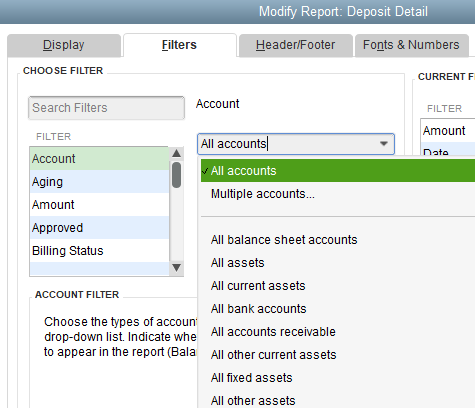
For more details about using the Deposit Detail report, you can check out this link: Use Check or Deposit Detail Reports to show transaction links and mimic Cash Receipt Report.
To learn more about customizing reports, I recommend checking this article: Customize reports in QuickBooks Desktop.
Feel free to return to this thread if you have other concerns about reports. I'd be glad to help. Have a wonderful day!

