I appreciate you taking the time to post your concern about the deposits and their tags, @bstanard.
In QuickBooks Online (QBO), having the option to tag the event income isn't possible. Since the downloaded transaction consists of different types of sales, all the amounts are associated with the tags you've added. With this, you can't specify the amount to put in the tags.
As a workaround, I'd suggest excluding the downloaded transaction and then manually creating a separate deposit according to the type of sale. Then, add the appropriate tags in the deposits.
Here's how:
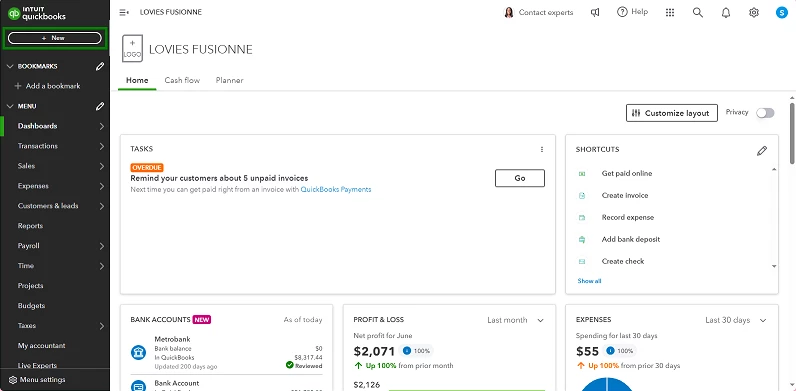
- In the upper left corner, look for the +New button.
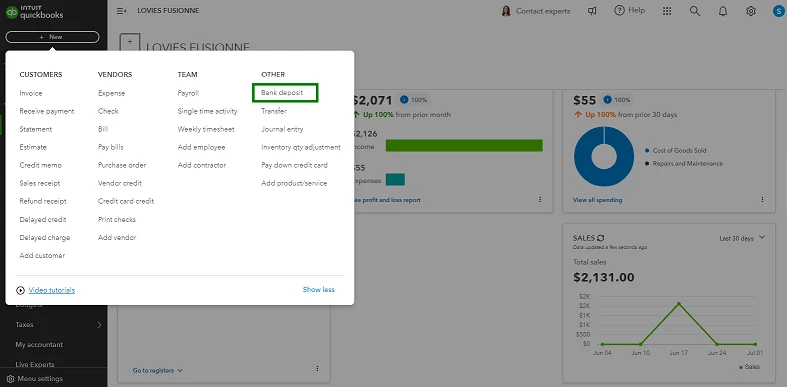
- Select Bank deposit under OTHER section.
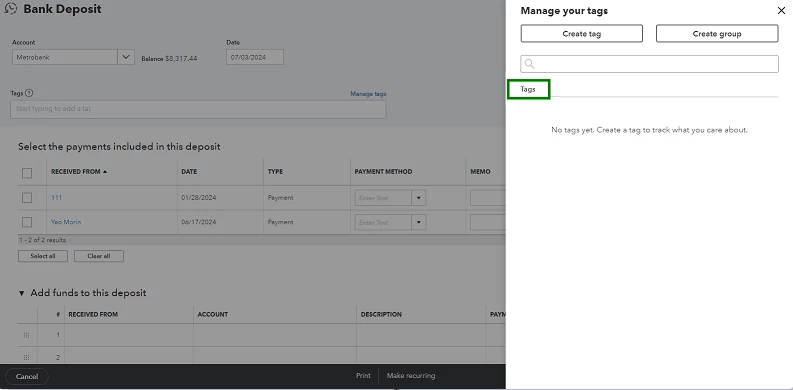
- Enter the necessary details that are needed. From there, you can add the Tags.
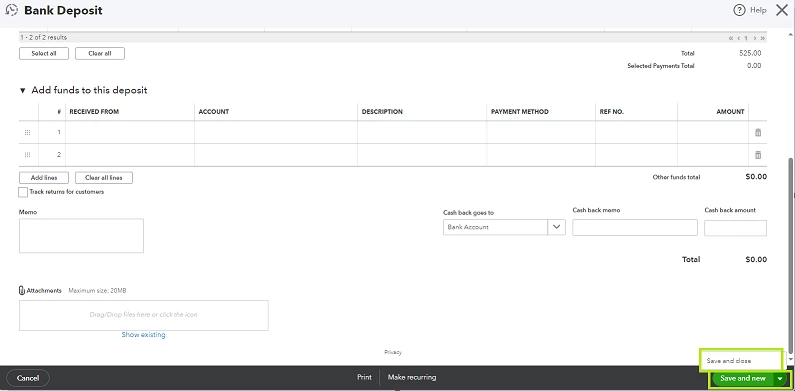
- Once finished, select either Save and New or Save and Close.
To learn more about how to use tags and group tags, here's a resource you can browse to get deeper insights into your sales and expenses: Tag transactions in QuickBooks Online.
I'll be here willing to provide further assistance for any additional queries you may have when creating tags and deposits. Assistance is just a few posts away.

