
Solved
Did we lose the feature where we can see when an invoice has been viewed?
Original commenter did not share additional details

I'm glad to have you here in the Community, Debbie!
The feature for tracking invoice activity is still available in QuickBooks Online (QBO). Let me guide you through the steps to find it.
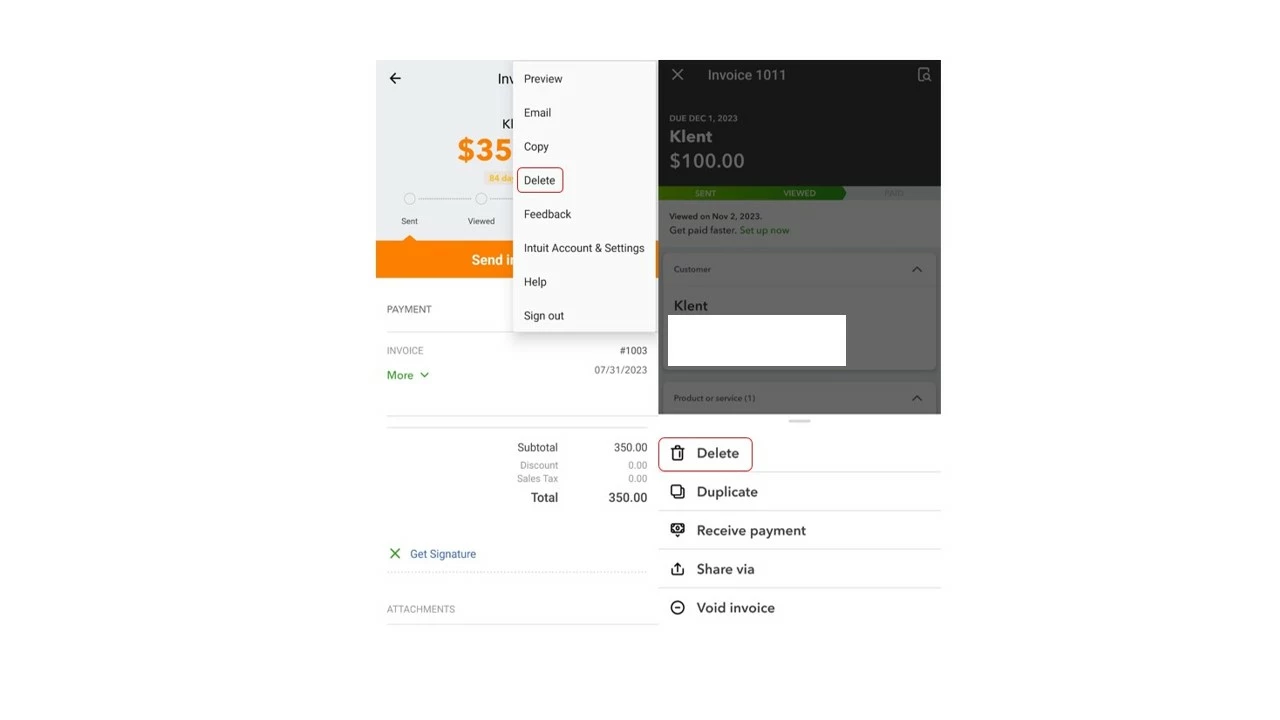
To address your concern, @PhillyQ32, you can still delete invoices on the app. Here's how:
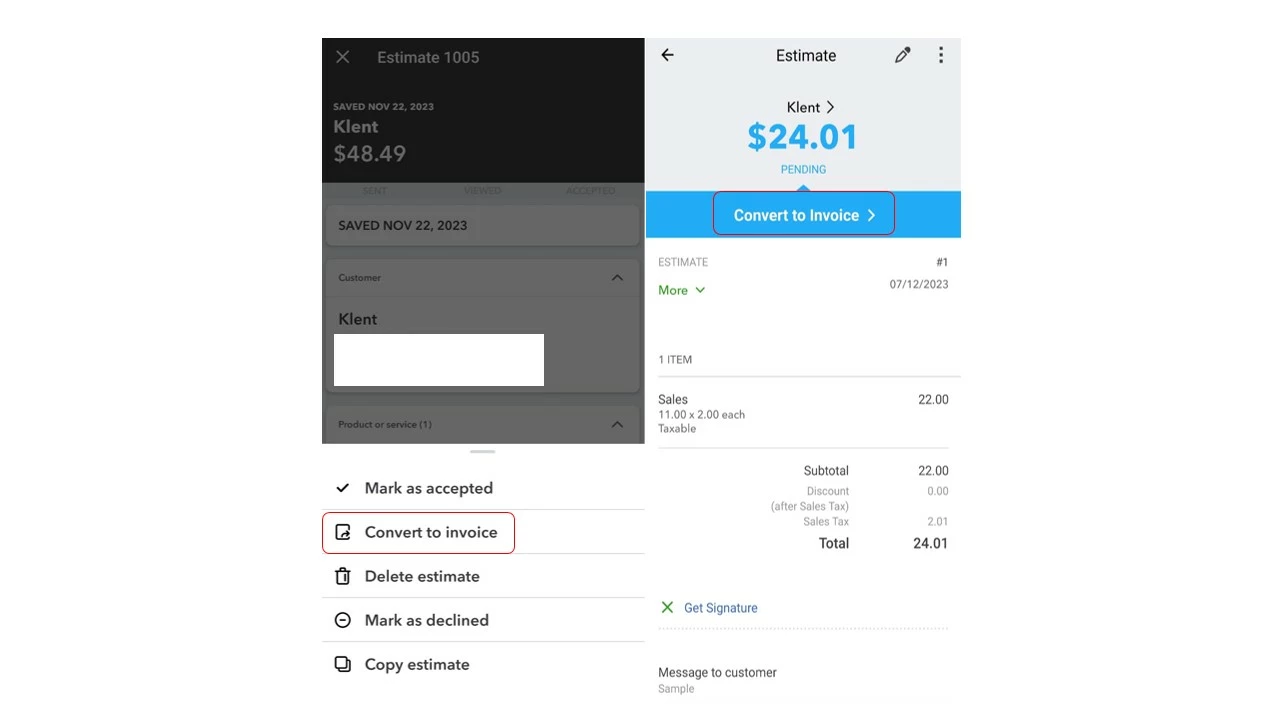
Also, you can still convert an estimate to an invoice. You can follow these steps:
In case you want to add a discount and account summary to your invoice, you can check out these articles for guidance:
Please let me know if you have any follow-up concerns regarding invoices. I'm always available to help.
Enter your E-mail address. We'll send you an e-mail with instructions to reset your password.