September 30, 2020
Solved

fundraising how to in QuickBooks

  • September 30, 2020
  • 1 reply
  • 0 views

I have been looking for 3 days now and have not be able to find the answer I am looking for.


I am making shirts for a church and handling everything from design to delivery.  and the Church gets a % of each sale.   IE the get 8 dollars from each shirt sale.  How to I record this correctly in QB so it does not show I profit 10.00 per item when I only make 2?

Best answer by JoesemM

Welcome to the Community space, @B Durden.


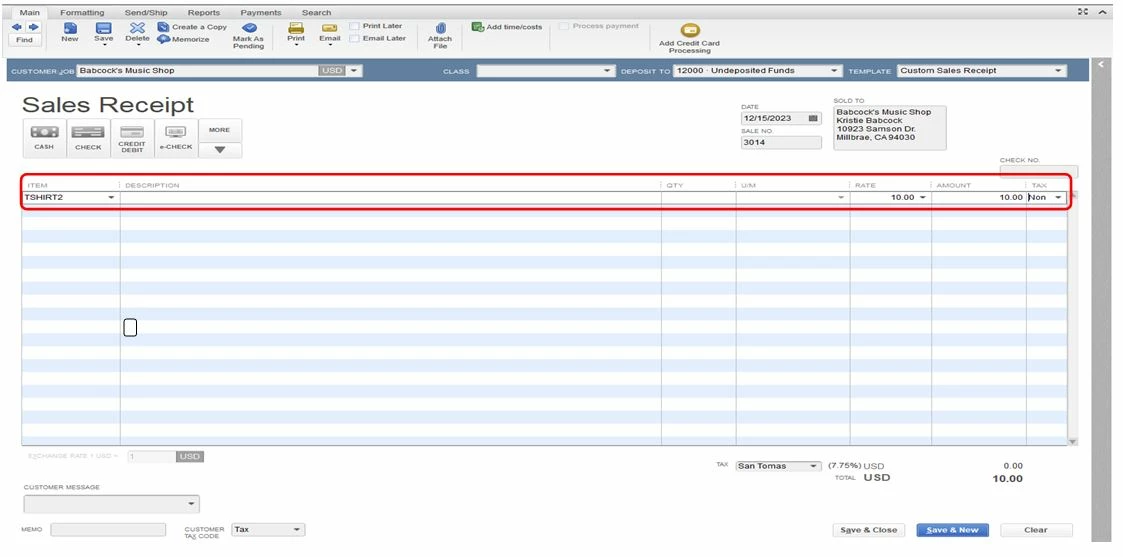
You can treat the Church as a vendor to record the transaction. Once done a create sales receipts for the customer who buys the T-shirt. I'll show you how:


  1. From the Customers menu, choose Enter Sales Receipts.
  2. Select the correct customer from the Customer):Job drop-down menu.
  3. In the Amount column input 10$ then enter all the items that need to be in these transactions.
  4. Click Save & Close.

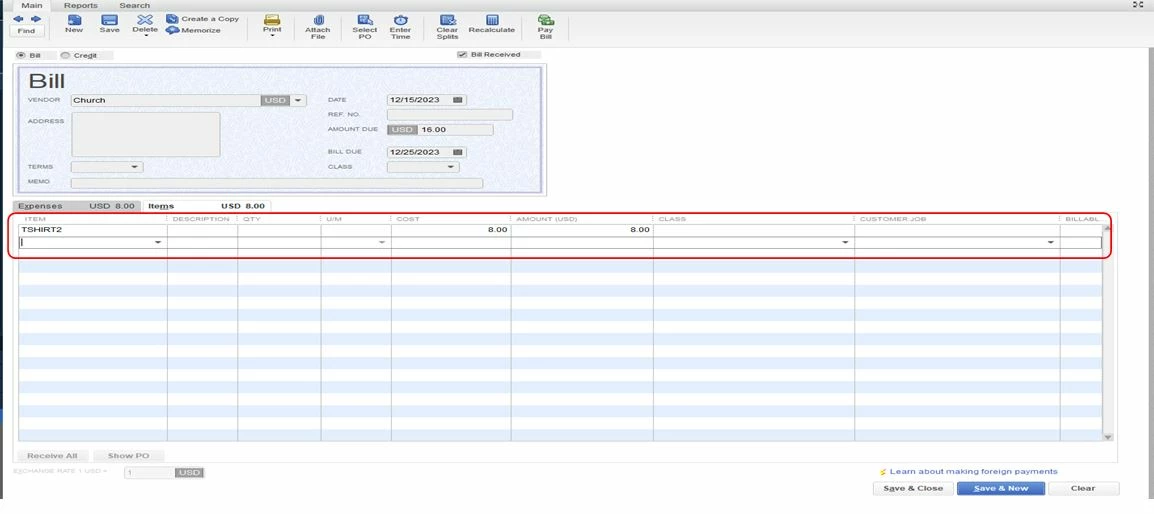
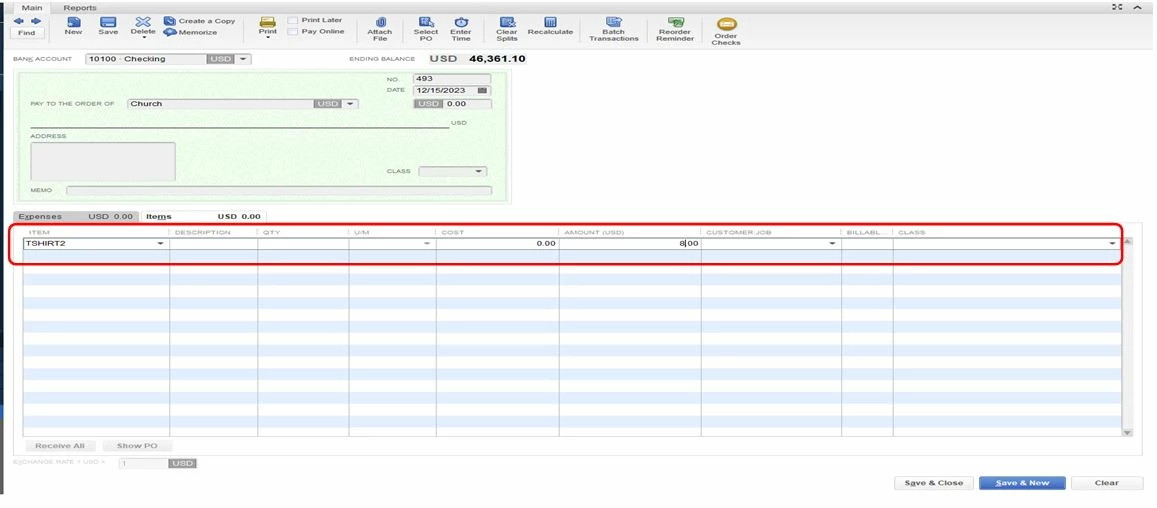
Then, you can now write a check or enter a bill ($8) to your vendor (church) to see that you've sent the money.


To write a check:

  1. From the Banking menu, select Write Checks.
  2. Enter the required fields.
  3. Click Save and close when you're done.
To enter Bill:

  1. Go to the Vendors tab on the toolbar.
  2. Select Enter Bills.
  3. Enter the name of the vendor and the necessary details.
  4. Verify and then click Save & Close.

Once done, you can pull up the Profit and Loss report. This way, you'll see the new income which is $2. Just go to the Reports menu and select Company and Financial then choose Profit and Loss.


For more insights about managing your transactions, you can read through these articles:


Please leave a comment below if you have any other issues or concerns. I'm always here to help. Have a great day!


 

1 reply

JoesemM
JoesemMAnswer
September 30, 2020

Welcome to the Community space, @B Durden.


You can treat the Church as a vendor to record the transaction. Once done a create sales receipts for the customer who buys the T-shirt. I'll show you how:


  1. From the Customers menu, choose Enter Sales Receipts.
  2. Select the correct customer from the Customer):Job drop-down menu.
  3. In the Amount column input 10$ then enter all the items that need to be in these transactions.
  4. Click Save & Close.

Then, you can now write a check or enter a bill ($8) to your vendor (church) to see that you've sent the money.


To write a check:

  1. From the Banking menu, select Write Checks.
  2. Enter the required fields.
  3. Click Save and close when you're done.

To enter Bill:

  1. Go to the Vendors tab on the toolbar.
  2. Select Enter Bills.
  3. Enter the name of the vendor and the necessary details.
  4. Verify and then click Save & Close.

Once done, you can pull up the Profit and Loss report. This way, you'll see the new income which is $2. Just go to the Reports menu and select Company and Financial then choose Profit and Loss.


For more insights about managing your transactions, you can read through these articles:


Please leave a comment below if you have any other issues or concerns. I'm always here to help. Have a great day!