
Solved
Hi there! Has anyone figured out a way to make partial payments on Purchase Orders? Sometimes we get partial shipments and not the full order.
Original commenter did not share additional details


I know a way how you can make partial payments on your purchase orders, jbeattie6238.
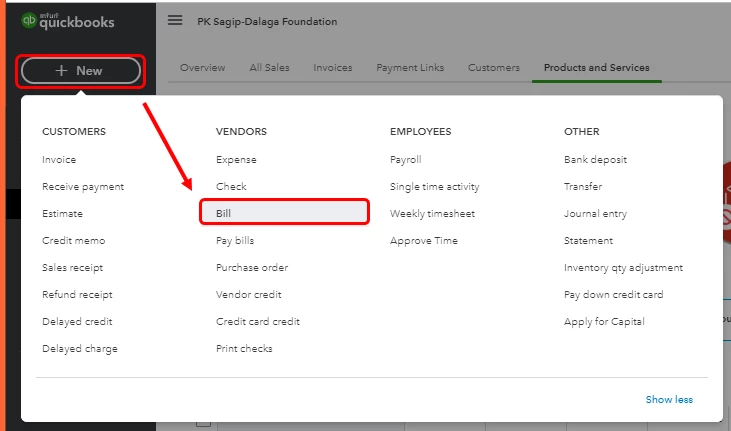
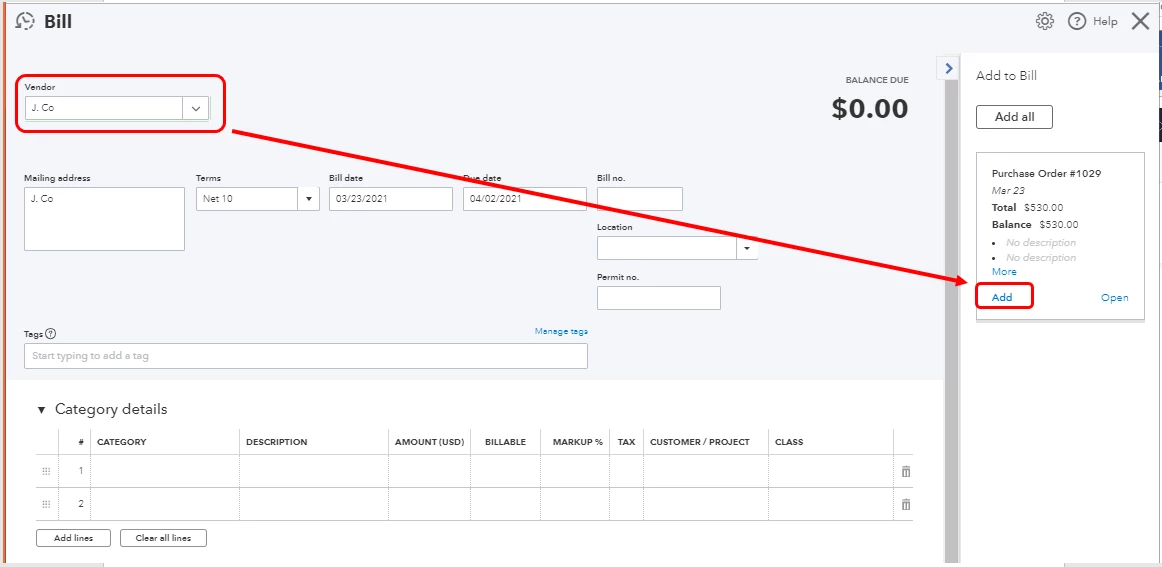
QuickBooks Online lets you invoice for partial purchase order (PO). You just need to manually edit the quantity or amount once the PO is added to the bill.
Here's how:
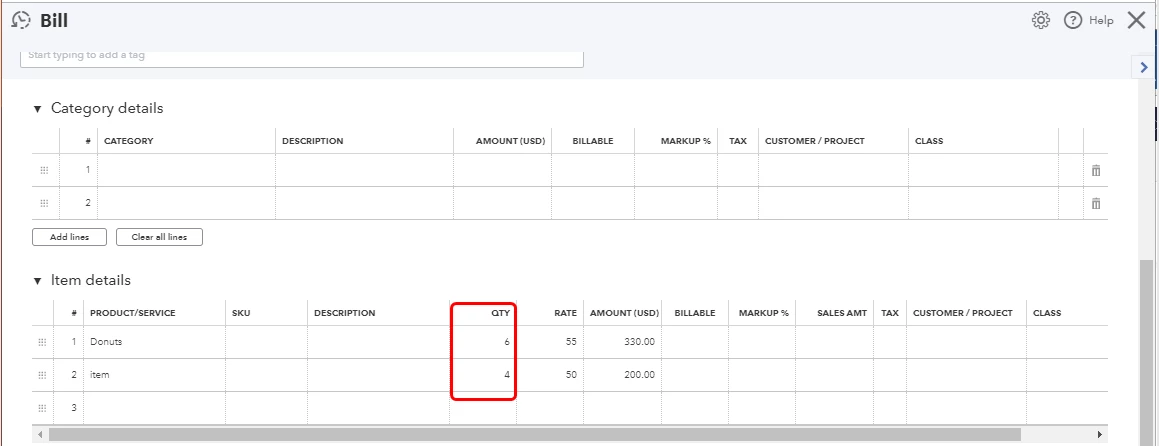
Once all quantities or amounts on the PO are accounted for across all of its linked transactions, it'll be automatically closed.
Also, I'm adding this article for additional information, as well as the steps for adding a part of a PO to a transaction as well as updating its status: Enable and use Purchase Orders in QuickBooks Online.
Please keep in touch with me here should you need any further assistance regarding making partial payments for POs or have follow-up concerns about QuickBooks. The Community and I always have your back.
Enter your E-mail address. We'll send you an e-mail with instructions to reset your password.