Solved
How can I add tax to an invoice that the customer is checked for tax exempt? One time event
Original commenter did not share additional details


I appreciate the prompt response, mmaddoxneb. Yes, you're right. You'll need to make the customer taxable to add the taxes on their invoice. Let me guide you directly on how to do this.
Once you create an invoice for your customer, you'll need to click the See the math hyperlink to change the tax-exempt status. From there, you can review the taxes included in the invoice.
Here's how:
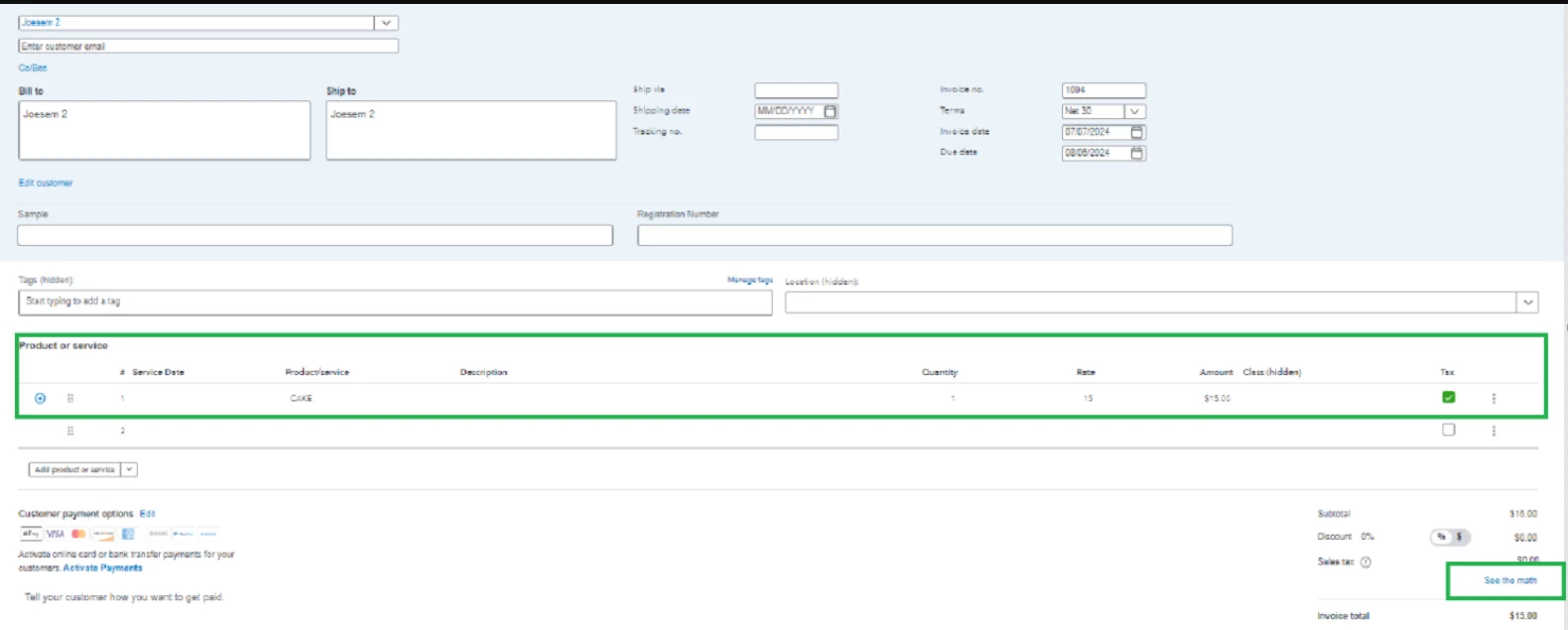
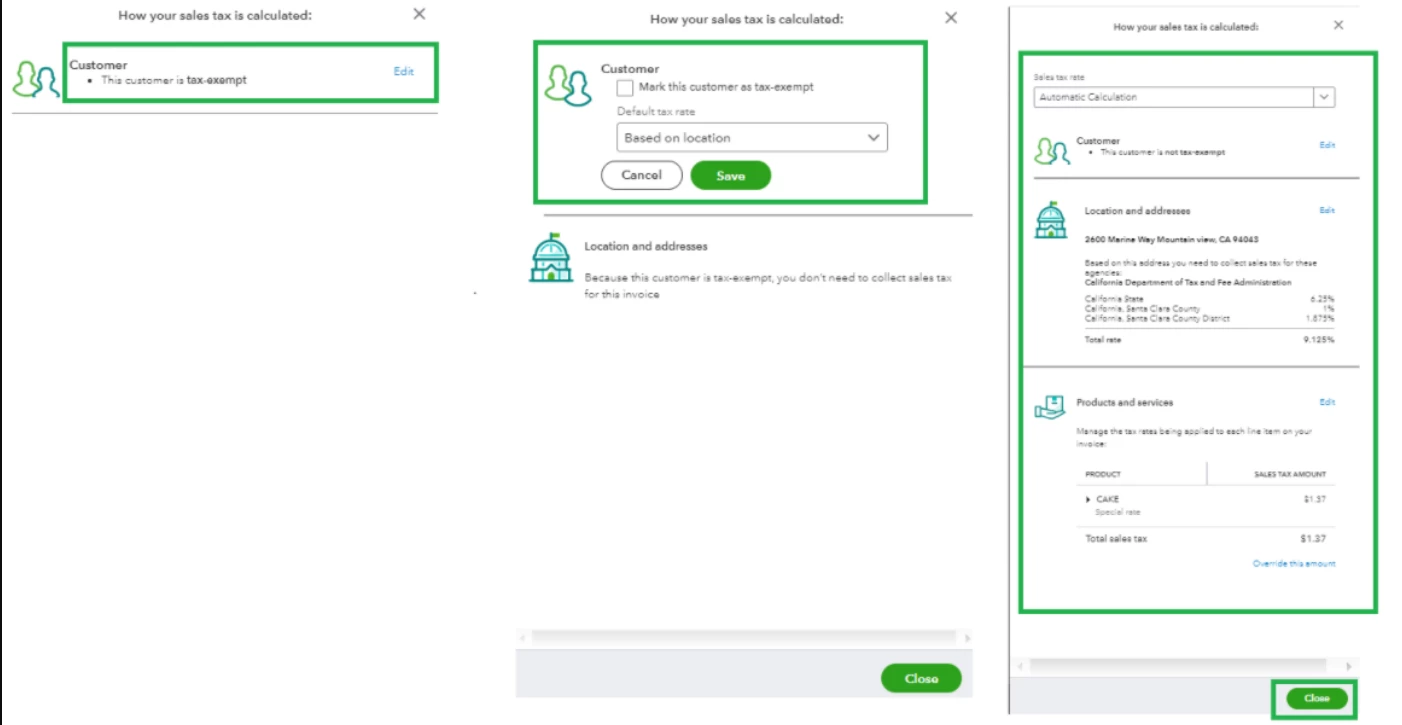
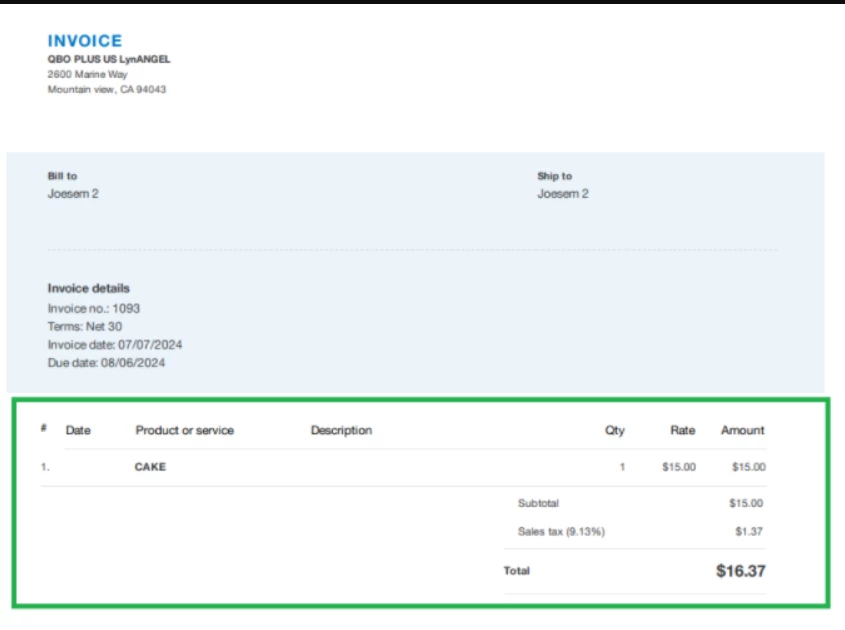
Once done, go back to the customer's profile and check the tax-exempt status box. This ensures that they won't be charged any taxes when you create their invoices. For more details, about sales tax exemption, see this link: Understand and set up sales tax exemptions in QuickBooks Online.
Also, I'll be sharing these resources that will guide you in recording invoice payments and personalize your sales forms in QuickBooks:
Feel free to reach out if you have any further questions about setting up invoices with sales tax or any other issues in QuickBooks. We're here to help and are always ready to assist you with your queries. Stay safe.
Enter your E-mail address. We'll send you an e-mail with instructions to reset your password.