Solved
How can I create a receipt based on an invoice without re-typing all the information? Payment was received via check and recorded in QB. Thanks.
Original commenter did not share additional details


Thanks for becoming part of the Community, service-peakhand.
I can certainly understand how an ability to create a receipt from an invoice could be useful and have submitted a suggestion about it as of today.
You can also submit your own feature requests while signed in.
Here's how:

Your feedback's definitely valuable to Intuit. It will be reviewed by our Product Development team and considered in future updates. You can stay up-to-date with the latest news about your product by reviewing Intuit's Product Updates webpage.
You also have the option of checking our QuickBooks App Store for apps which may be able to help you accomplish what you're looking to do.
As a workaround, you can send copies of paid invoices to customers:
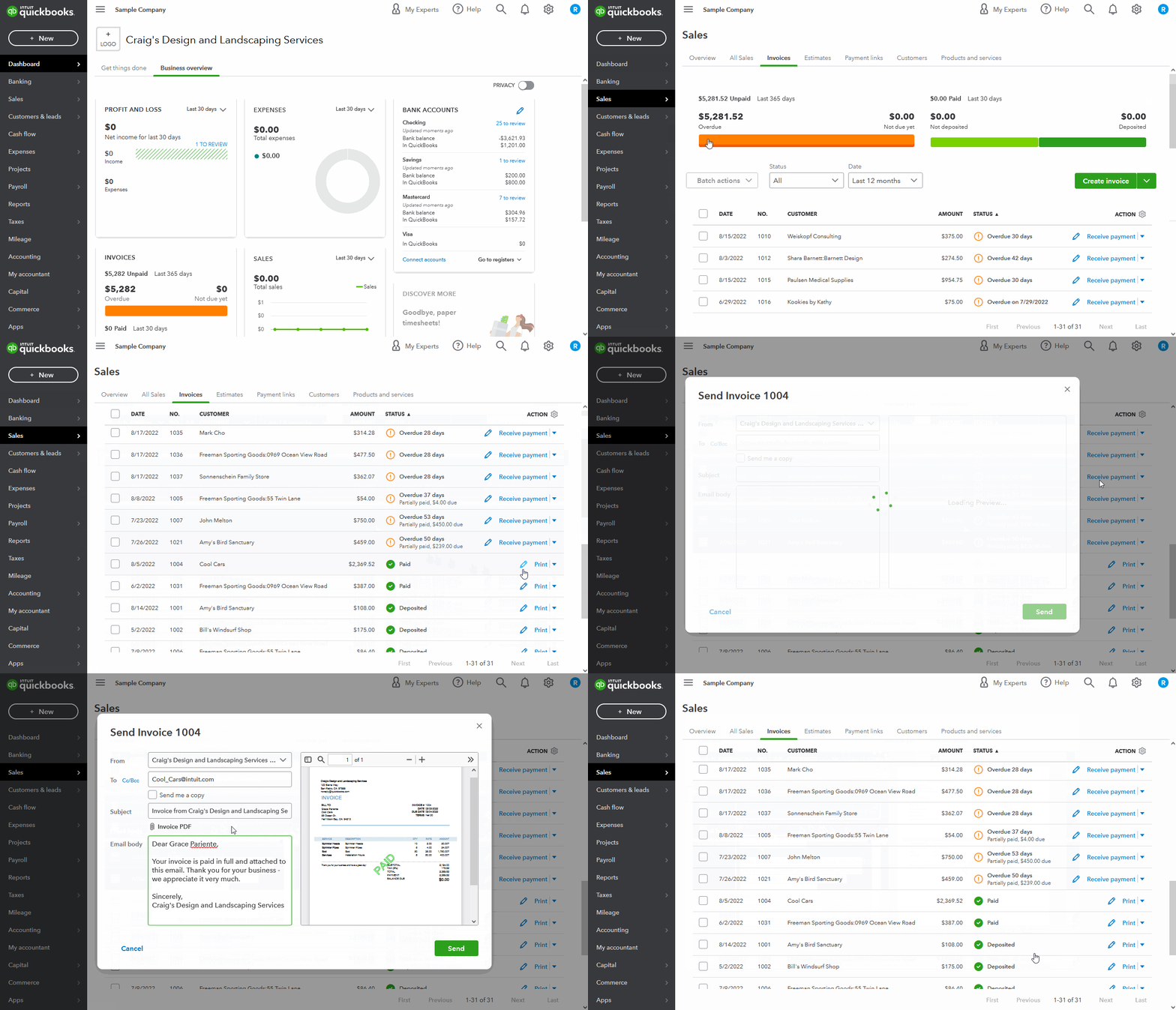
When they open the email, they'll be able to see that it's been paid and the other details you've made available on their invoice.
If you need to save a copy of a paid invoice for yourself, you can use its Print option, then download it to your computer as a PDF file.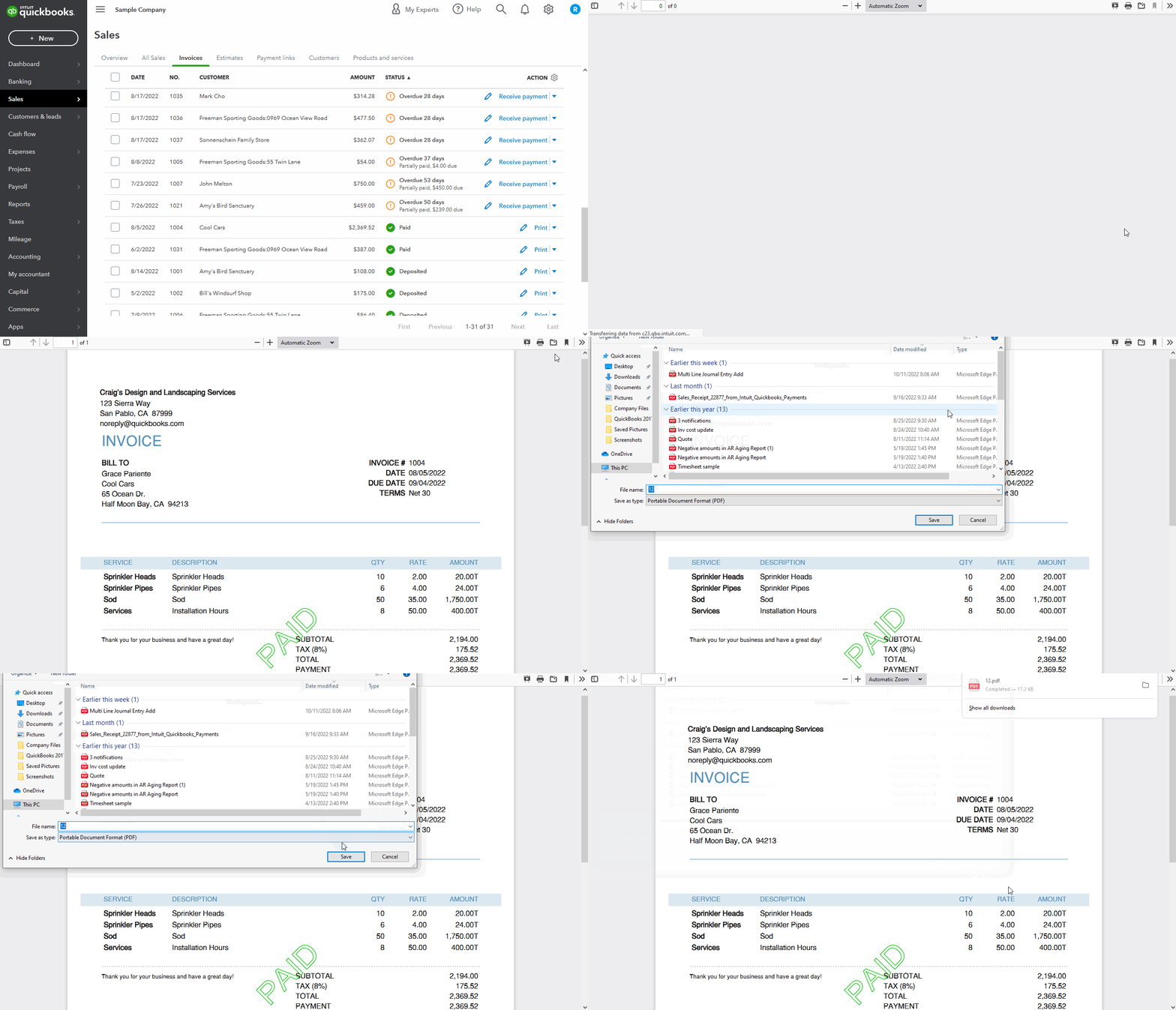
You'll also be able to find many detailed resources about using QuickBooks in our help article archives.
Please don't hesitate to send a reply if there's any questions. Have a great Friday!
Enter your E-mail address. We'll send you an e-mail with instructions to reset your password.