Good to see you here, @sga3. I can guide you to see the history of your emailed invoices.
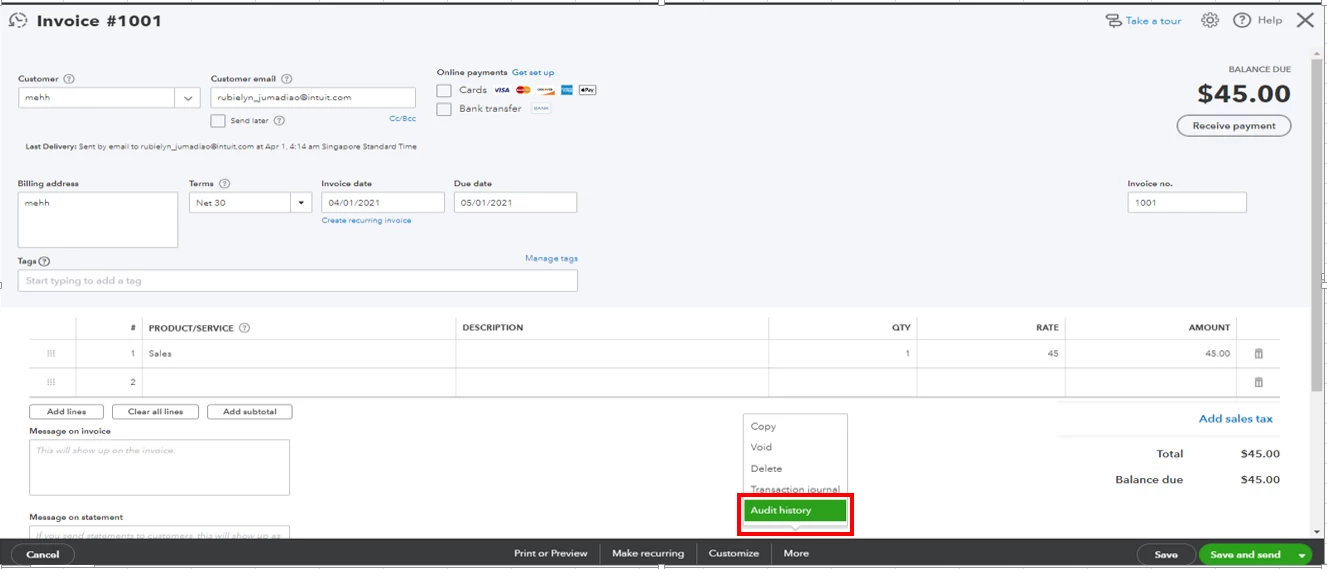
We have to simply open the invoice and see the Audit History. It will show the date and time you emailed an invoice to your customer.
Here's how:
- From QuickBooks Online, go to the Sales tab and then select the Customers section.
- Click the name of the client whose invoice you'd like to know the email history.
- Search and select the invoice from the list.
- From the invoice page, click More at the bottom and select Audit History.
- View that date and the status next to the Sent field.
I've also added this resource to guide you on how to receive and record invoice payments.
You'll want to personalize and add specific info to sales forms. Please refer to this article for more info: Customize invoices, estimates, and sales receipts in QuickBooks Online.
That's it! Let me know in the comment section if you need more help in managing invoices in QuickBooks. I'll be around to help. Have a wonderful day.

