Hello, dcollins1.
Thanks for getting back to us. I'll hop aboard to help you assign a sales receipt under the correct customer profile.
QuickBooks actually locks the sales receipt after processing it successfully. However, one way to bypass this is to delete and recreate the sales receipt. Then, tag the correct customer on the new sales receipt.
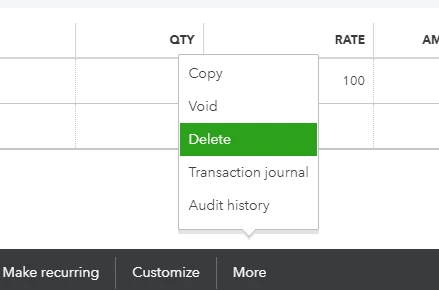
To delete it, simply open it then click the More button. Hit Delete to proceed with the deletion. Take note of the details before doing this to ensure the information is correct on the new sales receipt.
Finally, recreate the sales receipt under the correct customer profile.
Deleting won't refund the customer's payment. We are just making corrections to the original transaction.
If you need to take care of your bank transactions, you can check this article for a guide: Categorize and match online bank transactions in QuickBooks Online.
Do you have more questions about your Merchant Services transactions or any other processes in QuickBooks? Lay down the details below and I'll help you out.

