April 5, 2020
Solved

How do I apply a discount to a specific item on an invoice?

  • April 5, 2020
  • 1 reply
  • 0 views
Original commenter did not share additional details

Best answer by MaryLandT

Good day, sb-alehzayis,


You have the option to apply the discount to a specific line or to all items on the invoice. You may choose between these two options as they have different calculations.


I've added screenshots below to see the difference.
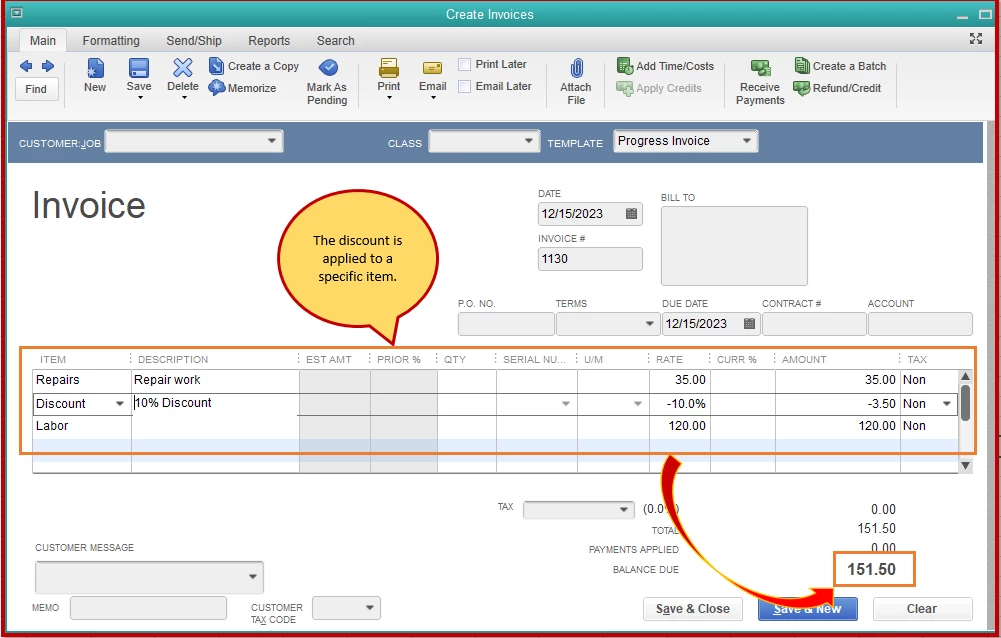
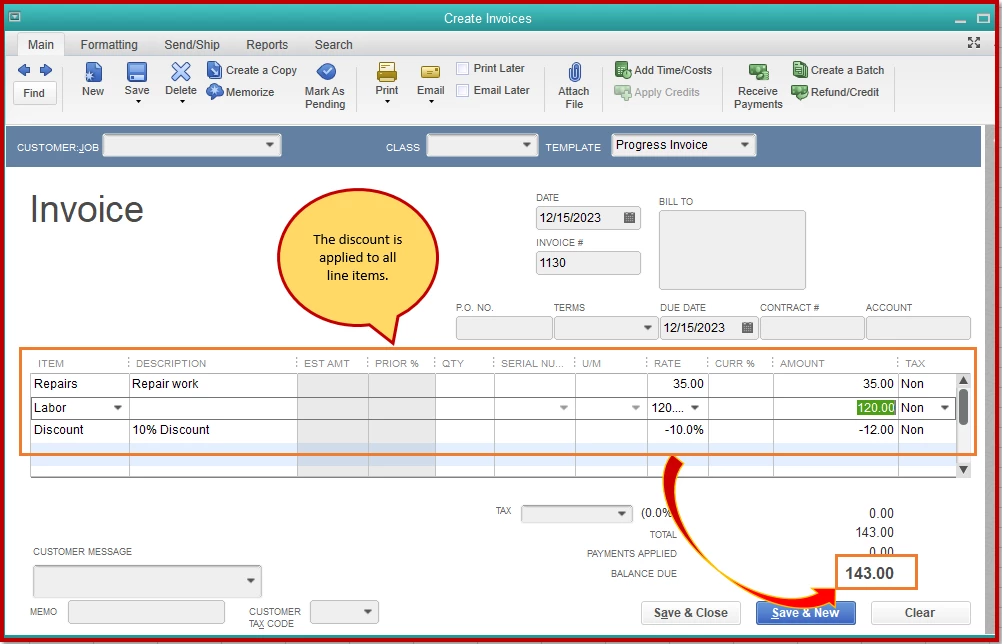
 

Check out the Sales and customers page to learn all your company's income and customers. It includes subtopics to help you manage and handle your revenue.


Should you need anything else, please let me know. I'm always around here in the Intuit Community to help you out.

1 reply

RenjolynC
April 6, 2020

I've got the steps you need, sb-alehzayis.


You can add a discount item by following the steps below. Note: QuickBooks calculates percentages only on the line, make sure to create a subtotal item before adding the discount item.

  1. Go to Lists > Item list.
  2. At the bottom, click the Item drop-down and choose New.
  3. Select Discount from the Type drop-down menu.
  4. Enter the Item Name/NumberDescription, and the Amount or %.
  5. Select which account will the discount be mapped.
  6. Choose the Tax Code of the discount.
  7. Click OK.

Once done, you can apply this discount to your items. I've got this article for more information: Add, edit and delete items.


Please don't hesitate to reach out to us if you need more help with QuickBooks Desktop items. Thanks.

April 6, 2020

Thank you!

If I have several items on an invoice, will the discount be applied only to the item immediately before the discount, or will it be applied to all items above it?
