
March 12, 2019
Solved

How do I change a sales receipt Number?

  • March 12, 2019
  • 2 replies
  • 0 views
Original commenter did not share additional details

Best answer by MaryGraceS

Hi there, @semansilla51.


It's nice to have in the Community. I'd be happy to help walk you through about changing the sales receipt number in QuickBooks Online. 


You can refer to the following steps to find the sales receipt and change the number. Let me show you how: 
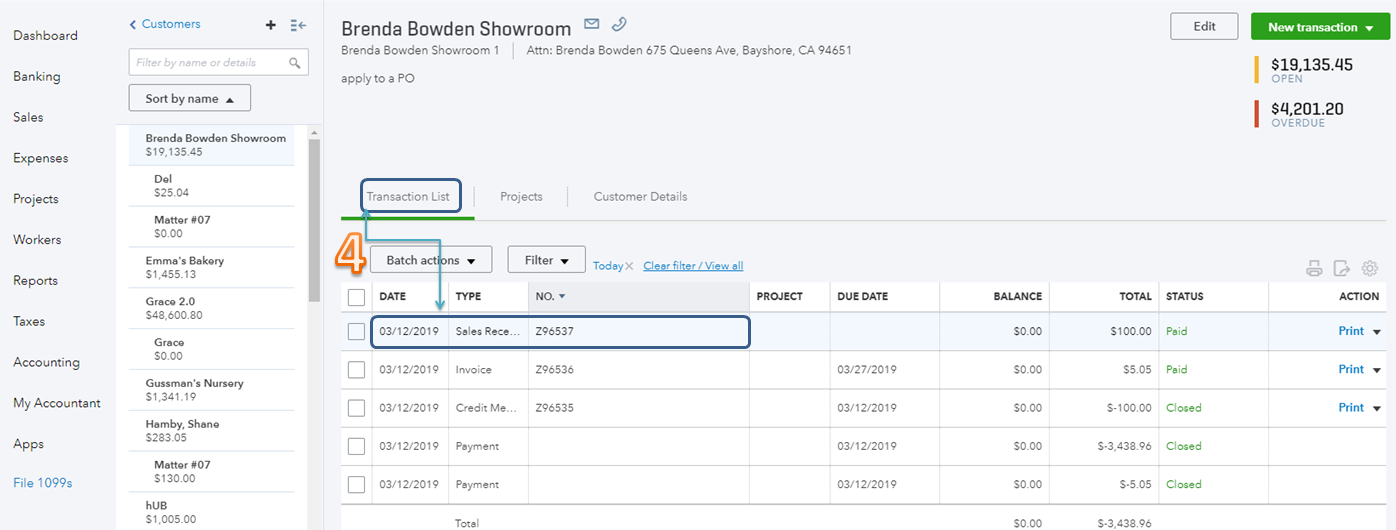
  1. On the left pane, select Sales.
  2. Select Customers.
  3. Find and click the customer's name.
  4. From the Transaction List tab, select the sales receipt.
  5. Enter the correct number in the Sales Receipt no. field.
  6. Click Save and close.


I've also included some articles about sales receipts for additional reference: 

That should point you in the right direction today. Please know that I'm just a post away if you have any other questions about sales receipt or about QuickBooks Online. I'll be delighted to be your guide once again. Have a great rest of your week.

2 replies

March 13, 2019

Hi there, @semansilla51.


It's nice to have in the Community. I'd be happy to help walk you through about changing the sales receipt number in QuickBooks Online. 


You can refer to the following steps to find the sales receipt and change the number. Let me show you how: 
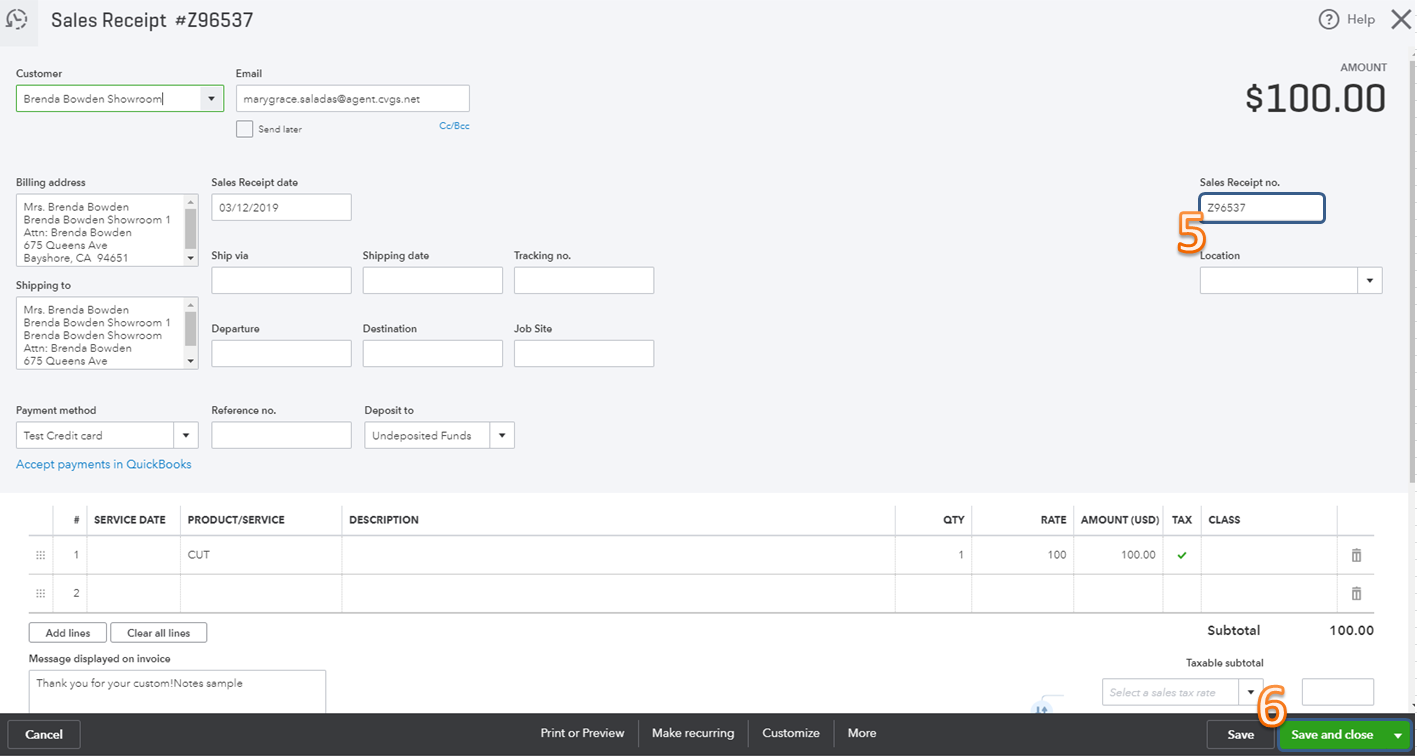
  1. On the left pane, select Sales.
  2. Select Customers.
  3. Find and click the customer's name.
  4. From the Transaction List tab, select the sales receipt.
  5. Enter the correct number in the Sales Receipt no. field.
  6. Click Save and close.


I've also included some articles about sales receipts for additional reference: 

That should point you in the right direction today. Please know that I'm just a post away if you have any other questions about sales receipt or about QuickBooks Online. I'll be delighted to be your guide once again. Have a great rest of your week.

March 13, 2019

Thank you very much for your help! :)

Rustler
March 13, 2019

@semansilla51 


Unless something changed, you first have to set company settings to allow for that


in company settings
Sales>Sales form content click the pencil and turn on custom transaction numbers

March 13, 2019

Thank you for your help!