March 22, 2020
Solved

How do i delete a sales receipt, estimate and/or invoice? The 'more' function referred to in the blog doesn't seem to be available

  • March 22, 2020
  • 2 replies
  • 0 views
Original commenter did not share additional details

Best answer by vpcontroller

@datebarlk 


"How do i delete a sales receipt, estimate and/or invoice? The 'more' function referred to in the blog doesn't seem to be available"


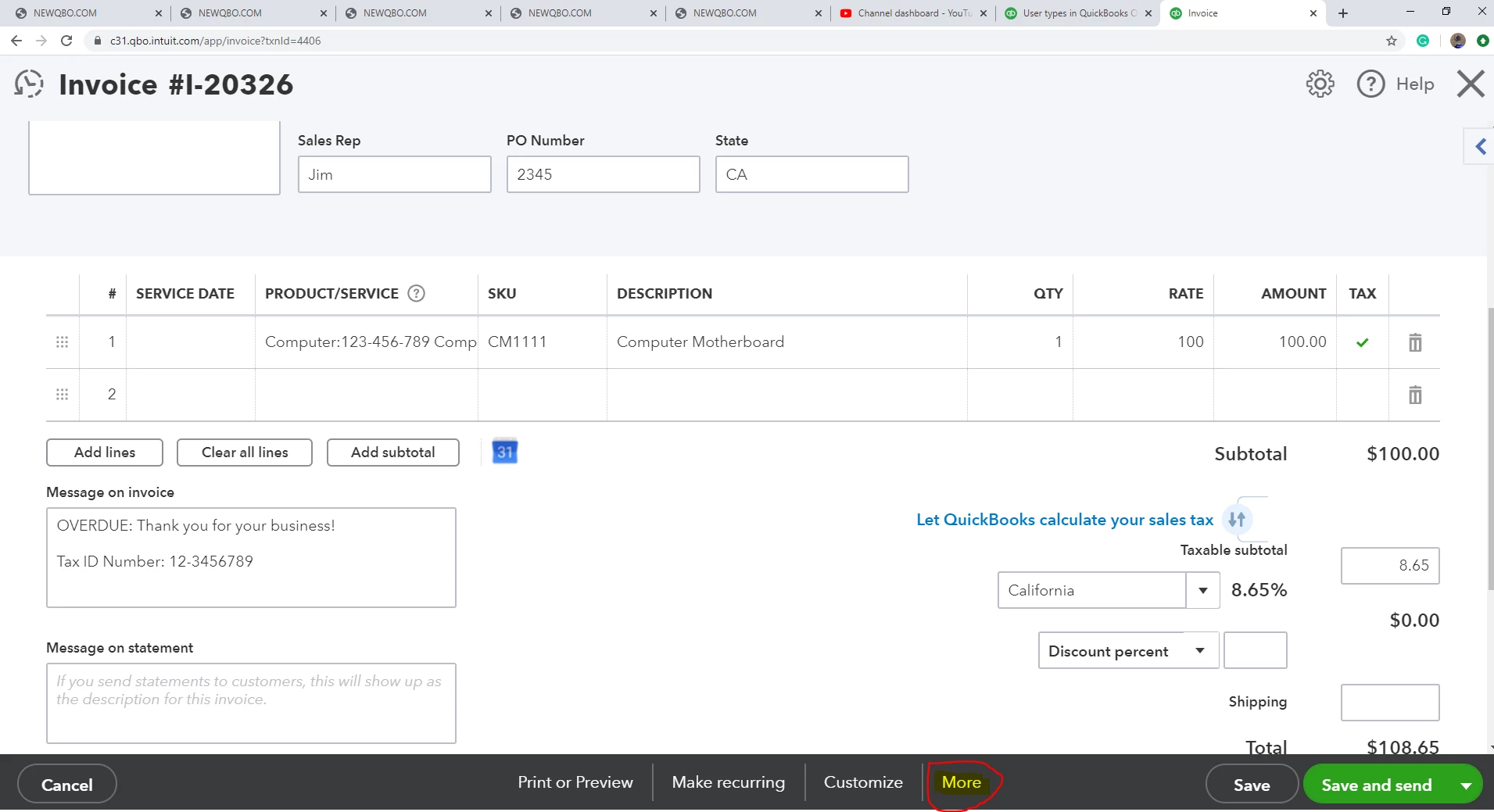
You will need to open the sales form (like an invoice) that you want to delete, to see MORE at the bottom.


2 replies

vpcontroller
March 22, 2020

@datebarlk 


"How do i delete a sales receipt, estimate and/or invoice? The 'more' function referred to in the blog doesn't seem to be available"


You will need to open the sales form (like an invoice) that you want to delete, to see MORE at the bottom.


MaryLandT
March 22, 2020

Welcome to the Intuit Community forum, datebarlk.


@vpcontroller is right! To add up, it could be a browser-related issue. Clearing the browser's cache helps delete the most recent accessed data stored in this window. Thus, causing the More button to disappear.


To help restore the button, use the links outlined below so you can delete a transaction:


As an alternative, make sure to use supported browsers. This is to ensure you'll get the best out of your QuickBooks experience.


I've also added this article: Void or delete transactions to learn more on how to remove entries you've entered into the system. It provides instructions, detailed steps, and screenshots for additional information.


Should you need anything else, please let me know. I always have your back.


Thank you and keep safe!

datebarlkAuthor
March 22, 2020

Thank you!