October 16, 2018
Solved

How do I delete entries in For Review?

  • October 16, 2018
  • 1 reply
  • 0 views

Quickbooks on line - how do I delete items from For Review

Best answer by vpcontroller

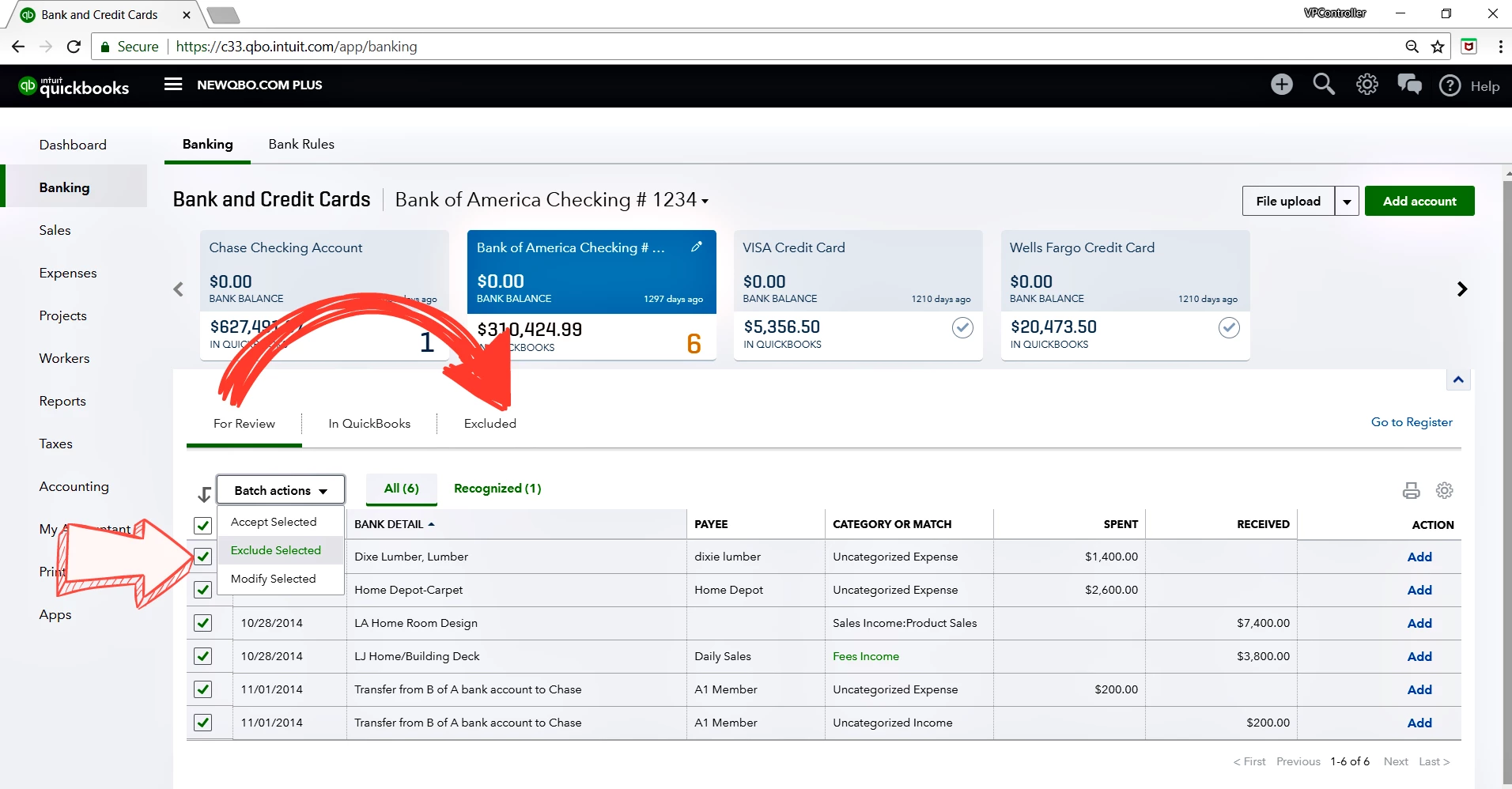
From the Banking "For Review" tab, click the checkboxes to the left of the date for the transactions you want to exclude.

  1. Once you're done, click the Batch Actions drop-down arrow and select Exclude Selected.
  2. The transactions moved to the "Excluded" tab from the "For Review" tab.


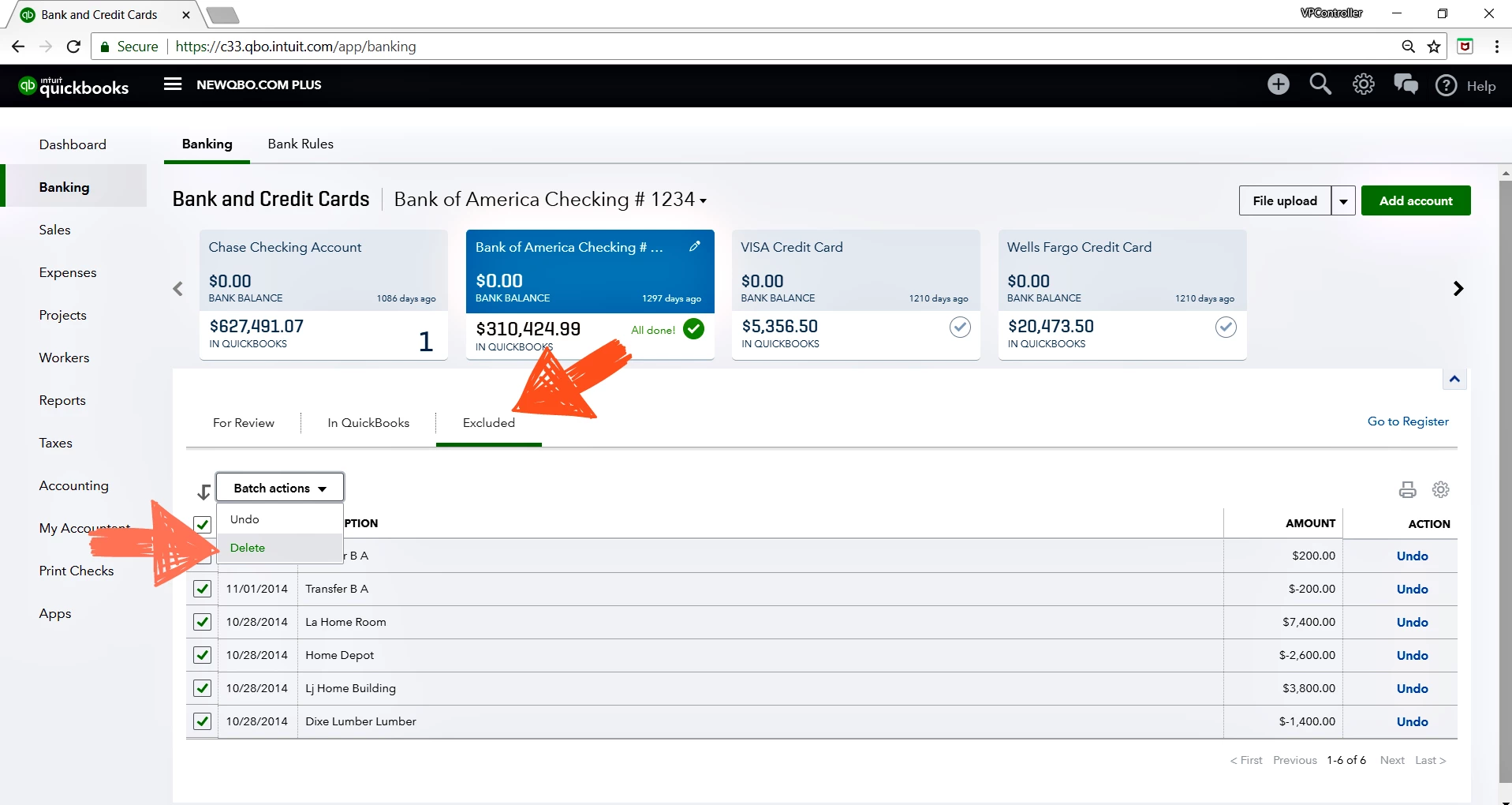
To delete permanently:

  • From the "Excluded" tab > Select transactions to delete > Batch Actions > Delete. 

1 reply

vpcontroller
October 16, 2018

From the Banking "For Review" tab, click the checkboxes to the left of the date for the transactions you want to exclude.

  1. Once you're done, click the Batch Actions drop-down arrow and select Exclude Selected.
  2. The transactions moved to the "Excluded" tab from the "For Review" tab.


To delete permanently:

  • From the "Excluded" tab > Select transactions to delete > Batch Actions > Delete. 

June 1, 2019

Sorry if this might be a silly question, but there are over 600 entries in the Excluded and I just want confirmation that if I delete them all they will not affect any of the reconciled statements. I have not worked in QB online and do not want to make more work for myself.


Thanks so much for the assist.

vpcontroller
June 2, 2019

@Breezy17 wrote:

Sorry if this might be a silly question, but there are over 600 entries in the Excluded and I just want confirmation that if I delete them all they will not affect any of the reconciled statements. I have not worked in QB online and do not want to make more work for myself.


Thanks so much for the assist.


@Breezy17 


No. Excluded data in sitting in the banking feed is not part of the entries in the bank register so it will not affect any reconciled transactions in QBO. Hope this helps!