Hi there, @calivalley.
Saving a PDF file of customers' statements in QuickBooks Desktop is achievable, and I'll be happy to guide you. It only takes a few steps.
Here's how:
- Navigate to the Customers menu and then Create Statements.
- Check the statement date.
- Select the date period of the transactions.
- Pick the customers you want to print statements for.
- Click on the Print button. This opens the Print Statements window.
- From the Printer name dropdown, choose Microsoft Print to PDF on PORTPROMPT.
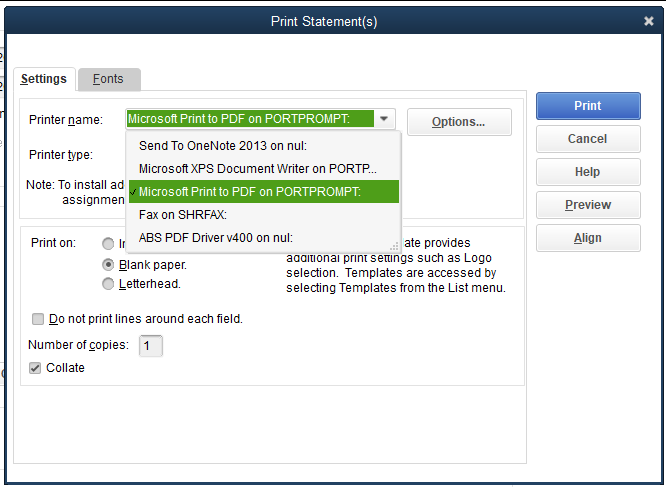
- Select Print.
- Enter a file name and then Save.
Feel free to add a comment below if you have further concerns and let me know on how these steps turn out. I'm here to ensure your success!

