
Solved
How do I import bank statements into quickbooks online? under reconciliation tab I only see 3 statements.
Original commenter did not share additional details

It's nice to have you here, delouafrica.
If you're using QuickBooks Online Plus, Advanced, Accountant, and QuickBooks Live, you can enjoy the feature of being able to get bank statements directly from your bank when you reconcile.
If you're using QuickBooks Online Simple Start and Essentials, you'll want to manually upload your bank entries into QBO.
Here's how:
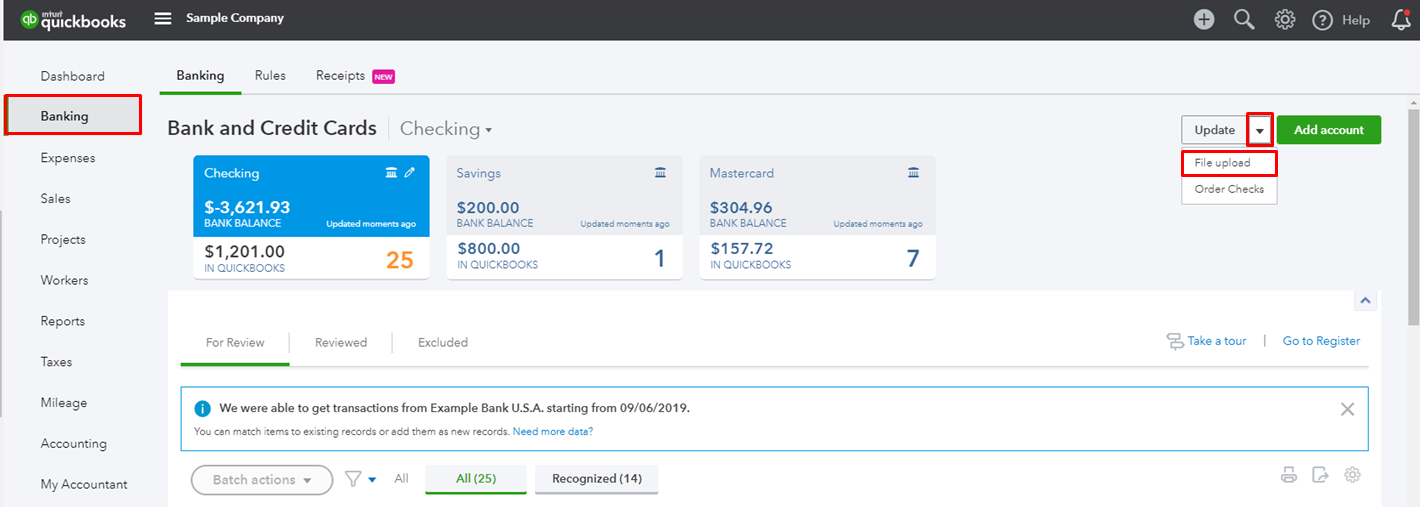
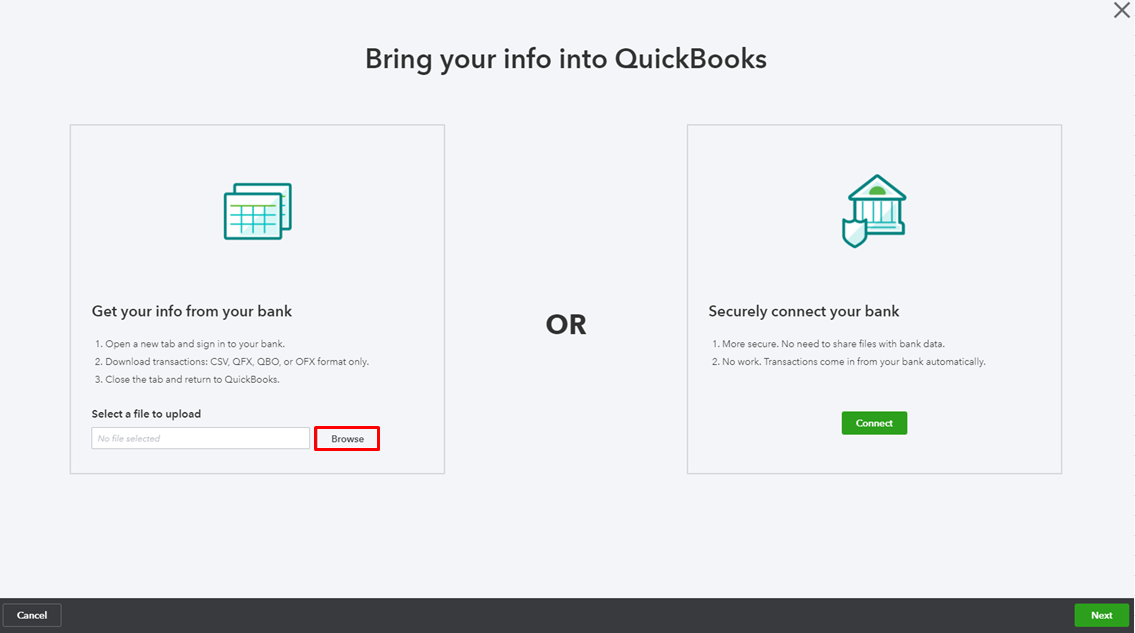
Here's an article for more information and steps on importing these files, see this article: Manually upload transactions into QuickBooks Online.
You might also want to keep these articles handy for your reference about the process of reconciliation:
Keep me posted for additional questions or other concerns while importing your bank statements. I'd be more than happy to help. Wishing you the best of luck.
Enter your E-mail address. We'll send you an e-mail with instructions to reset your password.